The Venmo Debit Card is a free Mastercard debit card that spends directly from your Venmo balance, with no monthly fee, no minimum balance, and no credit check. You order it inside the Venmo app in about a minute, tap into cash-back “Venmo offers” and a custom cash-back category, set up direct deposit to get paid up to two days early, and pull cash fee-free at MoneyPass ATMs. Unlike the Venmo Credit Card, it does not borrow money or build credit — it simply moves the money you already have.
Below is a full 2026 breakdown of how to get the Venmo Debit Card, every fee to watch for, how the rewards work, your spending and ATM limits, and exactly how the debit card differs from Venmo’s credit card so you can pick the right one.
What is the Venmo Debit Card?
The Venmo Debit Card is a physical (and virtual) Mastercard issued by The Bancorp Bank, N.A., tied to your personal Venmo account. When you swipe, tap, or enter the card online, the purchase is pulled from your Venmo balance first. If your balance is empty and you’ve turned on “Reload” (also called Purchase Power or a linked bank backup), Venmo can pull the difference from your linked bank account so the transaction still goes through.
Because it is a debit card and not a credit product, there is no application to be approved for, no interest, and no impact on your credit score. Anyone 18 or older with a verified Venmo account in good standing can get one. Venmo also offers a separate parent-managed Teen Debit Card for ages 13–17, which works differently and sits inside a parent’s account.
Key things the debit card unlocks
- Spend your Venmo balance anywhere Mastercard is accepted, online and in stores.
- Fee-free cash withdrawals at MoneyPass ATMs nationwide.
- Cash-back “Venmo offers” from participating brands, plus an optional custom cash-back category.
- Direct deposit with your own routing and account number.
- Add the card to Apple Pay or Google Pay for tap-to-pay.
How to get the Venmo Debit Card
Getting the card takes only a few taps in the app. There is no fee to order it and no minimum deposit required.
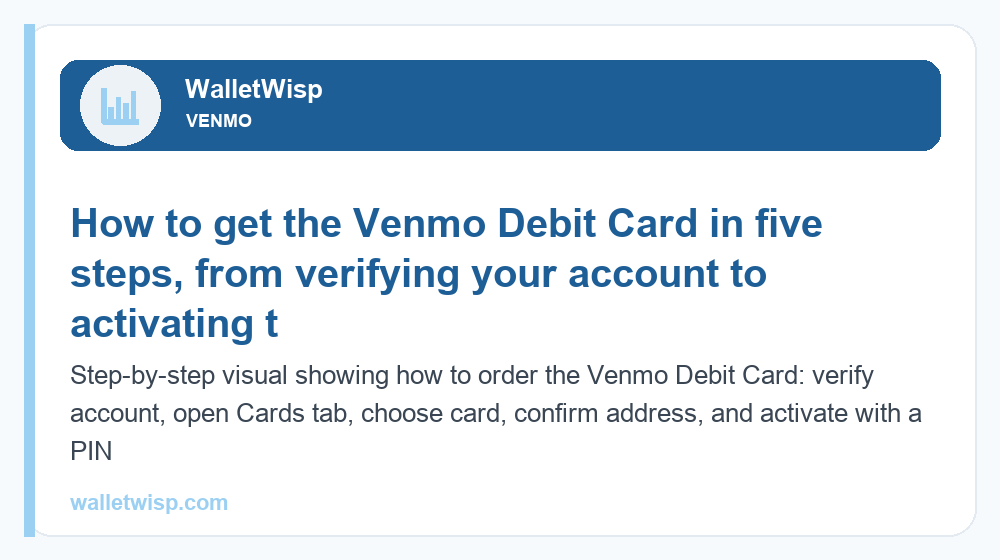
- Open the Venmo app and make sure your account is verified (name, date of birth, and the last four digits of your SSN may be requested to comply with federal “Know Your Customer” rules).
- Tap the “Cards” tab (or go to the “Me” tab and look for the Venmo Debit Card banner).
- Select “Get the Venmo Debit Card” and choose your card color.
- Confirm your mailing address and submit. The physical card typically arrives within 7–10 business days.
- Activate the card in the app when it arrives and create your PIN. In many cases you can add a virtual version to your mobile wallet right away and start spending before the plastic shows up.
Once active, you can freeze the card instantly from the app if it is lost, view your PIN, and toggle the “Reload” bank backup on or off.
Venmo Debit Card fees in 2026
The headline is that the Venmo Debit Card itself is free to own — the costs come from how you get cash in and out. Here are the fees to know, with typical amounts. Always confirm current numbers in Venmo’s fee schedule, as they can change.
| Fee type | Typical cost (2026) | Notes |
|---|---|---|
| Monthly / annual fee | $0 | No subscription, no maintenance fee. |
| Order / activation fee | $0 | Free to sign up. |
| Minimum balance | $0 | No balance requirement. |
| In-network ATM (MoneyPass) | $0 | Free at MoneyPass ATMs in the U.S. |
| Out-of-network ATM (Venmo fee) | $2.50 per withdrawal | The ATM owner may add its own surcharge on top. |
| Over-the-counter (bank teller) withdrawal | $3.00 per withdrawal | Cash from a teller using your card. |
| Cash reload at retailers | Up to $3.50 per reload | Add cash at participating stores; retailer may charge more. |
| Balance inquiry at out-of-network ATM | Around $0.50 | Estimate; avoid by checking your balance in the app. |
| Foreign / international use | Limited | The card is built for U.S. use; overseas acceptance is not guaranteed. |
Note that moving money out of Venmo is separate from the card. A standard transfer to your bank is free but takes 1–3 business days, while an Instant Transfer charges a percentage fee (commonly around 1.75%, with a small minimum and a cap). For a complete rundown of every charge across the platform, see our full guide to Venmo fees.
ATM and cash access
Cash access is one of the strongest reasons to carry the Venmo Debit Card. Venmo partners with the MoneyPass network, which has tens of thousands of ATMs across the U.S. Withdrawals at those machines are free from Venmo’s side. You can find nearby MoneyPass ATMs inside the app or on the MoneyPass locator.
If you use any ATM outside that network, expect a Venmo fee of about $2.50 per withdrawal plus whatever surcharge the ATM operator adds — that combined cost can easily reach $5–$6, so it pays to plan ahead. You can also get cash from a bank teller (over-the-counter) for around $3.00, or reload cash onto the card at participating retailers for up to $3.50 per deposit. Many stores also let you get cash back at checkout when you run the card as debit, which is usually free.
Cash back: Venmo offers and the custom category
The Venmo Debit Card earns rewards in two ways, and neither requires tracking points.
Venmo offers
Venmo offers are activated deals from participating brands — think coffee shops, beauty retailers, food delivery, and streaming services. You browse them in the app, tap to activate the ones you like, then pay with your Venmo Debit Card at that merchant. The cash back is deposited automatically into your Venmo balance, typically within a few days. Offers rotate, so it is worth checking the “Offers” section before you shop.
Custom cash-back category
Venmo has also offered a custom cash-back category for debit cardholders. This lets eligible users choose one spending category — such as groceries, gas, dining, transportation, entertainment, travel, or health & beauty — and earn a set percentage of cash back on purchases in that category. Reward rates and eligibility are set by Venmo and can change (rates in the roughly 5% range on a chosen category, subject to monthly caps, have appeared in past promotions — treat any specific figure as an estimate). Check the “Rewards” or “Offers” area of your app to see what your account currently qualifies for.
Combined, Venmo offers and a custom category can make the debit card genuinely rewarding for everyday spending, without an annual fee or interest to offset the gains.
Direct deposit and getting paid early
Setting up direct deposit turns Venmo into more of a checking-style account. In the app, you’ll find a dedicated routing number and account number under the direct deposit setup. Hand those to your employer or payroll provider (or use the pre-filled form Venmo generates), and your paycheck lands in your Venmo balance.
The big perk: with direct deposit set up, you can typically get paid up to two days early, because Venmo makes funds available as soon as it receives the payment file rather than waiting for the official payday. Direct deposit is free, and it can also unlock or expand certain features and reward eligibility. Some users also use the in-app check-cashing feature to deposit paper checks, which may carry a small fee for instant access.
Spending and withdrawal limits
The Venmo Debit Card has its own limits, separate from your person-to-person Venmo sending limits. Exact figures depend on your account history and verification status, but these typical maximums apply (treat as estimates and confirm in-app):
- Purchases: up to roughly $3,000 per day.
- ATM withdrawals: up to roughly $400 per day.
- Over-the-counter cash withdrawals: up to roughly $1,000 per day.
- Number of ATM/cash transactions: commonly capped at around 6 per day.
- Weekly combined limits may also apply across purchases and cash.
Remember these are card limits. Your ability to send money to friends, transfer to a bank, or spend online through Venmo directly is governed by a different set of caps — verified accounts can send up to a much higher weekly total. For those numbers, see our detailed breakdown of Venmo limits in 2026.
Venmo Debit Card vs. Venmo Credit Card
These two cards share a brand and an app but are very different financial products. The debit card spends money you already have; the Venmo Credit Card lets you borrow and build credit. Here is how they compare side by side.
| Feature | Venmo Debit Card | Venmo Credit Card |
|---|---|---|
| Card network | Mastercard | Visa Signature |
| Issuer | The Bancorp Bank, N.A. | Synchrony Bank |
| Credit check to open | No | Yes — application and approval required |
| Where the money comes from | Your Venmo balance / linked bank | A revolving line of credit (borrowed) |
| Rewards | Venmo offers + optional custom cash-back category | Tiered cash back, often 3% / 2% / 1%, auto-personalized to your top spend |
| Builds credit history | No | Yes — reports to the credit bureaus |
| Annual fee | $0 | $0 |
| Interest / APR | None | Variable APR if you carry a balance |
| Best for | Spending what you have, budgeting, easy cash access | Building credit and maximizing tiered cash back |
A simple rule of thumb: if you want to avoid debt, get cash easily, and spend from your balance, choose the debit card. If your goal is to build credit and earn automatic tiered rewards — and you’ll pay the balance in full each month — the credit card is the better fit. Many people carry both.
Is the Venmo Debit Card worth it?
For most active Venmo users, yes. It costs nothing to own, turns your Venmo balance into real-world spending power, offers genuinely free ATM access through MoneyPass, and layers on cash back through Venmo offers and a custom category. Direct deposit and early pay make it a reasonable stand-in for a basic checking account. The main downsides are the out-of-network ATM and cash-reload fees, limited international use, and the fact that it doesn’t build credit — none of which are dealbreakers if you plan around them.
Frequently Asked Questions
Is the Venmo Debit Card free?
Yes. There is no monthly fee, no annual fee, no minimum balance, and no charge to order or activate the Venmo Debit Card. You only pay situational fees, such as out-of-network ATM withdrawals or cash reloads at retail stores.
Does getting the Venmo Debit Card affect my credit score?
No. The debit card is not a credit product, so there is no hard inquiry and no reporting to the credit bureaus. It has zero impact on your credit score — only the Venmo Credit Card involves a credit check and builds credit history.
Where can I use the Venmo Debit Card for free ATM withdrawals?
At MoneyPass network ATMs in the U.S., withdrawals are free from Venmo’s side. Use the ATM finder in the Venmo app or the MoneyPass locator. Any out-of-network ATM adds a Venmo fee of about $2.50 plus the machine operator’s surcharge.
How does cash back work on the Venmo Debit Card?
You earn through “Venmo offers” — activated deals from participating brands that pay cash back automatically into your Venmo balance when you pay with the card — and, if eligible, a custom cash-back category you choose (like groceries or gas). Rates and offers are set by Venmo and rotate over time.
Can I set up direct deposit with the Venmo Debit Card?
Yes. Venmo gives you a routing number and account number in the app. Share them with your employer or payroll provider, and your paycheck lands in your Venmo balance — often up to two days early. Direct deposit is free and can unlock additional features.
What are the Venmo Debit Card spending and ATM limits?
Typical limits are around $3,000 per day for purchases, about $400 per day for ATM withdrawals, and roughly $1,000 per day for over-the-counter cash, with a cap on the number of daily cash transactions. Exact limits vary by account; check the app and our Venmo limits guide for current figures.
Can I add cash to my Venmo Debit Card?
Yes. You can add cash at participating retailers (such as major drugstore and convenience chains) for a fee of up to $3.50 per reload, and the store may add its own charge. You can also fund the card by transferring from a linked bank account for free, or via direct deposit.
What’s the difference between the Venmo Debit Card and the Venmo Credit Card?
The debit card is a Mastercard that spends your existing Venmo balance with no credit check and no interest. The Venmo Credit Card is a Visa issued by Synchrony Bank that requires approval, lets you borrow, builds credit, and earns tiered cash back (often 3% / 2% / 1%). Choose debit to spend what you have, or credit to build history and maximize rewards.