Cash App Card Boosts are instant discounts you activate inside the Cash App that automatically take money off qualifying purchases made with your Cash App Card. You pick one Boost at a time — say 10% off at a coffee shop or a couple of dollars off groceries — and the savings apply the moment you tap or swipe. In 2026, Boosts remain one of the simplest ways to save with a debit card, and this guide covers exactly what they are, how to turn one on step by step, the most common Boost types, how many you can use at once, and how to squeeze out the most value.
The short version: activate a Boost from the Card tab, pay with your Cash App Card at a participating merchant, and the discount is deducted from the price right at checkout. There is no coupon code, no cashback waiting period, and no cost to use them.
What Are Cash App Card Boosts?
Cash App Card Boosts are promotional discounts tied to the Cash App Card, the free Visa debit card that Block offers to Cash App users. Unlike traditional cashback rewards that credit your account days later, Boosts are instant — the discount is subtracted from your purchase total at the point of sale, so you pay less on the spot.
Each Boost is essentially a sponsored deal at a category or specific merchant. Some give you a percentage off (like 5% or 10%), some give a fixed dollar amount off (like $1 off), and some are tied to a single brand or store. Cash App and its partner merchants fund these offers, which is why the selection rotates and why they are completely free for you to use — there are no membership tiers or hidden charges. If you want to understand the broader cost picture of the card and account, our guide to Cash App fees breaks down what is free and what carries a charge.
The catch is simple: Boosts only work on purchases made with the physical or virtual Cash App Card. They do not apply to peer-to-peer payments, bills paid outside the card, or purchases made with a different debit or credit card.
How Cash App Boosts Work
Boosts follow a consistent pattern. You browse the available offers, apply one to your card, and then it stays active until you use it or swap it for a different one. When you make a qualifying purchase, Cash App recognizes the merchant or category and applies the discount automatically — you will see the reduced amount reflected in your transaction receipt.
A few Boosts are single-use, while many can be reused within a set period (for example, every time you buy coffee for the duration of that offer). Some carry a minimum spend requirement, and percentage-based Boosts often include a maximum discount cap so a large purchase does not produce an unlimited discount. Here is a quick-reference table of how Boosts behave.
| Feature | How it works |
|---|---|
| Cost to use | Free — no fees, no membership, no code needed |
| When savings apply | Instantly at checkout, deducted from the purchase total |
| Active Boosts at once | Typically one per card; applies to one purchase at a time |
| Discount types | Percentage off, fixed dollar off, or merchant-specific deals |
| Where to find them | The Card tab in the Cash App |
| How often they change | Offers rotate regularly; new Boosts appear and old ones expire |
| Requirement | An active Cash App Card and funds to cover the purchase |
Because Boosts pull from the balance on your Cash App Card, it helps to keep the card funded. Many users route a paycheck to the account so the card is always ready to use — see our walkthrough on Cash App direct deposit setup if you want the card funded automatically, since direct deposit can also unlock certain exclusive Boosts and perks.
How to Activate a Cash App Boost (Step by Step)
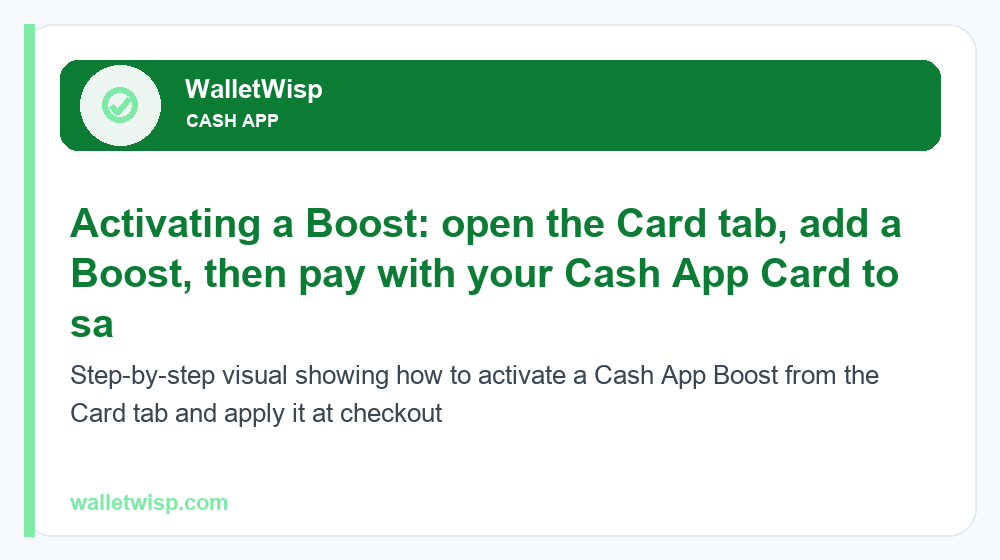
Turning on a Boost takes under a minute. You need the Cash App installed, an activated Cash App Card, and a small balance to spend. Follow these steps:
- Open the Cash App on your phone and make sure you are signed in to your account.
- Tap the Card tab. This is the icon shaped like a debit card, usually along the bottom navigation bar. It shows your Cash App Card and the Boosts section.
- Tap “Add Boost” or the Boosts icon. This opens the full list of currently available offers.
- Browse the available Boosts. Scroll through categories like coffee, dining, groceries, and specific retailers. Tap any Boost to read its details, discount amount, and terms.
- Select the Boost you want and tap “Add Boost.” It attaches to your card and becomes the active offer.
- Pay with your Cash App Card at a qualifying merchant — in store, online, or through mobile wallets like Apple Pay or Google Pay if your card is added there.
- Check your receipt. The discount is applied instantly, and you will see the reduced amount in your Cash App activity feed.
To switch to a different Boost, go back to the Card tab, tap the active Boost, and choose “Swap Boost” or remove it and add another. Some Boosts impose a short cooldown after use before you can activate a new one.
Common Types of Cash App Boosts (With Examples)
Boosts rotate constantly, so the exact lineup you see will differ from what a friend sees. Still, the categories are fairly predictable. The table below shows common Boost types with illustrative discount ranges — treat these as typical examples, not guaranteed offers, since actual Boosts and amounts change over time.
| Boost category | Example discount (illustrative) | Typical terms |
|---|---|---|
| Coffee shops | $1 off or 10% off | Often reusable; may cap the discount amount |
| Restaurants & fast food | 5%–15% off | Category-wide or brand-specific |
| Grocery stores | 5%–10% off | May require a minimum spend |
| Percentage off everywhere | 1%–5% off any purchase | Broad Boost; usually a lower rate |
| Specific retailers | 10% off or fixed dollar amount | Limited to one named merchant |
| Bitcoin or stock purchases | Fixed or percentage discount | Applies to in-app buys, when offered |
Coffee and food Boosts
Coffee is one of the most popular Boost categories because a small daily discount adds up fast. A “$1 off coffee” Boost used every weekday could return meaningful savings over a month. Restaurant and fast-food Boosts work similarly, sometimes as a broad “10% off dining” or as a deal tied to one chain.
Grocery Boosts
Grocery Boosts help offset a recurring, larger expense. A 5%–10% grocery Boost applied to a weekly shop can save more per transaction than a coffee Boost, though it may include a minimum-purchase requirement to qualify.
Percentage-off and merchant-specific Boosts
Broad “percentage off any purchase” Boosts are the most flexible because they work almost anywhere your card is accepted, though the rate is usually lower (often 1%–5%). Merchant-specific Boosts offer a bigger discount but only at one named store or app, so they are best when you already shop there.
Boost Rules: Limits, Timing, and How Often They Change
How many Boosts can you use at once?
You can generally have one Boost active on your card at a time, and it applies to a single qualifying purchase. You cannot stack two Boosts on the same transaction. The upside is that swapping is quick — after a purchase (and any cooldown), you can switch to a different Boost for your next buy, so over a day you might use a coffee Boost in the morning and a grocery Boost in the afternoon.
How often do Boosts change?
Boosts rotate on an ongoing basis. New offers appear and expiring ones drop off, so the menu you see this week may look different next week. It is worth checking the Card tab regularly — a high-value Boost for a store you frequent might be available only for a limited window.
Are there spending or discount limits?
Individual Boosts often cap the maximum discount per purchase (common with percentage offers) and may set a minimum spend to qualify. Separately, your overall card usage is governed by Cash App’s account-level spending and withdrawal limits, which are not the same as Boost caps. If you plan larger purchases, review the current Cash App limits for 2026 so a Boost purchase does not bump against your card’s spending ceiling.
Tips to Maximize Your Cash App Boost Savings
Boosts are small individually but powerful when you use them deliberately. These habits help you get the most out of them:
- Match the Boost to your next purchase. Before you head to a store or order online, open the app and activate a Boost that fits what you are about to buy.
- Prioritize dollar value, not just percentage. A 10% grocery Boost on a $120 shop beats a 10% coffee Boost on a $5 latte. Aim your active Boost at your biggest upcoming spend.
- Rotate throughout the day. Since you can swap after each use, plan a sequence — for example, a food Boost at lunch, then switch to a retail Boost for evening shopping.
- Check for a fresh lineup often. Because offers rotate, a quick look every few days helps you catch limited-time or high-value Boosts before they expire.
- Keep your card funded. Boosts only work on Cash App Card purchases, so maintain a balance or use direct deposit so the card is always ready.
- Add your card to a mobile wallet. Loading the Cash App Card into Apple Pay or Google Pay lets Boosts apply to tap-to-pay purchases too, expanding where you can save.
- Read the fine print. Note minimum spends, discount caps, and whether a Boost is single-use so you are not surprised at checkout.
Frequently Asked Questions
Are Cash App Card Boosts free to use?
Yes. Boosts cost nothing to activate or use. There is no membership fee, no coupon code, and no charge for the discount — the savings simply come off your purchase total at checkout.
Do I need the Cash App Card to use Boosts?
Yes. Boosts only apply to purchases made with the Cash App Card, either the physical card, the virtual card number, or the card loaded into a mobile wallet. They do not work with other debit or credit cards or with peer-to-peer payments.
How many Boosts can I use at the same time?
Typically one Boost can be active on your card at a time, and it applies to a single purchase. You cannot combine two Boosts on the same transaction, but you can swap to a different Boost for your next purchase.
How often do Cash App Boosts change?
They rotate regularly. New Boosts are added and older ones expire on an ongoing basis, so it is worth checking the Card tab often to catch limited-time or high-value offers before they disappear.
Where do I find Boosts in the app?
Open the Cash App, tap the Card tab (the debit-card icon), and look for the Boosts section. Tap “Add Boost” to browse the full list of currently available offers and their terms.
Is there a limit on how much I can save with a Boost?
Individual Boosts often cap the maximum discount per purchase, especially percentage-based offers, and some require a minimum spend. Your overall card spending is also subject to Cash App’s account limits, which are separate from Boost caps.
Can I stack a Boost with other discounts?
You cannot stack two Cash App Boosts on one purchase. However, a Boost usually still works alongside a merchant’s own in-store sale or loyalty program, since those discounts are handled separately by the store.
Do Boosts apply to online and mobile wallet purchases?
Yes, as long as you pay with your Cash App Card. That includes online checkouts using your virtual card number and tap-to-pay purchases when the card is added to Apple Pay or Google Pay, provided the merchant qualifies for the active Boost.