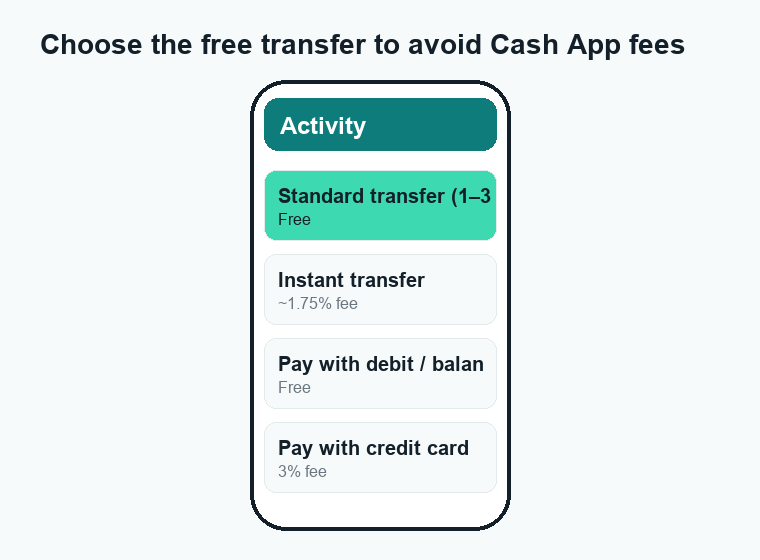
Most Cash App fees are easy to avoid, and the basics are free: sending money from your balance or a linked bank account, receiving money, and standard (1–3 day) transfers to your bank cost nothing. You only pay when you choose a faster or fancier option — like an instant transfer, paying with a credit card, using an ATM, or buying Bitcoin.
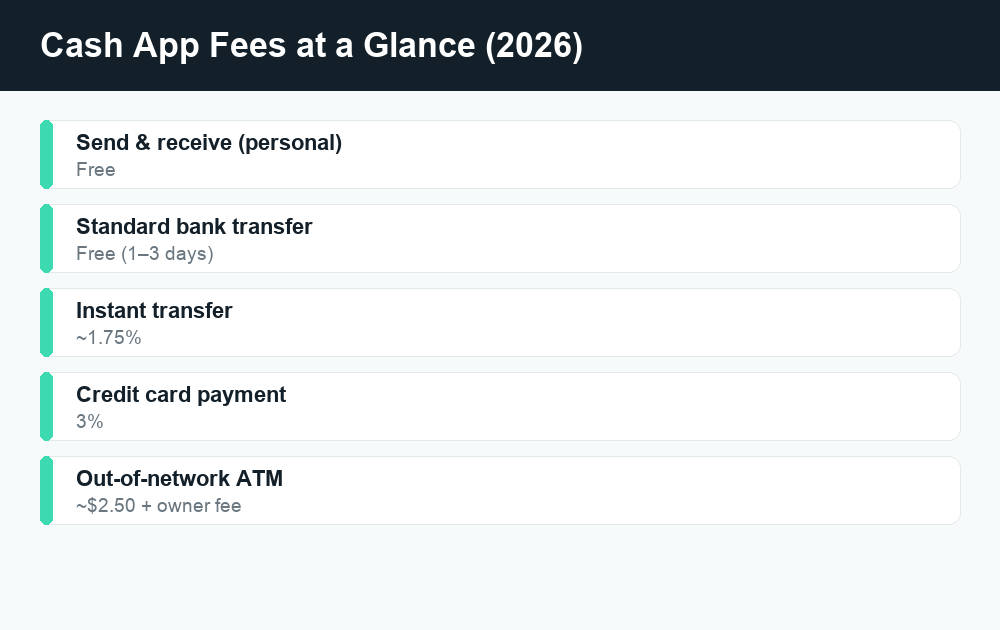
Quick answer: Cash App is free for everyday personal use. Sending and receiving money and standard bank transfers cost $0. Paid extras include instant transfers (about 1.75% of the amount), paying with a linked credit card (3%), out-of-network ATM withdrawals (around $2.50 plus the ATM owner’s fee), the spread on Bitcoin buys, business-account payments (2.75%), and a 3% foreign-transaction fee. Confirm current rates in the app before you send.
What’s free on Cash App
The good news is that the things most people do every day don’t cost a cent. Cash App makes its money on the optional speed and convenience features, not on the basics. Here’s what you can do for free:
- Send money to friends or family from your Cash App balance or a linked debit card or bank account.
- Receive money from anyone — there’s no fee to get paid into your personal account.
- Standard bank transfers (also called “cash out”) that take 1 to 3 business days.
- Cash Card purchases at stores and online with your free Cash App debit card.
- Direct deposit of your paycheck or government benefits.
- In-network ATM withdrawals if you qualify (more on that below).
If you stick to these, you’ll never see a fee. The charges start only when you pick a paid option, and Cash App always shows the fee before you confirm.
Cash App fees at a glance
Here’s a quick table of the main charges as of 2026. Always double-check the exact number in the app, since rates can change.
| Action | Fee | Free alternative? |
|---|---|---|
| Send/receive money (personal) | $0 | Already free |
| Standard bank transfer (1–3 days) | $0 | Already free |
| Instant bank transfer | ~1.75% (min ~$0.25) | Yes — use standard transfer |
| Pay with linked credit card | 3% | Yes — pay from balance or debit |
| Out-of-network ATM withdrawal | ~$2.50 + ATM owner fee | Yes — qualify for reimbursement |
| Buy/sell Bitcoin | Service fee + spread | No — built into the price |
| Business account payment | 2.75% | No — paid by the seller |
| Foreign-currency transaction | ~3% | No |
Instant transfer fee: about 1.75%
When you “cash out” money from Cash App to your bank, you get two choices. The standard transfer is free but takes 1 to 3 business days. The instant transfer lands in your bank in seconds, but it costs about 1.75% of the amount, with a small minimum fee (usually around $0.25).
So if you instantly cash out $200, you’d pay roughly $3.50. On a $50 transfer it’s under a dollar. It’s a small price for speed, but it adds up if you do it often.
How to avoid it: plan ahead and use the standard option. If you cash out a couple of days before you need the money, you keep the whole amount. The fee only exists because you’re paying for instant access.
Instant vs. standard transfer
| Standard | Instant | |
|---|---|---|
| Speed | 1–3 business days | Seconds |
| Fee | Free | ~1.75% (min ~$0.25) |
| Best for | Money you don’t need right now | Emergencies / same-day needs |
Credit card fee: 3%
You can link a credit card to Cash App and use it to send money, but it comes with a 3% fee. Send $100 with a credit card and you’ll pay $3 on top. This is similar to how Venmo and other apps treat credit cards — see our breakdown of Venmo fees for a side-by-side comparison.
How to avoid it: pay from your Cash App balance, a linked debit card, or a bank account instead. All three are free. Only reach for a credit card if you truly need to, and remember your card issuer may also treat it as a cash advance with its own interest and fees.
ATM fees: around $2.50 (plus the machine’s fee)
The free Cash Card lets you withdraw cash at ATMs, but Cash App charges about $2.50 per withdrawal, and the ATM owner usually adds its own surcharge on top. That can mean $5 or more for a single withdrawal at a convenience-store machine.
The good news: Cash App reimburses ATM fees if you qualify. Generally you need to receive $300 or more in direct deposits into your Cash App account each month. When you meet that bar, Cash App refunds its own ATM fee and a set number of third-party ATM surcharges within a billing period. The exact reimbursement rules can change, so check the current terms in the app.
How to avoid ATM fees:
- Set up direct deposit of at least $300/month to unlock fee reimbursements.
- Get “cash back” at the checkout when you buy something with your Cash Card — it’s usually free.
- Use in-network ATMs where available.
- Withdraw larger amounts less often instead of small amounts frequently.
Bitcoin and stock fees
Cash App lets you buy and sell Bitcoin and trade stocks. Stock trading is generally commission-free. Bitcoin is different: when you buy or sell, Cash App may charge a service fee shown at checkout, plus a spread — a small markup baked into the price you get versus the live market rate.
Because the spread is built into the price, it’s easy to miss. Before you confirm a Bitcoin trade, look at the total cost and the amount of Bitcoin you’ll actually receive. The percentage can move with market conditions, so there’s no single fixed number — read the screen before tapping confirm.
Business account fees: 2.75%
If you switch to a Cash App business account (or someone tags a payment to you as a purchase), the person receiving the money pays a 2.75% fee on each payment. So a $100 sale leaves the seller with $97.25.
This matters in two ways. If you sell goods or services, factor that 2.75% into your pricing. If you’re just paying a friend, make sure the payment isn’t being flagged as a business or “purchase” transaction, or a fee could be deducted that you weren’t expecting. Personal payments between friends and family remain free.
Foreign transaction fee: 3%
Cash App is built for U.S. (and U.K.) users. If you use your Cash Card in another country or in a foreign currency, expect a foreign-transaction fee of about 3% on the purchase amount, plus the standard currency conversion. For frequent international travel, a dedicated travel card with no foreign fees is usually a better fit.
How to avoid Cash App fees: a quick checklist
Put it all together and avoiding fees is mostly about choosing the free path:
- Use standard transfers, not instant — skip the 1.75% by waiting 1–3 days.
- Pay from your balance, debit card, or bank — never a credit card (saves 3%).
- Set up $300+/month direct deposit — unlocks ATM fee reimbursements.
- Get cash back at checkout instead of using an ATM.
- Keep personal payments personal — don’t let them get tagged as purchases (avoids 2.75%).
- Avoid foreign use — use a no-foreign-fee card abroad.
- Watch the Bitcoin spread — review the total before confirming.
If a payment of yours is stuck rather than charged a fee, that’s a separate issue — see our guide on why a Cash App payment is pending. And if you’ve decided Cash App isn’t for you, here’s how to delete your Cash App account the right way.
Frequently asked questions
Does Cash App charge a fee to receive money?
No. Receiving money into a personal Cash App account is free. The only time a fee applies on the receiving side is with a business account, where the recipient pays 2.75% per payment.
Why did Cash App charge me a fee on a transfer?
The most common reason is that you chose an instant transfer (about 1.75%) instead of the free standard option, or you paid with a linked credit card (3%). Cash App shows the fee on screen before you confirm, so check which speed and funding source you picked.
How much is the Cash App instant transfer fee?
It’s roughly 1.75% of the amount you’re cashing out, with a small minimum fee around $0.25. On a $200 instant transfer that’s about $3.50. The standard 1–3 day transfer is always free.
Can I avoid the ATM fee on Cash App?
Yes. Cash App reimburses ATM fees if you receive at least $300 in direct deposits per month. You can also get free cash back at store checkouts with your Cash Card instead of using an ATM. Confirm the current reimbursement rules in the app.
Is sending money on Cash App free?
Sending money from your Cash App balance, a linked debit card, or a bank account is free. The only sending fee on a personal account is the 3% charge for using a linked credit card.
Does Cash App charge a fee for Bitcoin?
Yes. Buying or selling Bitcoin can include a service fee shown at checkout plus a spread — a markup built into the price. Stock trades, by contrast, are generally commission-free. Always review the total before confirming a Bitcoin order.
How do Cash App fees compare to Venmo and Zelle?
Cash App and Venmo are similar: free standard transfers, paid instant transfers, and a credit-card fee. You can compare in our Venmo fees guide. Zelle works differently — it moves money bank-to-bank, usually with no fees at all; see is Zelle safe for how it works.
Does Cash App charge monthly fees?
No. There’s no monthly or annual membership fee for a standard Cash App account, and the Cash Card is free. You only pay for the optional extras described above.
Last updated: June 2026. Fees, limits, and features can change — always confirm current details in the app. WalletWisp is an independent guide and is not affiliated with any app mentioned. This article is general information, not financial advice.
Related: Why is my Cash App payment pending? · Venmo fees explained · More Cash App guides