If you’re searching for how to delete a Chime account, here’s the short version: you can’t fully close a Chime account from inside the app yourself — you have to first empty your balance and stop all incoming and outgoing transactions, then contact Chime Member Services (by phone, email, or in-app chat) and ask them to close the account. Chime then verifies your identity and processes the closure. The whole thing usually takes a little while once any pending transactions clear, so it pays to plan ahead rather than closing on the day rent is due.
This guide walks you through the entire process in plain English: how to safely move out your money, how to cancel direct deposits and recurring payments so nothing bounces, exactly how to reach support and what to say, and what actually happens to your card, your data, and your money after the account is closed.
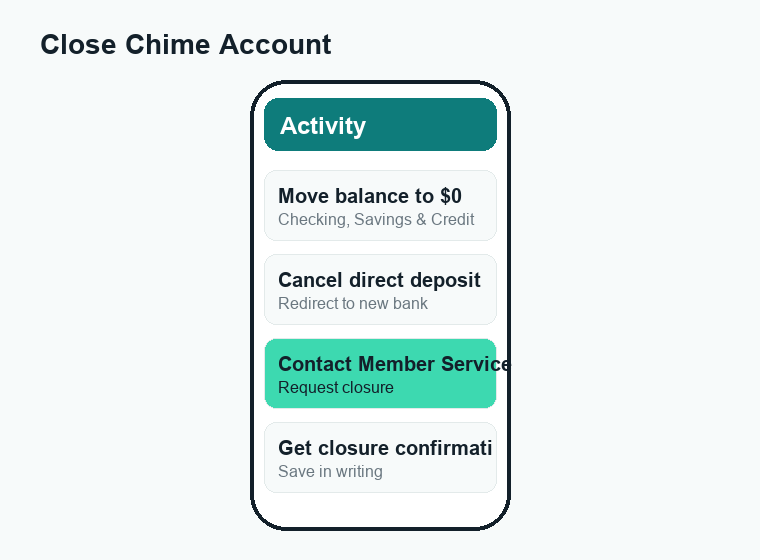
Quick answer: Chime accounts can’t be self-deleted in the app. First, drain your Checking and Savings to $0 and pause anything tied to the account (direct deposit, autopay, subscriptions). Then contact Chime Member Services and request closure — they’ll confirm your identity and close it once pending items clear. Keep your statements, because you lose app access afterward.
Before you delete: what “closing Chime” actually means
Chime isn’t a bank — it’s a financial technology company that partners with banks (its deposit accounts are held at partner banks and are FDIC-insured through those partners). When people talk about “deleting” a Chime account, they usually mean one of two slightly different things:
- Closing your Chime account entirely — shutting down your Checking, Savings, and Credit Builder so the relationship ends and your card stops working.
- Deleting the app or your login — just removing the app from your phone, which does not close the account. Your account, card, and any direct deposits stay active even if the app is gone.
This matters because uninstalling the app while a direct deposit or autopay is still pointed at your Chime numbers can leave money stuck or payments bouncing. If your goal is to truly end the relationship, you need the full closure process below, not just a quick uninstall.
Reasons people close a Chime account
There’s no wrong reason, but the common ones include switching to a traditional bank, consolidating to fewer accounts, frustration after a disputed transaction or a frozen account, or simply not using it anymore. Whatever your reason, the mechanics are the same — and doing the prep work first is what keeps the process painless.
Step 1: Move your balance out of Chime
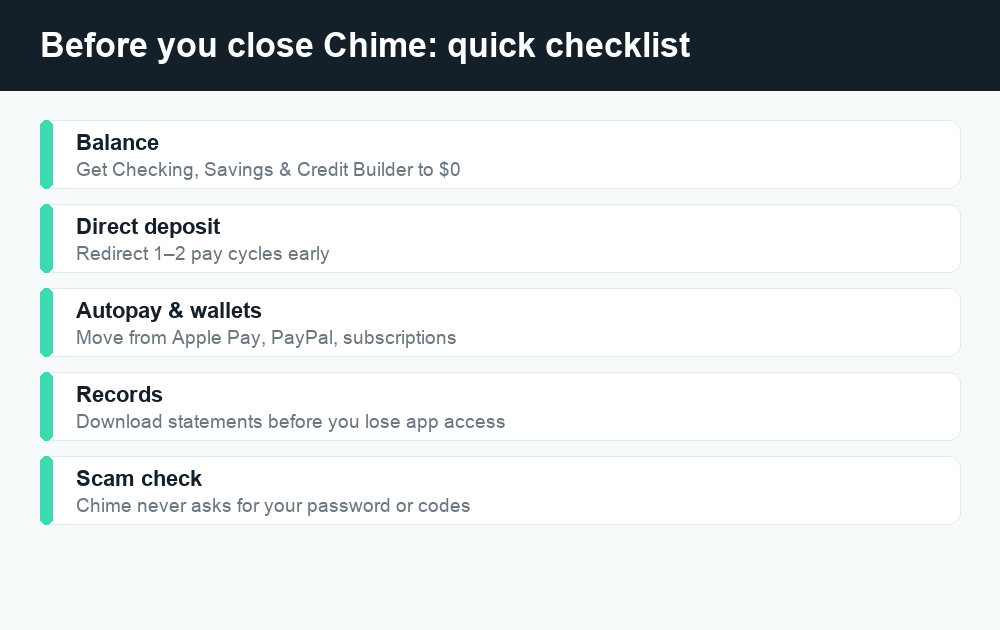
Chime will generally not close an account that still has a balance, and you don’t want to lose track of your own cash. Empty every pocket of money inside Chime — Checking, Savings, and any rewards or boosts — before you ask for closure.
- Transfer Savings into Checking. Inside the app, move any balance from your Savings Account into your Checking Account so everything lives in one place.
- Send your Checking balance to another bank. Use an external transfer (ACH) to your other bank account, or send it to a linked debit card if that option is available to you. Note that standard ACH transfers can take a few business days to settle — confirm timing in the app.
- Or move it out instantly to a card. If you have an eligible external debit card linked, an instant transfer may be available, sometimes for a small fee. Check the in-app fee before you confirm.
- Spend it down or get cash. Alternatively, use your Chime card for purchases or withdraw the remaining cash at an ATM until the balance is at or near $0.
- Don’t forget Credit Builder. If you use Chime’s Credit Builder, you’ll want to settle and zero out that balance too. Closing Credit Builder can affect your credit, so read the next section before you do.
Aim to get every balance to $0.00. If you leave even a few cents, Chime may not be able to process the closure until it’s cleared.
A note on Credit Builder and your credit score
The Chime Credit Builder card is a secured card tied to your account. Closing it removes that account from your credit file’s “open accounts,” which can shorten your average account age or change your credit mix — both of which can nudge your score. If your Credit Builder line is one of your older or only credit lines, think twice before closing it, or talk to support about your options. None of this is financial advice; if your credit situation is complicated, consider checking with a credit counselor first.
Step 2: Cancel direct deposits and recurring payments
This is the step people skip — and it’s the one that causes the biggest headaches. If your paycheck or benefits land in a closed Chime account, that money can get rejected and sent back to the sender, delaying your pay. If a subscription or loan tries to autopay from a closed account, it can fail and trigger late fees.
Walk through this checklist before you request closure:
- Redirect your paycheck/direct deposit. Give your employer (or benefits provider, like Social Security or unemployment) the routing and account numbers for your new account. Direct deposit changes can take one or two pay cycles to take effect, so do this early.
- Update any government or benefits deposits. Tax refunds, Social Security, SSI, child support, and similar payments need the new account on file with each agency.
- Move recurring autopay and subscriptions. Streaming services, gym, insurance, utilities, phone bill, buy-now-pay-later — anywhere your Chime card or account number is saved, swap in the new payment method.
- Cancel scheduled or recurring transfers inside Chime. Turn off any automatic Save When You Get Paid, round-ups, or scheduled transfers.
- Check linked apps and wallets. Remove your Chime card from Apple Pay, Google Pay, PayPal, Cash App, Venmo, and any merchant that stores it. Speaking of which, if you also use peer-to-peer apps, our guides to Cash App fees and Venmo fees can help you decide where to route money next.
Give yourself a buffer of at least one full pay cycle — ideally two — between updating these and asking Chime to close the account. That window lets the last deposits land and the last autopayments clear.
Step 3: Contact Chime to request closure
Once your balance is $0 and nothing is pointed at the account anymore, you ask Chime to close it. You cannot tap a single “delete account” button in the app — it’s a request you submit to Member Services, who handle the closure on the back end. Here are your options, from fastest to slowest:
| Method | How to use it | Typical speed |
|---|---|---|
| Phone (Member Services) | Call the support number printed on the back of your Chime card or listed in the app’s Help section. Ask to close your account. | Fastest — handled live |
| In-app chat / Help | Open the app, go to the support or Help area, and start a chat requesting account closure. | Fast, but may queue |
| Email support | Email Chime’s official support address and clearly state you want to close your account. | Slower — depends on reply time |
What to have ready
To verify it’s really you, support will typically confirm identifying details tied to the account (your name, contact info, and account verification). Have your phone and your login handy. They’ll confirm the balance is zero and that no transactions are pending, then submit the closure.
A scam-awareness warning
Account closures attract scammers. Chime will never ask you to confirm closure by sharing your full password, a one-time verification code, your card’s CVV, or by moving money to a “safe account.” Anyone who does is a fraudster. Only use the contact details inside the official app or on chime.com, and if a call feels off, hang up and call the number on your card instead. The official source for complaints about financial apps is the CFPB — go there directly, not through a link someone messages you.
Step 4: Confirm the account is closed
After you submit the request, Chime processes the closure once everything has settled. Ask support for confirmation — ideally in writing (email) — so you have a record. Watch for:
- A closure confirmation message or email from Chime.
- Your Chime debit card no longer working for purchases or ATM withdrawals.
- Loss of access to the app’s account features once closure completes.
If anything is still pending when you request closure, the process can pause until those items clear. A small leftover balance, a transaction that hasn’t fully posted, or a recent deposit can all hold things up.
How long does it take to delete a Chime account?
There isn’t a single official countdown that applies to everyone, because the timing depends on your pending transactions. As a realistic expectation:
| Stage | What’s happening | Rough timeframe |
|---|---|---|
| Move out balance (ACH) | External bank transfer settles | A few business days |
| Direct deposit redirect | Employer/agency updates your new account | One to two pay cycles |
| Pending transactions clear | Recent purchases/deposits finish posting | A few business days |
| Closure request processed | Support verifies and closes the account | Often quick once the above are done |
The takeaway: the closure request itself is usually fast, but the prep — settling money and pointing your income elsewhere — is what determines the real calendar time. Don’t close the account the same week a paycheck is due.
What happens after you close your Chime account
Your card stops working
Your Chime Visa debit card and Credit Builder card will be deactivated. Cut up or securely dispose of the physical cards once closure is confirmed.
You lose app access — so save your records first
After closure, you generally can’t log in to view past statements or transaction history. Before you close, download or screenshot anything you might need later: monthly statements, tax-relevant transactions, and any dispute records. You may have to request historical records from support afterward, which is slower.
Your money
Any balance left at closure should be returned to you, typically by transfer or a mailed check to your address on file — which is another reason to zero the balance yourself first so there are no surprises and no waiting on a check.
Direct deposits sent after closure bounce back
If a paycheck or benefit hits the account after it’s closed, it gets rejected and returned to the sender, who then has to reissue it to your new account. That’s exactly the delay you avoid by redirecting deposits early.
Reopening later
If you change your mind down the road, you’d generally need to apply for a new account rather than reactivate the old one. Closing is meant to be permanent, so be sure before you submit the request.
Should you delete Chime, or just stop using it?
If your only worry is the app cluttering your phone, you can simply delete the app and the account stays open and dormant — though an open account you ignore can still be a target for fraud, so don’t leave money in it. If you genuinely want out, do the full closure. And if you’re closing Chime to move to a peer-to-peer setup, it’s worth understanding the quirks of those apps too: see why a Cash App payment shows pending, or browse our Chime guides for more on managing the account day to day.
Frequently asked questions
Can I delete my Chime account directly in the app?
No. There’s no self-service “close account” button. You prepare the account (zero balance, no pending or recurring transactions) and then contact Chime Member Services by phone, in-app chat, or email to request closure. Support handles the actual closing.
Does deleting the Chime app close my account?
No. Uninstalling the app only removes it from your phone. Your account, card, and any direct deposits or autopayments stay active. To truly end the relationship, you must request a full closure through support.
Do I have to empty my balance before closing?
Yes — get Checking, Savings, and Credit Builder to $0 first. Chime generally won’t close an account that still holds a balance, and zeroing it yourself ensures you keep your money instead of waiting for a returned transfer or mailed check.
Will closing Chime hurt my credit score?
Closing the Credit Builder card can affect your credit, since it removes an open account from your file and may change your average account age or credit mix. If Credit Builder is one of your older or only credit lines, weigh that before closing. This is general information, not financial advice.
What happens to a direct deposit sent after I close the account?
It gets rejected and returned to the sender — your employer or the paying agency — who then has to reissue it to your new account. That can delay your pay, which is why you should redirect deposits one to two pay cycles before closing.
Can I get my old statements after closing?
Usually you lose app access once the account is closed, so download or screenshot statements and important transaction history beforehand. If you need records afterward, you may have to request them from Chime support, which takes longer.
How long does it take Chime to close my account?
The closure request itself is often quick once your balance is zero and nothing is pending. The longer part is the prep: ACH transfers take a few business days and direct-deposit changes can take a pay cycle or two. Plan for that lead time.
Can I reopen a closed Chime account?
Generally no — closure is meant to be permanent. If you want to use Chime again later, you’d typically need to apply for a brand-new account. Make sure you’re certain before you submit the closure request.
Last updated: June 2026. Fees, limits, and features can change — always confirm current details in the app. WalletWisp is an independent guide and is not affiliated with any app mentioned. This article is general information, not financial advice.
Related: How to delete a Cash App account · Cash App fees explained · More Chime guides