If you are asking why is Zelle not working, the answer is usually one of six things: a Zelle or bank-side outage, an unverified or recently changed phone number or email, hitting your bank’s send limit, a payment flagged for security review, sending to a recipient who has not enrolled in Zelle, or a simple app, login, or internet connection glitch. In most cases the fix takes only a few minutes once you identify which category your problem falls into. Start by confirming Zelle itself is not down, then check your own account status, and finally verify the recipient’s details before you try the payment again.
Because Zelle runs inside your bank or credit union’s app in 2026, most failures are tied to your specific bank rather than to Zelle as a network. That is an important distinction: a problem at one bank does not mean Zelle is broken everywhere. Below, we walk through how to check if Zelle is down, each error cause and its fix, the difference between a failed and a pending payment, limit and verification issues, and a step-by-step troubleshooting routine you can follow every time.
First, Is Zelle Down? How to Check for an Outage
Before you change any settings, rule out a service outage. If Zelle or your bank’s payment system is experiencing problems, no amount of troubleshooting on your end will help, and you simply need to wait. Here is how to check quickly:
- Check a status/outage tracker. Sites like Downdetector show real-time spikes in user reports for both “Zelle” and your specific bank (for example, “Chase” or “Bank of America”). A sudden spike usually signals a genuine outage.
- Check your bank’s status page or social accounts. Many banks post service alerts on their app login screen or on X (formerly Twitter). Zelle’s own support channels also post major incidents.
- Test another banking function. If you cannot log in at all, or your balance will not load, the issue is your bank’s app or servers, not Zelle specifically.
- Ask the recipient. If they are on a different bank and Zelle works fine for them, the outage (if any) is likely on your bank’s side.
During a confirmed outage, avoid retrying the same payment repeatedly. Duplicate attempts can occasionally result in two transfers once service is restored. Wait until the tracker and your bank confirm the issue is resolved, then try once.
The Six Most Common Reasons Zelle Is Not Working
If Zelle is not down, the problem is almost certainly one of the following. Match your symptom to the cause, then apply the fix.
1. A Zelle or Bank Outage
Symptoms: payments hang, the Zelle tab will not load, or you get a generic “try again later” message affecting many users at once. Fix: confirm via an outage tracker, then wait it out. Do not resend.
2. Unverified or Recently Changed Phone or Email
Zelle ties your account to a verified U.S. mobile number or email address. If you recently changed your number, switched banks, or never confirmed the verification code, your enrollment can break. Fix: open your bank’s app, go to the Zelle settings, and re-verify your contact details. You will typically receive a one-time code by text or email that you must enter to reactivate the token.
3. Exceeding Your Send Limit
Every bank sets its own daily, weekly, and monthly Zelle limits, and they vary widely. If a payment is rejected instantly with a “limit exceeded” style message, you have likely hit one of these caps. Fix: wait for the rolling window to reset, split the payment into smaller amounts across days, or use a bank with a higher limit. See our full breakdown of Zelle transfer limits for typical bank-by-bank ranges.
4. A Payment Flagged for Review
Banks use automated fraud systems that can hold or block a Zelle payment that looks unusual—a first-time recipient, a large amount, or activity that does not match your pattern. Fix: check your app for a security notification, and be ready to confirm the payment by responding to a fraud alert text or calling the number on the back of your card. Never approve a payment you did not initiate.
5. An Unenrolled Recipient
Zelle only works if the person you are paying has enrolled their phone number or email with a participating U.S. bank. If they have not, the money will sit as pending until they enroll—or it will eventually be canceled and returned. Fix: confirm the recipient is enrolled and that you are using the exact number or email they registered.
6. App, Login, or Connection Issues
An outdated banking app, a spotty Wi-Fi or cellular connection, or a cached login session can all break Zelle. Fix: update the app, switch between Wi-Fi and mobile data, force-close and reopen the app, and log out and back in.
A note on the standalone app: the separate Zelle mobile app was discontinued in 2025. Zelle now works only through the apps of participating banks and credit unions. If you were relying on the old standalone app, that is why it stopped working—you need to use Zelle inside your bank’s app instead.
Common Zelle Errors and How to Fix Them
The table below maps the messages and symptoms you are most likely to see to their probable cause and the quickest fix.
| Error or symptom | Likely cause | Fix |
|---|---|---|
| “Zelle is currently unavailable” / tab won’t load | Zelle or bank outage | Check an outage tracker; wait, then try once |
| “We couldn’t verify your identity / contact” | Unverified or changed phone/email | Re-verify contact info via a one-time code in bank app |
| “Amount exceeds your limit” | Daily/weekly/monthly send limit reached | Wait for reset or send a smaller amount |
| Payment held or “under review” | Flagged by fraud/security system | Respond to the fraud alert or call your bank |
| Payment stuck as “Pending” | Recipient not enrolled in Zelle | Recipient enrolls; or cancel and resend |
| “Recipient not found” / can’t add contact | Wrong or unregistered number/email | Confirm the exact enrolled contact detail |
| App crashes or freezes on Zelle screen | Outdated app or connection issue | Update app, switch networks, restart app |
| “Payment failed” and money returned | Blocked payment or timeout | Verify details and retry; contact bank if it repeats |
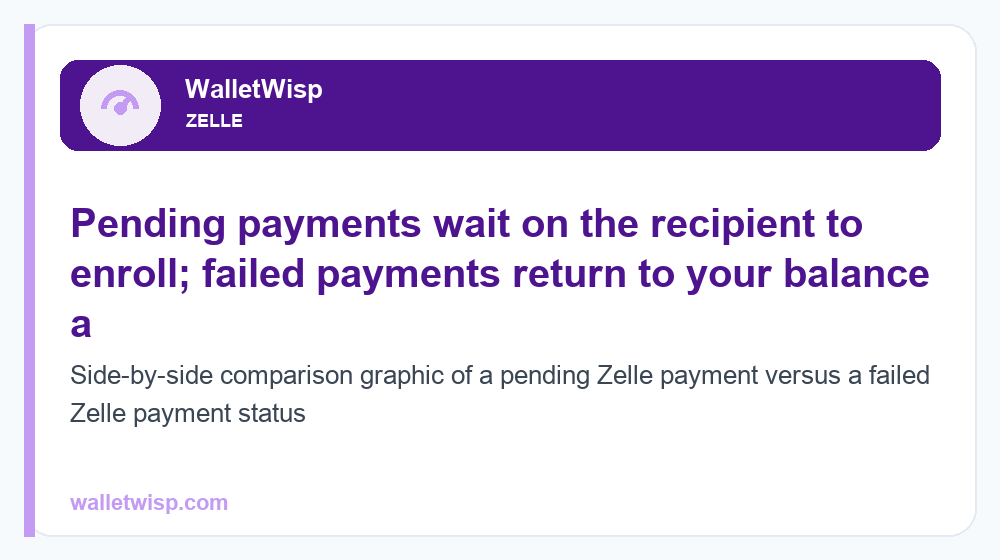
Payment Failed vs. Payment Pending: What’s the Difference?
These two statuses look similar but mean very different things, and knowing which one you have tells you what to do next.
Pending means the money has left your available balance (or is earmarked) but the recipient has not yet received it. This almost always happens because the recipient has not enrolled in Zelle. Once they enroll their phone number or email with a participating bank, a first-time payment typically completes within minutes to a few days. If they never enroll, the payment is usually auto-canceled after about 14 days and returned to you. While it is still pending to an unenrolled recipient, you can cancel it yourself—here is how to cancel a Zelle payment.
Failed means the transfer did not go through at all. The money is returned to your available balance (or was never deducted). Failures are usually caused by a blocked or flagged payment, a limit issue, an outage, or a connection drop mid-transaction. With a failed payment, you generally fix the underlying cause and try again—unlike a pending payment, there is nothing waiting on the recipient’s side.
One key caution: once a Zelle payment to an already-enrolled recipient completes, it moves instantly and typically cannot be canceled or reversed. That is why confirming the recipient’s details before sending matters so much, and it is central to understanding whether Zelle is safe to use for the payment you are making.
Send Limit Problems Explained
Limit rejections are one of the most common and most misunderstood reasons Zelle stops working. Zelle does not set a single universal limit—each bank does, and they differ dramatically. A payment that works at one bank may be rejected at another for the same amount.
Limits typically apply on rolling daily, weekly (7-day), and monthly (30-day) windows, and they may be lower for accounts that are new or that have not yet built a payment history. The figures below are typical, approximate ranges for illustration; always confirm your exact limits inside your own bank’s app.
| Limit type | Typical range (approximate) | Notes |
|---|---|---|
| Daily send limit | ~$500 – $3,500 | Often lower for newer accounts |
| Weekly (7-day) send limit | ~$2,000 – $10,000 | Rolling window, not calendar week |
| Monthly (30-day) send limit | ~$5,000 – $20,000 | Some banks cap higher for premium accounts |
| Per-transaction limit | Varies by bank | May be separate from daily cap |
If you keep hitting a limit, your options are to wait for the rolling window to reset, break a large payment into smaller amounts over multiple days, or move the money a different way (such as an ACH transfer or wire for larger sums). Zelle generally does not let you raise your limit on demand, though some banks review and increase limits automatically over time as your account ages.
Verification and Enrollment Problems
A surprising number of “Zelle not working” issues trace back to a broken verification token. Your Zelle enrollment is linked to one verified phone number or email at one bank at a time. Problems arise when:
- You changed your phone number but never updated it in the bank app.
- You switched banks and your number or email is still tied to the old institution.
- You never entered the one-time verification code during enrollment.
- Your email or number is enrolled at another bank, so you must move it before it will work at the new one.
To fix verification issues, open your bank’s app, find the Zelle section, and re-add or re-verify your contact detail. You will receive a one-time code by text or email—enter it promptly, since these codes expire. If your number is “already enrolled elsewhere,” you will typically be prompted to transfer it to your current bank, which reactivates it after you verify.
Step-by-Step: How to Troubleshoot Zelle
Work through these steps in order. Most problems resolve within the first four.
- Check for an outage. Look at an outage tracker for both Zelle and your bank. If there is a spike, wait and try later.
- Confirm your internet. Switch between Wi-Fi and mobile data. A weak connection is a frequent culprit.
- Update and restart the app. Install any pending update, then force-close and reopen your bank’s app.
- Log out and back in. This refreshes your session and can clear a stuck Zelle screen.
- Re-verify your phone/email. In Zelle settings, confirm your contact detail is verified and current.
- Check the recipient’s details. Make sure you are using the exact number or email they enrolled, and that they are enrolled at all.
- Check your limits. If the amount is large, confirm you are under your daily, weekly, and monthly caps.
- Look for a fraud/security hold. Respond to any alert text or call the number on the back of your card.
- Try a small test payment. Send a small amount to a known-enrolled recipient to isolate the problem.
- Contact your bank. If it still fails, your bank—not Zelle—is the right support channel, since Zelle runs inside their app.
Quick Troubleshooting Checklist
Use this table as a fast reference the next time a payment will not go through.
| Check | What to do | Fixes which cause |
|---|---|---|
| Outage tracker | Search Zelle + your bank name | Service outage |
| Internet connection | Toggle Wi-Fi / mobile data | Connection issue |
| App version | Update to the latest app | App bug/crash |
| Session | Log out and back in | Stuck login/session |
| Contact info | Re-verify phone/email | Verification break |
| Recipient | Confirm they’re enrolled | Unenrolled recipient |
| Limits | Check daily/weekly/monthly caps | Limit exceeded |
| Security alert | Respond or call your bank | Flagged payment |
Frequently Asked Questions
Is Zelle down right now?
Zelle outages do happen but are usually short and often affect one bank rather than the whole network. Check an outage tracker like Downdetector for both “Zelle” and your specific bank, and look at your bank’s app login screen or social media for service alerts. If reports are spiking, wait rather than retrying repeatedly.
Why does my Zelle payment say pending?
A pending status almost always means the recipient has not yet enrolled in Zelle. The payment waits until they register their phone number or email with a participating bank, usually completing within minutes to a few days. If they never enroll, the payment is typically auto-canceled after about 14 days and returned to you.
What’s the difference between a failed and a pending Zelle payment?
Pending means the money is waiting on the recipient (usually because they are not enrolled) and can often be canceled. Failed means the transfer did not go through at all and the money is back in your balance—you fix the underlying cause, such as a limit or a flagged payment, and try again.
Why was my Zelle payment declined or flagged?
Banks use automated fraud detection that can hold or decline payments that look unusual, such as a large amount, a first-time recipient, or activity outside your normal pattern. Check your app for a security notification and respond to any fraud alert, or call the number on the back of your card to confirm the payment is legitimate.
How do I fix a Zelle send limit error?
Send limits are set by your bank on rolling daily, weekly, and monthly windows. Wait for the window to reset, split a large payment into smaller amounts across days, or use a different method like ACH or wire for big transfers. Typical daily limits range from about $500 to $3,500, but yours may differ—check your bank’s app.
Why is Zelle not verifying my phone number or email?
Verification breaks when you change your number, switch banks, skip the one-time code, or have your contact detail enrolled at another bank. Open your bank’s app, go to Zelle settings, and re-verify your phone or email using the one-time code sent to you. If it is “already enrolled elsewhere,” follow the prompt to transfer it to your current bank.
Did the Zelle app get discontinued?
Yes. The separate standalone Zelle app was discontinued in 2025. Zelle now works only through the apps of participating banks and credit unions. If your old standalone app stopped working, switch to using Zelle inside your bank’s mobile app or online banking.
Can I get my money back if a Zelle payment goes to the wrong person?
If the payment is still pending to an unenrolled recipient, you can usually cancel it yourself in the app. Once a payment to an already-enrolled recipient completes, it moves instantly and generally cannot be reversed, so always double-check the recipient’s phone number or email before sending. If you were scammed, report it to your bank right away.