To block someone on Zelle in 2026, you do it inside your bank’s app, not in a Zelle app. Zelle has no universal “block” button, and the standalone Zelle app was discontinued in 2025, so the service now works only through participating banks’ apps. The practical way to block someone is to delete them from your Zelle recipient list, decline and block their payment requests, and contact your bank’s fraud team if the person is harassing you or attempting a scam. Below is exactly how to do all of that, plus what blocking does and does not stop.
If you are searching for how to block someone on Zelle because a stranger keeps sending you money requests, or because you accidentally added a scammer as a contact, the good news is that the steps are quick. The catch is that “blocking” on Zelle is really a bundle of smaller actions inside your online banking app, and the exact menu names differ by bank. This guide walks through the general flow and the specifics for Chase, Bank of America, and Wells Fargo.
Why Zelle Has No Universal Block Button
Zelle is not a standalone wallet that holds a balance. It is a payment rail that moves money directly between two US bank accounts, and it is built into the mobile apps of more than 2,000 participating banks and credit unions. Because your Zelle activity lives inside your bank, there is no central Zelle account or Zelle contact list to manage. Everything happens in your bank app.
That structure explains three things people find confusing in 2026:
- There is no Zelle app to log into. Early Networks (Zelle’s operator) retired the consumer standalone app in 2025. If you still have it installed, it no longer sends money.
- Blocking is bank-specific. Each bank builds its own Zelle interface, so the “delete recipient” and “block request” options sit in slightly different places.
- A block is not account-wide across all banks. Blocking a sender in your Chase app does not stop them from requesting money from your account at a different bank.
How to Block a Recipient on Zelle: General Steps
No matter which bank you use, blocking someone on Zelle follows the same three-part logic. First you remove them as a saved recipient so you cannot accidentally pay them. Second you decline and block any pending or future payment requests they send. Third, if they are harassing you or running a scam, you escalate to your bank.
- Open your bank’s mobile app or website and go to the Zelle, Send Money with Zelle, or Payments section.
- Find your recipient or contact list. This is usually labeled “Recipients,” “Contacts,” or “Manage recipients.”
- Select the person you want to remove and choose Delete, Remove, or Edit then delete.
- Handle pending requests. Go to your activity or requests tab, decline any request from that person, and choose Block if your bank offers it.
- Report harassment or fraud to your bank’s customer service or fraud line if the contact continues after you block them.
How to Block Someone on Zelle in Chase, Bank of America, and Wells Fargo
The table below shows the typical menu path in each major bank app as of 2026. Bank apps update frequently, so treat these as close approximations and look for the equivalent wording if a label has changed.
| Bank | Delete/block a recipient | Stop unwanted requests | Report abuse or fraud |
|---|---|---|---|
| Chase | Pay & Transfer → Send money with Zelle → Manage recipients → select person → Delete | Requests tab → open the request → Ignore/Decline; block the contact after removing | Message center or call the number on the back of your card; report to Zelle at 1-844-428-8542 |
| Bank of America | Menu → Zelle → Settings/Manage recipients → select contact → Delete recipient | Activity → pending requests → Decline; use “report” on suspicious requests | Erica chat or Zelle fraud line; call BofA customer service to flag the sender |
| Wells Fargo | Pay & Transfer → Send & Request (Zelle) → Manage recipients → select → Delete recipient | Requests → open request → Decline; block or report a suspicious requester | Report through the app’s fraud tools or call Wells Fargo; escalate scams to Zelle |
| Other banks/credit unions | Look for Zelle → Manage/Edit recipients → Delete | Payments/Requests → Decline → Block or Report | Use the app’s secure message center or the bank’s fraud phone line |
A few practical notes. On Chase, deleting a recipient does not automatically stop that person from sending you a new request, which is why you also decline and, where offered, block the request itself. On Bank of America and Wells Fargo, the “report” option on a suspicious request is often the fastest way to flag a scammer while also stopping the request.
How to Stop Unwanted Zelle Payment Requests
Payment requests are the most common Zelle nuisance. Someone you do not know sends a request for money, hoping you tap “pay” by reflex. You are never obligated to pay a Zelle request, and declining one does not send them any money.
To stop unwanted requests:
- Decline the request. Open the request in your activity or requests tab and choose Decline, Ignore, or Reject. The money stays in your account.
- Block or report the requester if your bank offers it. Many bank apps added a “block this contact” or “report suspicious request” button after a wave of request-based scams.
- Delete the recipient so their name no longer appears in your saved list.
- Never verify a code or “return” a payment a requester claims was sent by mistake. That is a classic scam pattern.
If the same person keeps sending requests after you decline and block them, that is when you contact your bank directly. Repeated unwanted requests can be treated as harassment or an attempted scam, and your bank can add controls on its end.
Stop Requests vs. Block Contact: What’s the Difference?
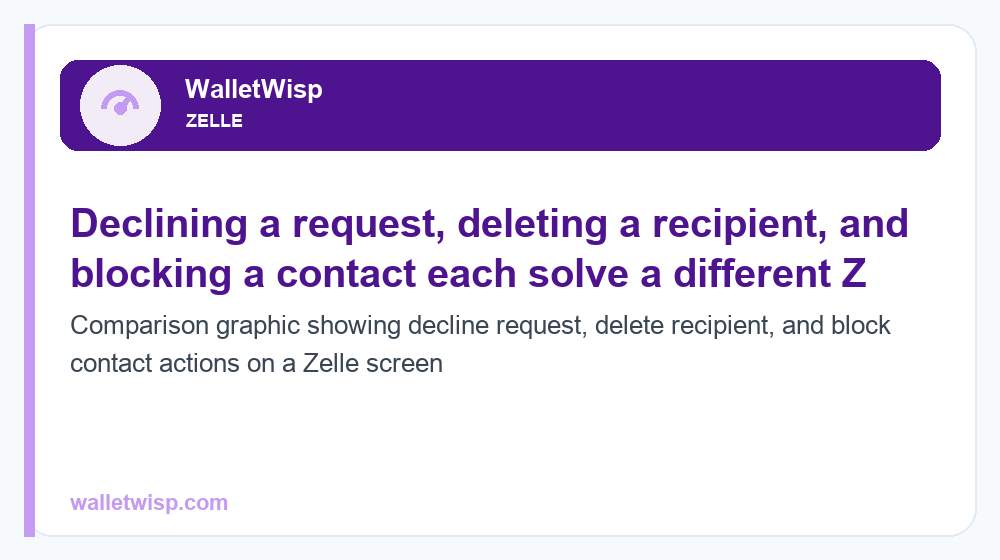
People often use “block,” “delete,” and “decline” interchangeably, but they do different things. The comparison table below clears up which action solves which problem.
| Action | What it does | What it does NOT do | Best for |
|---|---|---|---|
| Decline a request | Rejects one specific money request; no money leaves your account | Does not stop future requests from the same person | A one-off request you don’t want to pay |
| Delete/remove a recipient | Removes the person from your saved contacts so you don’t pay them by accident | Does not prevent them from requesting money from you again | Cleaning up your list; removing an ex or a mistyped contact |
| Block a contact/request | Stops future requests (and often payments) from that person within your bank app | Does not block them at other banks or reverse past transfers | A repeat requester, harasser, or suspected scammer |
| Report to bank/Zelle | Flags fraud/harassment, can trigger investigation and account-level controls | Does not guarantee a refund; sent money is often not recoverable | Scams, threats, or unauthorized activity |
What Blocking Someone on Zelle Does and Does Not Do
Setting expectations matters, because Zelle blocking is narrower than most people assume.
What blocking does
- Stops that contact from sending you new payment requests through your bank app.
- Removes them from your saved recipients so you won’t accidentally send money.
- In many apps, prevents future incoming activity tied to that contact.
- Signals to your bank, when combined with a report, that the account may be problematic.
What blocking does not do
- It does not reverse money you already sent. Authorized Zelle payments are typically instant and final. If you sent money by mistake or to a scammer, see our guide on how to cancel a Zelle payment before it is claimed.
- It does not block the person everywhere. A block in your Chase app doesn’t reach them if they bank elsewhere and you also use that other bank.
- It does not hide your enrolled email or phone. If your Zelle-enrolled email or mobile number is known, someone can still attempt a request until you block or report them.
- It does not replace a fraud report. For scams or unauthorized transfers, blocking is only step one; you must report it.
Reporting Harassment and Scams to Your Bank and Zelle
If blocking isn’t enough, escalate. Under 2026 rules, banks have expanded reimbursement for certain unauthorized transfers, but scams where you were tricked into sending money authorized by you are handled case by case. Speed matters.
- Contact your bank immediately. Use the fraud number on the back of your card or the app’s secure message center. Report unauthorized transactions the same day if possible.
- Report to Zelle. Call Zelle support at 1-844-428-8542 or use the “report a scam” option in your bank’s Zelle section.
- Document everything. Screenshot the requests, messages, dates, amounts, and the sender’s email or phone number.
- File with regulators if needed. You can file a complaint with the CFPB and, for scams, report to the FTC at ReportFraud.ftc.gov.
To recognize the patterns before they cost you, read our breakdown of P2P payment scams in 2026 and our overview of whether Zelle is safe for everyday use.
Privacy Tips to Reduce Unwanted Zelle Contact
- Enroll a dedicated email or number. Consider linking Zelle to an email you don’t publish widely rather than your primary phone number.
- Turn on transaction alerts. Real-time alerts let you decline suspicious requests fast.
- Only enable payments you initiate. Never pay a request from an unknown sender, even one that looks like a refund.
- Keep your recipient list clean. Delete stale contacts so a compromised or unwanted account can’t linger.
- Use bank-app biometrics and a strong password. Most Zelle abuse starts with a compromised bank login, not Zelle itself.
Frequently Asked Questions
Can I block someone on Zelle without contacting my bank?
Yes, for most cases. You can delete the recipient and decline or block their requests entirely within your bank’s app. You only need to contact your bank if the person keeps sending requests after you block them, or if fraud or harassment is involved.
Is there a Zelle app where I can manage blocked contacts?
No. The standalone Zelle app was discontinued in 2025. Zelle now works only through participating banks’ and credit unions’ apps, so all blocking, deleting, and reporting happens inside your bank’s app, not a separate Zelle app.
Does blocking someone on Zelle refund money I already sent?
No. Blocking is forward-looking only. Authorized Zelle payments are usually instant and final, so blocking does not claw back sent funds. If a payment hasn’t been claimed yet, you may be able to cancel it, and unauthorized transfers should be reported to your bank right away.
If I block someone, can they still see my Zelle profile?
Zelle doesn’t have a public profile like a social network. When you block or delete a contact, they typically can no longer send you requests through your bank app. However, if they already know your enrolled email or phone, they may attempt contact from a different bank until you block or report that activity too.
How do I stop a stranger from sending me Zelle requests?
Decline the request without paying, then use the block or report option in your bank app if available, and delete the contact. Never pay, verify a code for, or “return” money to an unknown requester, as these are common scam tactics.
Will blocking a contact at one bank block them everywhere?
No. A block only applies within the bank app where you set it. Because Zelle runs through individual banks, a block in your Chase app does not extend to accounts you hold at other banks. You would need to block them in each app where the issue occurs.
What should I do if a blocked person is harassing me on Zelle?
Report it to your bank’s fraud or customer service team and to Zelle at 1-844-428-8542. Keep screenshots of the requests and messages. Repeated unwanted requests can be treated as harassment, and your bank can apply account-level controls or investigate.
Can I get scammed even after blocking someone on Zelle?
Yes, if you send money before blocking or fall for a new scam from a different account. Blocking one contact does not protect you from all scams, so stay alert to refund tricks, fake payment confirmations, and requests to move money “to keep it safe.” Report any scam to your bank and Zelle immediately.