
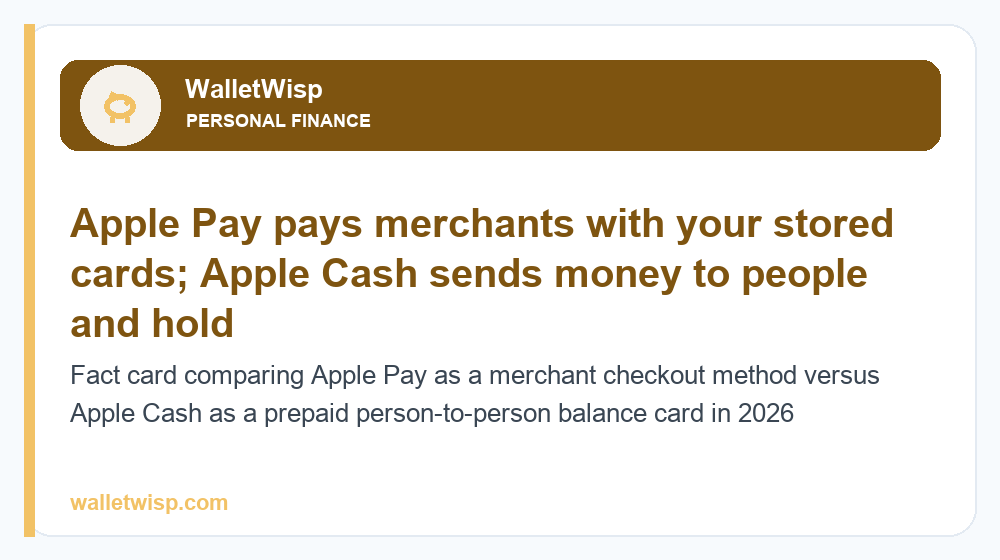
The short answer: in the Apple Pay vs Apple Cash comparison, Apple Pay is a way to pay merchants in stores, online, and in apps using the credit and debit cards you store in the Wallet app. Apple Cash is a prepaid digital card that holds a balance and lets you send and receive money with other people right inside Messages. Put simply, Apple Pay moves money from your existing cards to businesses; Apple Cash moves money between you and friends and family, and can then be spent or cashed out to your bank.
They are related but not interchangeable. Apple Pay is the checkout technology; Apple Cash is one of the payment methods that can live inside Apple Pay. If you only remember one thing about Apple Pay vs Apple Cash, make it this: use Apple Pay to buy things, use Apple Cash to split things.
What is Apple Pay?
Apple Pay is Apple’s contactless and in-app payment system, built into the Wallet app on iPhone, Apple Watch, iPad, and Mac. You add your existing Visa, Mastercard, American Express, or Discover cards (from a participating bank), and Apple Pay stores a tokenized version so the merchant never sees your real card number.
You can use Apple Pay to:
- Tap to pay in stores by holding your iPhone or Apple Watch near a contactless reader.
- Check out online in Safari and other browsers with a single Face ID or Touch ID confirmation.
- Pay inside apps for rides, food delivery, subscriptions, and more.
Apple Pay itself is free to use for consumers. There is no fee to add a card or to tap and pay. Your underlying card’s terms still apply, so you keep the same rewards, cash back, and protections your credit or debit card normally offers. Apple Pay does not hold a balance; it simply routes each purchase to whichever card you select.
What is Apple Cash?
Apple Cash is a prepaid digital card issued by Green Dot Bank that lives in your Wallet app. Its two core jobs are peer-to-peer (P2P) payments and holding a spendable balance. When a friend sends you money in Messages, it lands on your Apple Cash card. You can then spend that balance anywhere Apple Pay is accepted, send it to someone else, or transfer it to your linked bank account.
Apple Cash is most similar to services like Venmo, Cash App, and Zelle. If you are weighing those alternatives, our guide to Zelle vs Venmo in 2026 breaks down how bank-to-bank transfers compare with balance-based apps. Apple Cash sits closer to Venmo in that it keeps a balance you can spend directly.
Key things Apple Cash can do that Apple Pay alone cannot:
- Send money to people through the Messages app or the Wallet app.
- Receive and hold a balance that shows up as its own card.
- Transfer to your bank, either instantly (for a fee) or free over 1–3 business days.
Apple Pay vs Apple Cash: side-by-side comparison
The table below summarizes the practical differences most people care about when choosing between the two in 2026. Figures are typical and can change, so confirm current terms in the Wallet app.
| Feature | Apple Pay | Apple Cash |
|---|---|---|
| Primary purpose | Pay merchants (stores, online, in-app) | Send/receive money with people; hold a balance |
| What it is | A payment method / checkout system | A prepaid digital card |
| Holds a balance? | No — routes to your linked cards | Yes — keeps a spendable balance |
| Issuer/backer | Your bank’s card network | Green Dot Bank |
| Cost to use | Free | Free to send/receive with debit or balance |
| Instant bank transfer fee | Not applicable | ~1.5% (typical, $0.25 min) |
| Credit card funding fee | No consumer fee | ~3% when a credit card funds a send |
| FDIC insured? | Not applicable (no balance) | Yes, via Green Dot Bank (eligible balances) |
| Availability | Global (many countries) | United States only |
| Best compared to | Google Pay, Samsung Pay | Venmo, Cash App, Zelle |
How Apple Pay and Apple Cash work together
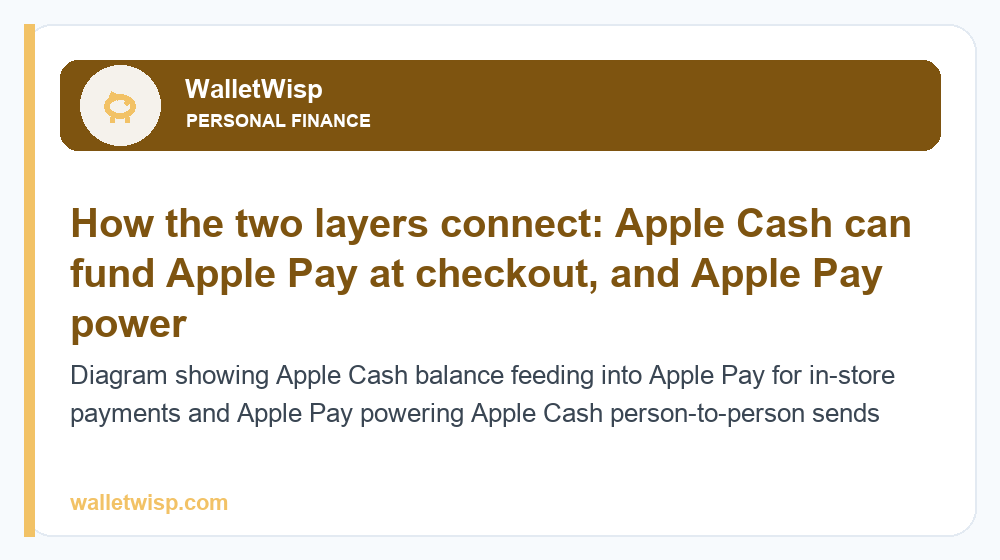
This is where the two overlap and where most confusion starts. Once you have an Apple Cash balance, it becomes a card within Apple Pay. That means you can tap your iPhone at a store and choose to pay from Apple Cash, effectively spending money a friend sent you as if it were any other card. In that moment, Apple Cash is the funding source and Apple Pay is the delivery mechanism.
The relationship works in both directions:
- Apple Cash feeds Apple Pay: Your balance can be selected as the card you tap or click with at checkout.
- Apple Pay powers Apple Cash sends: When you send money to a friend, Apple Cash pulls from your balance first, then from a linked debit or credit card if the balance is short.
So they are layers of the same system, not rivals. Apple Pay is the front door for spending; Apple Cash is a wallet-within-the-wallet for person-to-person money.
Fees: what each actually costs
Apple Pay is genuinely free for shoppers. The only costs you might see are the normal terms of the card you used, such as a credit card’s interest if you carry a balance.
Apple Cash has a narrower set of fees, mostly tied to how you fund and how fast you cash out:
| Action | Typical fee (2026) | Notes |
|---|---|---|
| Sending money from Apple Cash balance | $0 | No fee to send from your balance |
| Sending money via linked debit card | $0 | Free when balance is short and debit covers it |
| Sending money via linked credit card | ~3% | Credit-card funding carries a percentage fee |
| Receiving money | $0 | Always free to receive |
| Standard transfer to bank (1–3 days) | $0 | Free, arrives in a few business days |
| Instant Transfer to bank/debit card | ~1.5% (min $0.25) | Money arrives in minutes to an eligible debit card |
The fee people ask about most is the Instant Transfer fee of about 1.5% (with a small minimum, typically $0.25). If you cash out $200 instantly, you would pay roughly $3. If you can wait one to three business days, the standard transfer to your bank is free. This is similar to how Venmo charges for instant cash-outs; see our Venmo debit card guide for a comparable breakdown.
Limits and eligibility
Apple Pay has no dollar limit of its own beyond whatever your bank or the merchant sets on your card. Apple Cash, as a regulated prepaid product, does have limits.
Typical Apple Cash limits in 2026 include:
- Minimum send/receive: $1 per transaction.
- Maximum per transaction: around $10,000.
- Maximum per 7 days (sending): around $10,000.
- Total balance cap: around $20,000.
These figures are typical and can be adjusted by Green Dot Bank, so treat them as approximate. For a fuller breakdown of sending, receiving, and verification thresholds, see our detailed guide to Apple Cash limits in 2026.
Age and account requirements
You can generally use Apple Pay once you have an eligible card and an Apple device; there is no separate age gate beyond having a valid card. Apple Cash is stricter. You must be in the United States, be an adult (18+) to open your own account, and you may need to verify your identity to lift lower starter limits. Families can enable Apple Cash for children and teens through Apple Cash Family (Screen Time), which lets a family organizer manage sending and see activity.
FDIC insurance and safety
Because Apple Cash is issued by Green Dot Bank, eligible Apple Cash balances can be FDIC-insured, subject to the bank’s terms and pass-through rules. That is a meaningful difference from a plain balance in some peer apps. Apple Pay, by contrast, does not hold money, so FDIC insurance is not relevant to it — your protections come from the underlying card and its network.
Both are secure by design. Apple Pay uses tokenization and device-level authentication (Face ID, Touch ID, or passcode), so your actual card number is never shared with merchants. Apple Cash transactions are authorized the same way. Neither is reversible like a chargeback, though: once you send Apple Cash to the wrong person, you must ask them to send it back.
Taxes: what you need to know
Personal Apple Pay purchases have no tax implications — buying groceries is not a taxable event. Apple Cash can, however, intersect with tax reporting when it is used for business or goods-and-sales activity.
Under current IRS rules for third-party payment networks, platforms may issue a Form 1099-K when payments for goods and services cross reporting thresholds. Money you receive as a personal gift, reimbursement, or split of a dinner bill is generally not taxable and should not be treated as business income. The safest practice is to keep personal and business flows separate and to save records of anything that could look like income. This article is general information, not tax advice; consult a tax professional for your situation.
When to use which
Here is the simple decision rule for Apple Pay vs Apple Cash:
- Use Apple Pay when you are paying a business — tapping at checkout, buying online, or paying in an app. You keep your card’s rewards and it is free.
- Use Apple Cash when you are paying a person — splitting rent, sending a birthday gift, or paying back a friend for lunch inside Messages.
- Use them together when you have received Apple Cash and want to spend it at a store; select Apple Cash as your card in Apple Pay.
If your priority is bank-to-bank transfers with no balance to manage, a service like Zelle may fit better; if you want a spendable balance and a card, Apple Cash or Venmo are the closer matches. Choosing between the ecosystem’s options often comes down to who you pay most and how quickly you need the money to land.
Frequently Asked Questions
Is Apple Cash the same as Apple Pay?
No. Apple Pay is a checkout system for paying merchants with your existing cards, while Apple Cash is a prepaid card that holds a balance and lets you send money to people. Apple Cash can be used within Apple Pay as a funding source, but they serve different purposes.
Does Apple Pay charge any fees?
No. Apple Pay is free for consumers — there is no fee to add a card or to tap and pay in stores, online, or in apps. You only pay whatever your underlying credit or debit card normally charges, such as interest if you carry a credit balance.
What is the Apple Cash instant transfer fee?
Instant Transfer to an eligible debit card typically costs about 1.5% of the amount, with a minimum of around $0.25. Standard transfers to your bank take one to three business days and are free, so wait if you do not need the money immediately.
Is Apple Cash FDIC insured?
Eligible Apple Cash balances can be FDIC-insured because the card is issued by Green Dot Bank, subject to the bank’s terms. Apple Pay does not hold a balance, so FDIC insurance does not apply to it.
Can I use Apple Cash to pay in stores?
Yes. Once you have an Apple Cash balance, it appears as a card in Apple Pay, so you can tap to pay anywhere Apple Pay is accepted. Apple Cash acts as the funding source and Apple Pay handles the tap.
How old do I have to be to use Apple Cash?
You generally must be 18 or older to open your own Apple Cash account in the United States. Younger family members can use Apple Cash through Apple Cash Family, which a family organizer sets up and manages in Screen Time.
Is Apple Cash available outside the United States?
No. Apple Cash is currently available only in the United States. Apple Pay, by contrast, works in many countries worldwide, so international travelers can still tap to pay even where Apple Cash is unavailable.
Do I owe taxes on money I receive through Apple Cash?
Personal payments like gifts, reimbursements, or splitting a bill are generally not taxable. However, payments for goods and services may be reported on a Form 1099-K if they cross IRS thresholds, so keep business and personal transactions separate and consult a tax professional.


