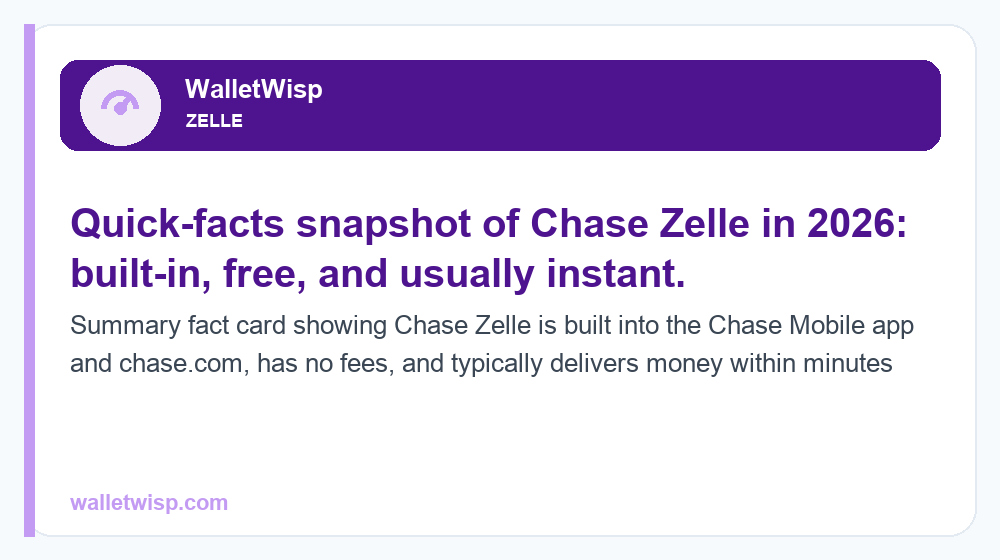
Yes, Chase has Zelle, and it is built directly into the Chase Mobile app and chase.com, so you do not need a separate Zelle app. If you have an eligible Chase checking account, you can enroll in minutes using your U.S. mobile number or email, then send and receive money that usually lands in the recipient’s bank account within minutes. There is no Chase fee to send or receive money with Zelle. So the short answer to “does Chase have Zelle” is a firm yes, and this guide covers how to enroll, send, and receive, plus the typical limits, timing, and safety tips you should know in 2026.
Does Chase have Zelle? The quick answer
Chase was one of the original owners and founding banks behind Zelle, so the service has been deeply integrated into Chase’s digital banking for years. In 2026, when people ask “does Chase have Zelle,” the practical takeaway is this: Zelle is a built-in feature, not an add-on. You access it inside the same app and website you already use for balances, transfers, and bill pay. Because it is native, your recipient does not need to bank with Chase, they only need a U.S. bank account and to be enrolled with Zelle through their own bank or the standalone Zelle app.
Zelle is designed for sending money to people you know and trust, such as friends, family, a roommate splitting rent, or a babysitter. It is not a buyer-protection service like a card purchase, which is an important distinction we return to in the safety section below.
How to find and enroll in Zelle at Chase
Enrolling is quick and free. You only enroll once per contact detail (a mobile number or email), and after that Zelle is ready whenever you need it.
Enroll in the Chase Mobile app
- Sign in to the Chase Mobile app.
- Tap the menu, then choose Pay & transfer, then Send money with Zelle.
- Review the terms, then enter and verify a U.S. mobile number or email address you want money sent to.
- Confirm the one-time verification code Chase sends to that number or email.
- Choose which eligible Chase checking account Zelle should use, and you are enrolled.
Enroll on chase.com
- Log in at chase.com from a browser.
- Open Pay & transfer, then Send money with Zelle.
- Follow the same verification steps to confirm your mobile number or email and link a checking account.
A few eligibility notes: you generally need a Chase personal checking account (or an eligible Chase business checking account) in good standing. Zelle is not available for most Chase savings accounts, and a mobile number or email can only be enrolled with one bank at a time. If your number is already enrolled elsewhere, Chase will prompt you to move it over.
How to send and receive money with Zelle at Chase
Sending money
- In the app or on chase.com, go to Pay & transfer, then Send money with Zelle.
- Add a recipient by their U.S. mobile number or email, or pick someone from your saved contacts.
- Enter the amount and, optionally, a short memo.
- Review the details carefully, then confirm.
Always double-check the recipient’s number or email before you hit send. Zelle transfers are typically fast and treated like cash, so a payment sent to the wrong (but real) contact can be very hard to recover.
Receiving money
If your mobile number or email is already enrolled with Chase Zelle, incoming money is deposited automatically into your linked account, usually within minutes. If you are not yet enrolled, you will get a notification with a link to enroll, and you generally must complete enrollment (often within about 14 days) for the payment to be delivered. Enrolling with your bank’s app rather than through an unexpected text link is the safer route.
Chase Zelle limits in 2026
Chase sets Zelle send limits, and they vary by account type and, in some cases, your individual relationship with the bank. Zelle itself does not set a receiving limit, so caps generally apply to what you send, not what you receive. The figures below are typical/approximate ranges reported by Chase customers and Chase’s own disclosures; your personal limit can differ, and Chase may adjust it. To see your exact limit, check the Zelle limit details inside the Chase app or on chase.com.
| Account type | Typical daily send limit | Typical 30-day (rolling) send limit |
|---|---|---|
| Chase personal checking | Up to ~$2,000 | Up to ~$16,000 |
| Chase Private Client / Sapphire Banking | Up to ~$5,000 | Up to ~$40,000 |
| Chase business checking | Up to ~$5,000 | Up to ~$40,000 |
Key points about these limits:
- Receiving is not capped by Chase. Limits apply to money you send.
- Limits can be relationship-based. Longer-tenured customers or premium tiers (like Chase Private Client) often see higher ceilings.
- No per-transfer minimum in practice. You can send small amounts, subject to the daily and monthly caps.
- Limits are not increasable on request in most cases. Unlike a wire, Chase generally does not raise Zelle limits case by case, so plan larger payments accordingly.
If you regularly bump against these caps, Zelle may not be the right rail for a large one-off payment such as a car or a security deposit. For a deeper breakdown of how caps work across banks, see our guide to Zelle transfer limits.
Chase Zelle fees and timing
Chase does not charge a fee to send or receive money with Zelle. This is one of Zelle’s main advantages over some card-based or “instant” transfer options that add a percentage fee for speed. The table below summarizes what to expect.
| Feature | Chase Zelle |
|---|---|
| Fee to send | $0 (free) |
| Fee to receive | $0 (free) |
| Typical delivery speed | Usually within minutes (when recipient is enrolled) |
| First-time or unenrolled recipient | May take 1-3 business days until they enroll |
| Separate app required | No, built into Chase Mobile and chase.com |
| Purchase/buyer protection | No, treat like cash |
| Currency | U.S. dollars, U.S. bank accounts only |
While standard carrier message and data rates from your phone provider could apply, Chase itself does not add a Zelle fee. If a payment is going to someone whose contact detail is not yet enrolled, that first transfer can take a little longer because they need to enroll before the money is released.
Is Chase Zelle safe? Smart-use tips
Zelle is a legitimate, bank-backed network, and the connection between your Chase account and Zelle is encrypted. The bigger risk is not the technology, it is scams that trick you into sending money yourself. Because Zelle transfers are fast and typically irreversible, they are a favorite target for fraudsters. Protect yourself with these habits:
- Only send to people you know and trust. Zelle is for friends, family, and trusted contacts, not strangers from marketplace listings.
- Never send money to “yourself” at a bank’s request. No legitimate Chase employee will ask you to Zelle money to protect your account. That is a classic scam script.
- Ignore urgent, unexpected texts or calls. Fraudsters impersonate your bank’s fraud department to create panic. Hang up and call the number on the back of your card.
- Verify the recipient details. A wrong-but-real email or number can send your money to a stranger.
- Do not use Zelle for purchases. There is no buyer protection. For goods from unknown sellers, use a credit card or a service designed for purchases.
If you are ever pressured to move money fast, treat that pressure itself as the red flag.
Chase Zelle for business
Chase offers Zelle for eligible business checking customers, which is handy for invoicing clients, paying contractors, or receiving customer payments without card-processing fees. Business Zelle at Chase is also free to send and receive, and it often carries higher send limits than a personal account, typically in the range of about $5,000 per day and $40,000 per rolling 30 days, though your exact caps depend on your account and relationship.
A few things business owners should weigh: Zelle payments are essentially final, so they work best with clients you already trust rather than one-time buyers who might dispute. Because there is no chargeback protection, some businesses prefer card payments for new customers and reserve Zelle for repeat, trusted relationships. Also confirm your specific business checking product supports Zelle, as availability can vary by product.
How Chase Zelle compares to other options
Zelle is fast and free, but it is not the only way to move money, and it is not built for every scenario. If you are choosing between apps, our comparison of Zelle vs Venmo in 2026 breaks down speed, social features, balances, and protection. And if you are curious whether other major banks bake Zelle in the same way Chase does, our look at whether Huntington has Zelle shows how the built-in experience compares across institutions. In general, Zelle wins on speed and zero fees for trusted person-to-person transfers, while purchase-oriented services and cards win when you need buyer protection.
Frequently Asked Questions
Does Chase have Zelle without a separate app?
Yes. Zelle is built into the Chase Mobile app and chase.com, so you do not need to download the standalone Zelle app. You access it under Pay & transfer, then Send money with Zelle, using the same login you already use for your Chase accounts.
Is Zelle free at Chase?
Yes, Chase does not charge a fee to send or receive money with Zelle. Standard carrier message and data rates from your phone provider may apply, but there is no Chase transaction fee, which is a key advantage over some fee-based instant transfer options.
What are the Chase Zelle limits in 2026?
Limits vary by account and relationship. A typical personal checking limit is around $2,000 per day and up to about $16,000 per rolling 30 days, while premium tiers like Chase Private Client and business accounts often reach roughly $5,000 daily and $40,000 monthly. These figures are approximate, so check your exact limit in the Chase app.
How long does Chase Zelle take?
When the recipient is already enrolled with Zelle, money usually arrives within minutes. If the person is new to Zelle and needs to enroll their number or email, that first payment can take up to 1-3 business days until they complete enrollment.
Can I use Zelle with a Chase savings account?
Generally no. Chase Zelle is designed to work with eligible checking accounts, both personal and business. Most Chase savings accounts are not eligible, so you will need to link a qualifying checking account to send and receive.
Can I increase my Chase Zelle limit?
In most cases Chase does not raise Zelle limits on request, unlike a wire transfer. Your ceiling is tied to your account type and relationship, and premium tiers such as Chase Private Client typically come with higher limits. For a very large one-time payment, a wire or other method may be more suitable.
Is Chase Zelle safe to use?
The service itself is secure and encrypted, but Zelle payments are fast and usually irreversible, which makes scams the real danger. Only send to people you trust, never move money because someone claiming to be your bank tells you to, and never use Zelle to buy goods from strangers, since there is no buyer protection.
Can I get my money back if I send Zelle to the wrong person?
Often no. Because Zelle transfers are treated like cash and settle quickly, a payment sent to the wrong but valid recipient is difficult to recover. Always confirm the mobile number or email before confirming a transfer, and if you suspect fraud, contact Chase immediately, though recovery is not guaranteed.