
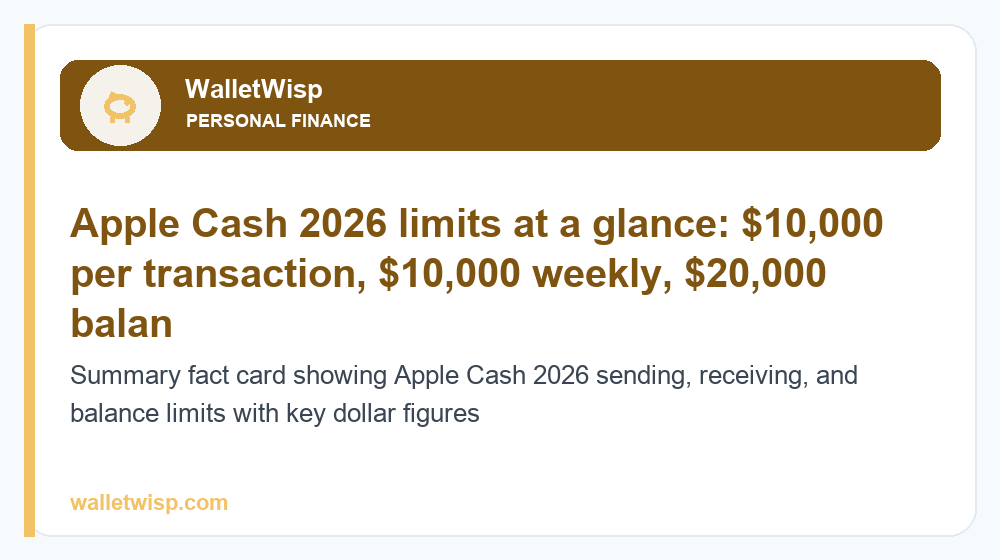
In 2026, the core Apple Cash limits are straightforward: you can send a minimum of $1 and a maximum of $10,000 in a single transaction, with a $10,000 rolling cap over any 7-day period. Your Apple Cash balance can hold up to $20,000, and you can move money to your bank instantly for a 1.5% fee (minimum $0.25, maximum $15) or wait 1–3 business days for free. You must verify your identity to unlock full sending and receiving features.
Those numbers are the ceiling for a standard, verified adult account. Before you verify your identity, Apple restricts what you can do, and Apple Cash Family accounts for teens follow their own rules. Below is a full breakdown of every Apple Cash limit that matters in 2026, including per-transaction caps, rolling weekly limits, bank-transfer fees, and how verification raises your ceiling.
Apple Cash limits at a glance (2026)
Apple applies separate limits to sending, receiving, adding money, and holding a balance. The table below summarizes the standard caps for a verified individual account. Figures reflect Apple’s published guidance and typical account behavior; exact thresholds can vary slightly by account and are subject to change.
| Action | Minimum | Per-transaction maximum | 7-day rolling maximum |
|---|---|---|---|
| Send money | $1 | $10,000 | $10,000 |
| Receive money | — | $10,000 per transaction | Limited by balance cap |
| Add money from debit card | $10 | $10,000 | $10,000 |
| Apple Cash balance held | — | — | $20,000 total cap |
The single most important rule to remember: the $10,000 per-transaction ceiling and the $10,000 weekly ceiling are the same number, so one maxed-out payment uses your entire weekly allowance. Meanwhile, your total balance can climb to $20,000 because incoming payments and added funds stack on top of each other.
How Apple Cash sending and receiving limits work
Apple Cash runs on the Apple Cash card, a virtual prepaid account issued by Green Dot Bank. Sending and receiving are governed by three layers: a per-transaction cap, a rolling weekly cap, and an overall balance cap.
Per-transaction limit
Each individual payment must be at least $1 and no more than $10,000. If you try to send more than $10,000 in one message, iMessage or the Wallet app will block the payment and prompt you to split it into smaller amounts. There is no way to raise the single-transaction ceiling above $10,000, even with a verified account.
Rolling 7-day limit
Beyond any single payment, Apple enforces a $10,000 maximum on the total you send across a rolling 7-day window. This is not a calendar week that resets every Monday — it is a moving 168-hour window. If you sent $6,000 last Tuesday, that amount stays counted against your limit until Tuesday of the following week rolls past. Plan large or repeated transfers with this rolling behavior in mind.
Receiving money and your balance cap
There is no separate weekly cap on how much you can receive, but every incoming payment is limited by your $20,000 balance ceiling. If a payment would push your Apple Cash balance above $20,000, it will be declined until you transfer some funds out to your bank. Money you receive lands in your Apple Cash balance automatically once you’ve accepted or after your account is set to auto-accept from known contacts.
Bank-transfer limits and fees: Instant Transfer vs 1–3 day
Moving money from your Apple Cash balance to a bank account or debit card is where fees come into play. You have two options, and the difference is speed versus cost.
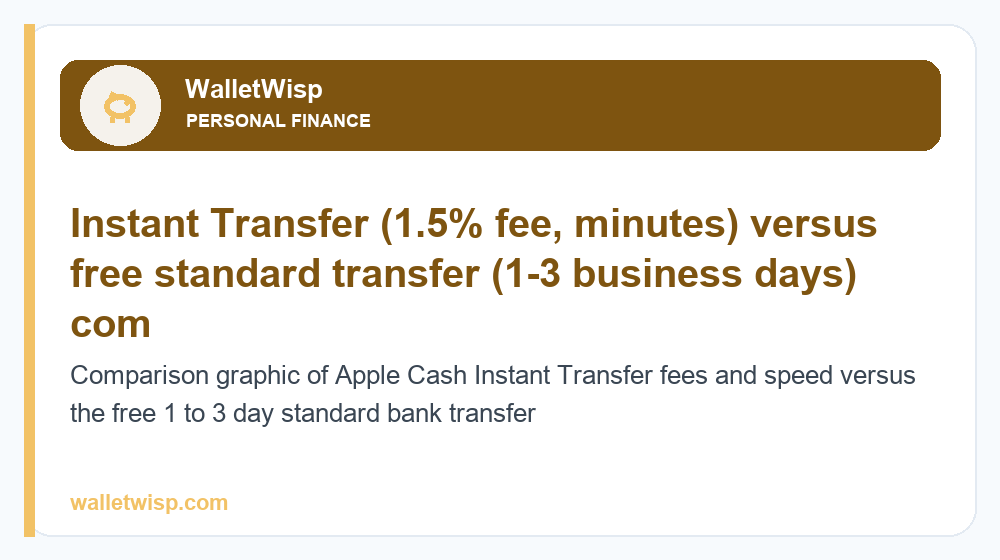
Instant Transfer sends money to an eligible debit card within minutes for a 1.5% fee, with a $0.25 minimum and a $15 maximum charge. Standard transfer (1–3 business days) routes through the ACH banking network to your linked bank account and is completely free. For most people, if you don’t need the cash immediately, the free standard transfer is the smarter choice.
| Feature | Instant Transfer | Standard transfer (1–3 days) |
|---|---|---|
| Speed | Usually within minutes | 1–3 business days |
| Fee | 1.5% ($0.25 min, $15 max) | Free |
| Minimum per transfer | $1 | $1 |
| Maximum per transfer | $10,000 | $10,000 (est.) |
| 7-day transfer maximum | $20,000 | Subject to standard ACH limits |
| Destination | Eligible debit card | Linked bank account (ACH) |
A quick math example: transferring $500 instantly costs $7.50 (1.5%). Transferring $2,000 hits the $15 cap, so anything above roughly $1,000 pays the same flat $15 maximum. If you’re moving $5,000, the $15 instant fee is a small price for speed, but the free standard transfer still gets you there in a couple of business days.
Verifying your identity to raise Apple Cash limits
Apple Cash has two states: unverified and verified. Until you verify your identity, your account operates under tighter restrictions, and you may be blocked from sending money, transferring to your bank, or holding a balance beyond a low threshold.
Why Apple asks you to verify
Identity verification is a federal requirement for money-transmitting services under Know Your Customer (KYC) and anti-money-laundering rules. Once you cross certain activity thresholds — or simply when you first try to send money or transfer to a bank — Apple prompts you to confirm who you are. Completing verification unlocks the full $10,000 sending limit and lets you keep and transfer your balance.
What you need to verify
Verification happens inside the Wallet app and typically asks for your full legal name, home address, date of birth, and the last four digits of your Social Security number. In some cases Apple may ask for a photo of a government-issued ID if the initial information can’t be confirmed automatically. Verification usually completes in a few minutes; occasionally it takes a day or two if a manual review is triggered. If you’re setting up Apple Cash for the first time, verify early so you don’t hit a wall the moment you try to send or cash out.
Apple Cash Family limits explained
Apple Cash Family lets a parent or guardian set up Apple Cash for a child or teen under 18 who is part of the same Family Sharing group. It’s designed to give younger users a controlled way to send and receive money while keeping an adult in the loop.
Who can use Apple Cash Family
The Family Organizer must first have their own verified Apple Cash account. They can then enable Apple Cash for a family member under 18 directly in Settings under Family Sharing. Teens get their own Apple Cash card and can send, receive, and make purchases with Apple Pay, but their account is linked to and monitored by the organizer.
Parental controls and limits
Apple Cash Family gives the organizer meaningful oversight. Parents can view a child’s transaction history, receive a notification every time the child sends or receives money, and restrict who the child can send money to — for example, limiting payments to contacts only. The organizer can also lock a child’s Apple Cash card entirely. A teen’s per-transaction and weekly limits generally follow the same $10,000 caps as adult accounts, but the practical control comes from the monitoring and contact restrictions rather than a lower dollar ceiling. If a parent wants a hard spending limit, the most reliable approach is to keep the child’s loaded balance low and manage top-ups manually.
How Apple Cash limits compare to Venmo, Cash App, and Zelle
Apple Cash sits in the middle of the peer-to-peer pack. Its $10,000 weekly sending cap is generous for casual use, and its balance ceiling of $20,000 is higher than several competitors. However, its instant-transfer fee structure and lack of a business/checking ecosystem make it less flexible for high-volume users.
If you’re weighing your options, it’s worth comparing the specifics side by side. See our guides to Venmo limits in 2026 and Cash App limits in 2026 for the exact sending, withdrawal, and verification thresholds on those apps. For bank-to-bank transfers with no app balance at all, Zelle transfer limits depend on your bank rather than a central provider, which can mean higher or lower caps than Apple Cash depending on where you bank.
The practical takeaway: Apple Cash is excellent for quick payments inside the Apple ecosystem, but if you routinely move five figures, verify your identity early and lean on the free standard transfer to avoid stacking 1.5% instant fees.
Tips to avoid hitting Apple Cash limits
- Verify your identity before you need to send. Unverified accounts face the tightest restrictions, and verification can occasionally take a day or two.
- Track the rolling 7-day window. Because it’s a moving window rather than a fixed week, large recent payments keep counting against your limit longer than you might expect.
- Use free standard transfers for non-urgent cash-outs. The 1.5% instant fee adds up quickly on large or frequent transfers.
- Keep your balance under $20,000. Incoming payments will be declined if they’d push you past the balance cap.
- Split very large payments. Anything above $10,000 must be broken into multiple transactions, and those still count toward your weekly ceiling.
Frequently Asked Questions
What is the maximum I can send with Apple Cash?
You can send up to $10,000 in a single transaction and up to $10,000 total across any rolling 7-day period. These caps apply to verified adult accounts, and there is no option to raise them above $10,000.
Is there a limit on how much Apple Cash I can receive?
There’s no separate weekly receiving limit, but incoming payments are capped by your $20,000 total balance ceiling. If a payment would push your balance above $20,000, it will be declined until you transfer some money out to your bank.
How much does an Apple Cash Instant Transfer cost in 2026?
Instant Transfer charges a 1.5% fee with a $0.25 minimum and a $15 maximum per transfer. A $500 instant transfer costs $7.50, while any transfer of roughly $1,000 or more pays the flat $15 maximum.
Is the 1–3 day Apple Cash bank transfer free?
Yes. Standard transfers to your linked bank account move through the ACH network and carry no fee. They typically arrive in 1–3 business days, making them the cheapest way to cash out if you don’t need the money immediately.
Why do I have to verify my identity for Apple Cash?
Identity verification is required under federal Know Your Customer and anti-money-laundering rules for money-transfer services. Verifying unlocks your full sending and transfer limits and lets you keep a balance. You’ll usually provide your name, address, date of birth, and the last four digits of your SSN.
What are the Apple Cash limits before verification?
Unverified accounts face significant restrictions and may be unable to send money, transfer to a bank, or hold more than a small balance until identity verification is complete. The exact pre-verification thresholds are limited, so Apple prompts most users to verify before their first send or cash-out.
What are the limits for Apple Cash Family accounts?
Teens under 18 in a Family Sharing group generally follow the same $10,000 per-transaction and weekly caps, but the Family Organizer can monitor every transaction, restrict who the teen sends money to, and lock the card. For a firm spending limit, keep the teen’s loaded balance low and top it up manually.
How long do Apple Cash limits take to reset?
The sending limit uses a rolling 7-day window, not a fixed weekly reset. Each payment counts against your limit for a full 168 hours from when it was sent, so your available amount frees up gradually as older transactions age past the seven-day mark.


