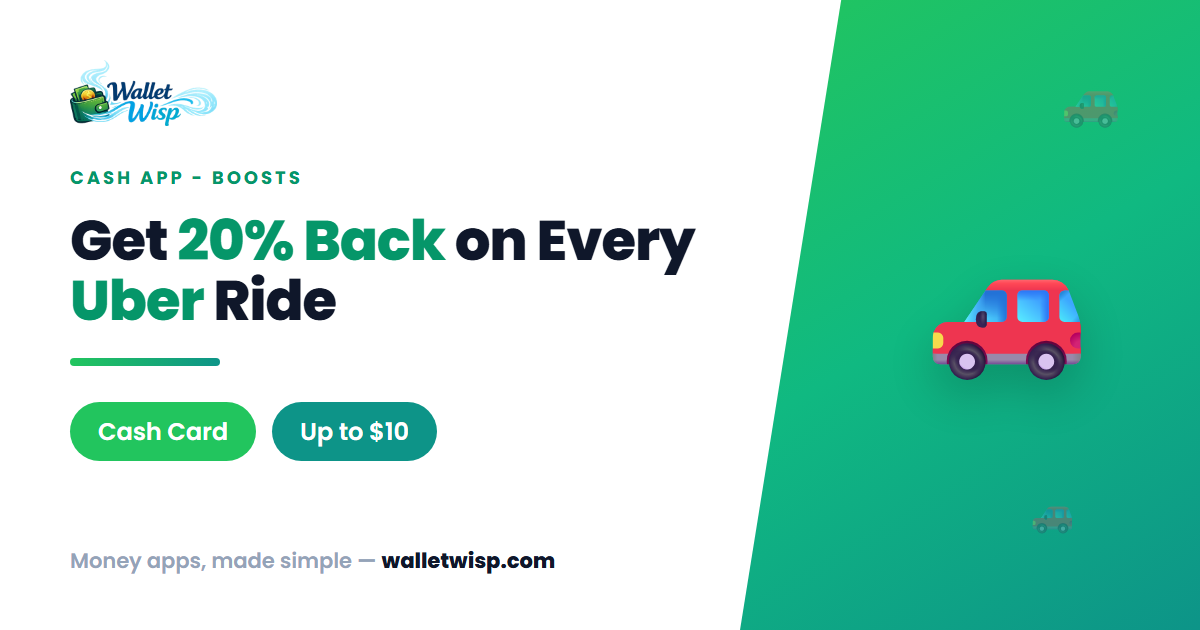
If you ride with Uber and hold a Cash App Cash Card, the 20% Uber Boost is one of the easiest ways to trim your travel costs. Activate it once, pay with your Cash Card, and Cash App knocks 20% off the ride instantly — up to a $10 discount per qualifying purchase. Here’s exactly how to turn it on, who qualifies, and how the expiration works so you don’t miss out.
What the 20% Uber Boost Actually Does
Cash App Boosts are instant, merchant-specific discounts attached to your Cash Card (Cash App’s free Visa debit card). The Uber Boost applies a 20% discount, capped at $10, at the moment you pay. Unlike credit-card rewards that post days later, a Boost lowers the charge in real time — you see the reduced amount right on your transaction.
Two things make Boosts distinctive: you can only have one Boost active at a time, and the discount only applies when you pay with the Cash Card itself (physical or the card added to a mobile wallet like Apple Pay or Google Pay). A regular Cash App balance transfer or a different debit card won’t trigger it.
A quick worked example
- $25 Uber ride: 20% = $5.00 off → you pay $20.00.
- $40 Uber ride: 20% = $8.00 off → you pay $32.00.
- $70 Uber ride: 20% = $14.00, but the cap is $10 → you get $10 off and pay $60.
Because the cap kicks in at a $50 ride, you get the maximum value on any Uber charge of $50 or more.
Eligibility & the Cash Card Requirement
Before you can activate the Boost, make sure you meet these conditions:
| Requirement | Details |
|---|---|
| Active Cash App account | A verified US account in good standing. |
| Cash Card ordered & active | Boosts only work on the Cash Card. No Cash Card = no Boost. |
| Boost visible in your app | Offers are targeted and rotate; the Uber Boost must appear in your Boosts list. |
| Pay with the Cash Card | Use the card (or wallet) as the Uber payment method for the ride. |
Boosts are targeted, so not every user sees the same offers at the same time. If the Uber Boost isn’t in your list, it may not be available to your account yet or may have been retired — you can’t force it to appear.
Don’t have a Cash Card yet?
Ordering one is free and takes a couple of minutes:
- Open Cash App and tap the Cash Card tab (the card icon at the bottom).
- Tap Get Cash Card and follow the prompts to customize and confirm.
- The physical card ships in the mail (typically about 10 business days). You can often add a virtual version to your mobile wallet right away to start using Boosts immediately.
How to Activate the Uber Boost (Step by Step)
- Open Cash App and tap the Cash Card tab.
- Tap Save with Boost (sometimes shown as Add Boost).
- Scroll to the Uber Boost — look for “20% off” with an “up to $10” note.
- Tap it to open the details and read the terms (limits, expiration, any per-use frequency).
- Tap Add Boost to activate it. It’s now attached to your Cash Card.
- Book your ride in the Uber app and pay with your Cash Card. The discount applies automatically.
You’ll see the reduced charge on the transaction in Cash App. There’s no code to enter and no need to reactivate for each ride — as long as the Boost stays active and hasn’t expired, it keeps applying to qualifying Uber purchases within its terms.
When Does the Uber Boost Expire?
This is the part most people get wrong, so read carefully. Cash App Boosts have two different clocks:
- Availability window: The Boost is only offered for a limited time. Cash App can retire it from the Boosts list at any point — the in-app details screen shows how long it’s available before it disappears.
- Post-activation protection: Once you’ve added a Boost to your card, it won’t expire until you use it — even if Cash App retires it from the general list. Activating early effectively “locks in” the offer.
That’s why the smartest move is to activate the Uber Boost now, even before your next ride. If you wait, the offer could be pulled before you get to it.
| Situation | What happens |
|---|---|
| Boost not yet activated, offer retired | You lose access — it’s gone from your list. |
| Boost activated, offer retired | It stays on your card until you use it. |
| Boost used | It’s applied; the Boost may then rotate off or reset per its own frequency rules. |
Frequency limits to know
Individual Boosts can carry a reuse limit — for example, no more than once per hour, or once every set number of hours. Some Boosts also refresh on a recurring basis (such as weekly) so you can use them again. Always check the specific terms shown on the Uber Boost’s detail screen, since Cash App sets these per offer and they can change.
Tips to Get the Most From It
- Activate before you need it. Locking it in protects you if the offer is pulled.
- Time bigger rides. To max out the $10 cap, apply it to a ride of $50 or more when you can.
- Only one Boost at a time. If another Boost is more valuable for a given purchase, you’ll have to swap — but swapping is instant and free.
- Confirm your payment method. Set your Cash Card as the default in the Uber app so you never forget and lose the discount.
- Check terms each time. Boost caps, percentages, and expirations are set by Cash App and can differ from what you saw last month.
Frequently Asked Questions
Do I need the physical Cash Card, or does the virtual card work?
Boosts apply to your Cash Card, and many users can add a virtual version to a mobile wallet (Apple Pay or Google Pay) and start using Boosts before the physical card arrives. Either way, the payment must run through your Cash Card for the 20% to apply.
Why don’t I see the Uber Boost in my app?
Boosts are targeted and rotate, so not everyone is offered the same ones. If it isn’t in your Boosts list, it may not be available to your account or it may have already been retired. There’s no way to manually add an offer that isn’t showing.
Can I use the Boost on Uber Eats too?
It depends on how the specific Boost is defined — some Uber Boosts cover rides only, while others include Uber Eats. Open the Boost’s details in Cash App and read exactly which purchases qualify before you rely on it for a food order.
Does the 20% come back to me as cash later?
No — it’s an instant discount, not delayed cashback. The 20% (up to $10) is subtracted from the charge at the moment you pay with your Cash Card, so you simply pay less.
The Bottom Line
The Cash App 20% Uber Boost is genuinely worth activating: it’s free, instant, and can save up to $10 per qualifying ride. The only real catch is that it lives on your Cash Card and can be retired at any time — so order the card if you don’t have one, add the Boost today to lock it in, and always pay for Uber with your Cash Card. Check the in-app details for the current cap, frequency limit, and availability window before each ride, since Cash App can change these terms.
WalletWisp is an independent, informational resource and is not affiliated with Cash App, Block, or Uber. This article is for general information only and is not financial advice; verify current terms in the Cash App before you rely on them.