
Yes, Cash App Taxes is genuinely free. There is no charge for federal filing, no charge for one state return, no income cap, and no upsell to a “premium” tier at the end. In our 2026 review, Cash App Taxes remains one of the only services that lets self-employed filers, itemizers, and investors file completely free where competitors would charge $60 to $130 or more. The trade-offs are real but narrow: you must have a Cash App account to file, you can only file one state return, and a handful of less-common tax situations aren’t supported.
Cash App Taxes is the rebranded version of Credit Karma Tax, which Block (formerly Square) acquired and folded into the Cash App ecosystem. For the 2025 tax year you file in early 2026, the product is essentially the same DIY software with a mobile-first design, guided interview, and free e-file for both federal and state. Below we break down exactly what’s supported, where the limits bite, how it stacks up against TurboTax and FreeTaxUSA, and how to file step by step.
Is Cash App Taxes really free? The honest answer
Unlike most “free” tax software, Cash App Taxes has no paid tiers at all. TurboTax and H&R Block advertise a free edition but push most filers into paid products the moment you add a 1099, itemize, or claim certain credits. FreeTaxUSA keeps federal free but charges roughly $15 per state. Cash App Taxes charges $0 for federal and one state, regardless of how complex your return is.
So where’s the catch? There are three, and none involve a hidden fee:
- You need a Cash App account. Filing runs through Cash App, so you must be an existing or new Cash App user. Setting one up is free and takes a few minutes. If you’re new to the app, it’s worth understanding the platform first, including Cash App’s sending, receiving, and verification limits.
- One state only. If you owe taxes in two states (common for people who moved or work across state lines), Cash App Taxes can’t handle it.
- No live tax-pro help. There’s no add-on to talk to a CPA or enrolled agent. Support is limited to in-app help articles and email/chat for software issues, not personalized tax advice.
For the majority of W-2 employees, gig workers, freelancers, and single-state filers, none of these are dealbreakers. The software is not a stripped-down “lite” version either; it supports itemized deductions, self-employment income, capital gains, rental income, and most common credits at no cost.
What Cash App Taxes supports in 2026
Cash App Taxes covers the vast majority of individual (Form 1040) situations. Here’s a breakdown of what’s included versus what’s off the table.
| Situation / Form | Supported? | Notes |
|---|---|---|
| W-2 wage income | Yes | Manual entry; photo/import is limited |
| 1099-NEC / 1099-K self-employment | Yes | Schedule C, home office, mileage, expenses |
| Itemized deductions (Schedule A) | Yes | Mortgage interest, SALT, charity, medical |
| Capital gains / crypto (Schedule D, 8949) | Yes | Manual entry; no brokerage auto-import |
| Rental / royalty income (Schedule E) | Yes | Including depreciation |
| Child Tax Credit, EITC, education credits | Yes | Most common credits included free |
| HSA (Form 8889), student loan interest | Yes | Common adjustments supported |
| One state return | Yes | Free, but only a single state |
| Multiple state returns | No | Hard limit — file elsewhere if needed |
| State return without a federal return | No | Must file federal through Cash App Taxes too |
| Part-year / nonresident state (multi-state) | Limited | Single-state part-year usually OK; multi-state not |
| Foreign earned income (Form 2555) | No | Expats generally can’t use it |
| Married filing separately in community-property states | No | Not supported |
| Estate/trust K-1 (Form 1041 beneficiary) | Limited | Some K-1 scenarios unsupported |
If your return is a straightforward 1040 with wages, side income, and standard credits, you’ll rarely hit a wall. The self-employment support is a genuine highlight: gig and 1099 workers who’d pay for TurboTax Self-Employed can file for nothing. If you received a payment-app 1099 this year, our guide to the Cash App 1099-K and the 2026 reporting threshold explains what to report and how.
Where the limits actually bite
The biggest single limitation is the one-state rule. If you moved mid-year, live in one state and work in another, or run a business registered in multiple states, Cash App Taxes simply can’t file all your returns. The other common blockers are foreign income, certain trust/estate K-1s, and the requirement to file federal and state together. There’s also no brokerage or payroll auto-import, so heavy investors with hundreds of trades may find manual entry tedious compared to TurboTax’s imports.
State returns: what “one free state” means
Cash App Taxes includes one state return at no cost, and that state return is filed alongside your federal return. You cannot file a state-only return, and you cannot add a second state. For single-state filers this is a clean win — FreeTaxUSA and most paid competitors charge for state, so you’re saving roughly $15 to $60 versus the alternatives. For anyone with a two-state year, though, you’ll need a different service or a manual state filing.
How to file with Cash App Taxes: step by step
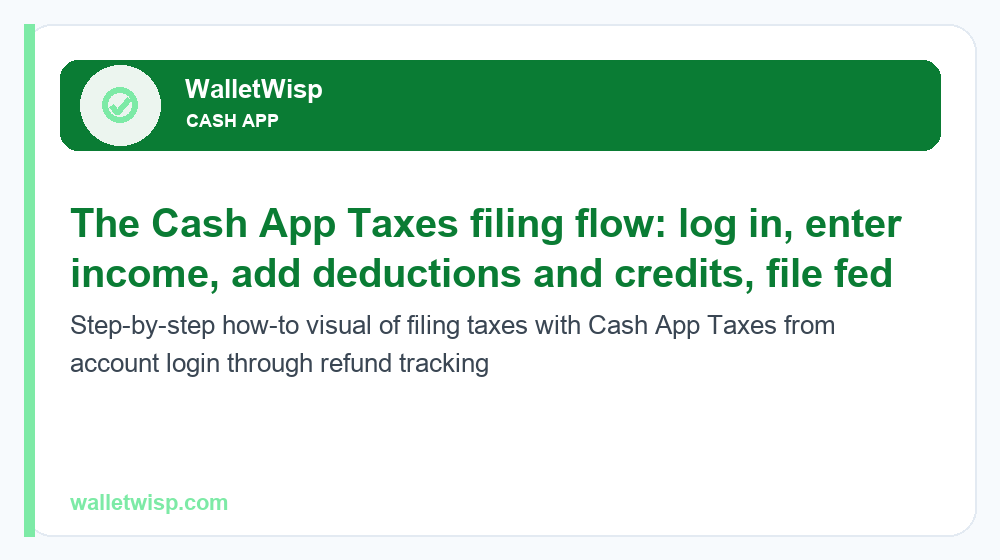
Filing is designed to be doable from a phone in one sitting. Here’s the typical flow for the 2026 season:
- Set up or log into Cash App. Cash App Taxes is accessed through your Cash App account on mobile or via the web with your Cash App login.
- Open Cash App Taxes and start a return. Choose the 2025 tax year and confirm your filing status (single, married filing jointly, head of household, etc.).
- Enter income. Add W-2 wages, 1099-NEC/1099-K self-employment, interest, dividends, capital gains, and any other income. Have your forms in hand — most entry is manual.
- Add deductions and credits. Take the standard deduction or itemize, then claim credits like the Child Tax Credit, EITC, or education credits. The interview asks plain-language questions to surface what applies.
- Complete your one state return. The software carries federal data into your state return automatically.
- Review and run the accuracy check. Cash App Taxes flags common errors and missing fields before you file.
- E-file federal and state. Choose direct deposit for the fastest refund. Depositing your refund into Cash App can make it available up to a few days early.
- Track your refund. After the IRS accepts your return, monitor it with the IRS “Where’s My Refund” tool. See our 2026 IRS refund schedule for realistic timing expectations.
Most e-filed returns with direct deposit are refunded within about 21 days, assuming no errors or identity-verification holds.
Cash App Taxes vs TurboTax vs FreeTaxUSA
Here’s how the three most-compared DIY options line up for the 2026 filing season. Prices are typical published ranges and can change; treat them as estimates.
| Feature | Cash App Taxes | TurboTax | FreeTaxUSA |
|---|---|---|---|
| Federal cost | $0 (all situations) | $0–$130+ (tiered) | $0 (all situations) |
| State cost | $0 (one state) | ~$40–$65 per state | ~$15 per state |
| Income/complexity limit | None | Free edition = simple only | None |
| Self-employment (Sch. C) | Free | Paid tier | Free (federal) |
| Multiple states | Not supported | Yes (paid) | Yes (paid) |
| Auto-import W-2/brokerage | Limited | Extensive | Limited |
| Live tax-pro help | No | Yes (paid add-on) | Optional paid support |
| Account requirement | Cash App account | None | None |
| Max refund guarantee | Yes | Yes | Yes |
| Accuracy guarantee | Yes (up to $1,000) | Yes | Yes |
When TurboTax is worth paying for
TurboTax justifies its price if you value extensive auto-imports (W-2s, brokerage 1099s with hundreds of trades), need multiple state returns, or want the option to hand off to a tax expert. Its interface is the most polished in the category. But for a simple-to-moderate return, you’re paying largely for convenience Cash App Taxes gives away.
When FreeTaxUSA is the better fit
FreeTaxUSA is the closest philosophical competitor: free federal for any complexity and no account requirement. It also handles multiple states (for a fee) and offers optional paid support. Choose FreeTaxUSA over Cash App Taxes if you have two or more state returns, don’t want to use Cash App, or prefer paying a small state fee for a more traditional web experience.
Accuracy and Maximum Refund guarantees
Cash App Taxes backs its software with two guarantees that match the industry standard:
- Accurate Calculations Guarantee. If a calculation error in the software causes you to owe an IRS or state penalty or interest, Cash App Taxes will reimburse you up to $1,000 (typically paid in gift cards), subject to terms.
- Maximum Refund Guarantee. If you file with Cash App Taxes and then get a larger refund (or smaller tax due) using another preparation method, you may be eligible for a reimbursement, commonly up to $100 in gift cards, subject to conditions.
These cover software math, not your own data-entry mistakes, so the accuracy check and a careful review still matter. The guarantees are comparable to what TurboTax and FreeTaxUSA offer, which is notable for a $0 product.
Pros and cons of Cash App Taxes
Pros:
- Truly free federal and one state — no tiers, no income cap, no end-of-flow upsell
- Supports complex situations (self-employment, itemizing, capital gains, rentals) for free
- Mobile-first, clean guided interview you can finish on a phone
- Accuracy and maximum-refund guarantees included
- Refund can land a few days early if deposited to Cash App
Cons:
- Only one state return — a hard stop for multi-state filers
- Requires a Cash App account
- No live CPA/EA help or professional review
- Limited auto-import; heavy investors face manual entry
- Doesn’t support foreign earned income, some K-1s, MFS in community-property states, or state-only filing
Who should (and shouldn’t) use Cash App Taxes
Great fit: W-2 employees, single-state filers, gig and 1099 workers, freelancers, itemizers, and investors with a manageable number of transactions who want to file for free and are comfortable with a DIY, mobile-friendly interview.
Look elsewhere: anyone with multiple state returns, expats with foreign income, filers who need to hand off to a tax professional, investors with hundreds of trades who rely on auto-import, or people who don’t want a Cash App account. In those cases, FreeTaxUSA (multi-state, no account) or TurboTax (imports, expert help) may be worth the fee.
Frequently Asked Questions
Is Cash App Taxes actually 100% free?
Yes. Federal filing and one state return are free for every supported situation, with no income limit and no paid upgrade tiers. The main requirement is a free Cash App account.
Do I need a Cash App account to file taxes?
Yes. Cash App Taxes is part of the Cash App ecosystem, so you must have (or create) a Cash App account to file. Creating one is free.
Can I file more than one state with Cash App Taxes?
No. Cash App Taxes supports only a single state return per federal return. If you owe in two or more states, you’ll need FreeTaxUSA, TurboTax, or another service that handles multi-state filing.
Does Cash App Taxes support self-employment and 1099 income?
Yes, and it’s a standout feature. Schedule C, business expenses, home office, and mileage are all supported for free. If you got a payment-app form, see our guide on the Cash App 1099-K for 2026.
How long does a Cash App Taxes refund take?
Most e-filed returns with direct deposit are refunded within about 21 days of IRS acceptance. Depositing to Cash App can make funds available up to a few days early. Check the 2026 refund schedule for timing.
Is Cash App Taxes safe and legitimate?
Yes. It’s an authorized IRS e-file provider operated by Block (the company behind Cash App and formerly Square). It uses standard encryption and offers accuracy and maximum-refund guarantees.
Can I import my W-2 or brokerage statements?
Import support is limited. Most income is entered manually, so have your W-2s and 1099s on hand. Investors with many transactions may find TurboTax’s auto-import faster.
What can’t Cash App Taxes handle?
It doesn’t support multiple states, state-only filing, foreign earned income (Form 2555), married filing separately in community-property states, and certain trust/estate K-1s. There’s also no option to consult a live tax professional.
Bottom line: For single-state filers who want to keep every dollar of their refund, Cash App Taxes is one of the best free options available in 2026 — capable enough for self-employment and itemizing, backed by real guarantees, and free where competitors charge. Just confirm your situation fits its limits before you start.