Yes, Wells Fargo has Zelle in 2026. Zelle is built directly into the Wells Fargo mobile app and Wells Fargo Online, so eligible personal and small business customers can send and receive money without downloading a separate app. In fact, Wells Fargo is one of the banks that co-owns the company behind Zelle, which is why the service is fully integrated rather than bolted on. If you have been wondering “does Wells Fargo have Zelle,” the short answer is that it is one of the most deeply integrated Zelle banks in the country, it is free to use, and money typically moves between enrolled users in minutes.
Below is a complete, practical guide to using Zelle at Wells Fargo: how to find it in the app, how to enroll with an email or U.S. mobile number, what the typical limits look like, how fast transfers arrive, how it works for small business accounts, and the safety rules that matter most because Zelle payments behave like cash.
Does Wells Fargo Have Zelle? The Full Answer
Wells Fargo offers Zelle to eligible consumer and small business deposit account holders through both the mobile app and online banking. There is no separate Zelle app to install and no add-on fee from Wells Fargo to use the service. Because Zelle is embedded in the banking platform, your recipient list, transfer history, and limits all live inside your normal Wells Fargo login.
Zelle is designed for sending money to people you know and trust, such as friends, family, a roommate splitting rent, or a babysitter. It is a fast way to move money directly between U.S. bank accounts using just an email address or U.S. mobile phone number. It is not a buyer-protection service and it is not intended for purchases from strangers or online marketplaces.
Why Zelle Is So Well Integrated at Wells Fargo
Zelle is operated by Early Warning Services, a fintech company owned by several large U.S. banks, and Wells Fargo is one of those owner banks. That ownership is the reason Zelle appears as a native feature inside Wells Fargo’s app rather than as a third-party connection. It also means transfers between two Wells Fargo customers, or between a Wells Fargo customer and someone at another participating bank, generally settle quickly and reliably.
How to Find and Use Zelle Inside the Wells Fargo App
Zelle lives in the “Pay & Transfer” area of the Wells Fargo mobile app. If you already bank with Wells Fargo, you can usually be set up and sending your first payment in just a few minutes. Here is the step-by-step flow.
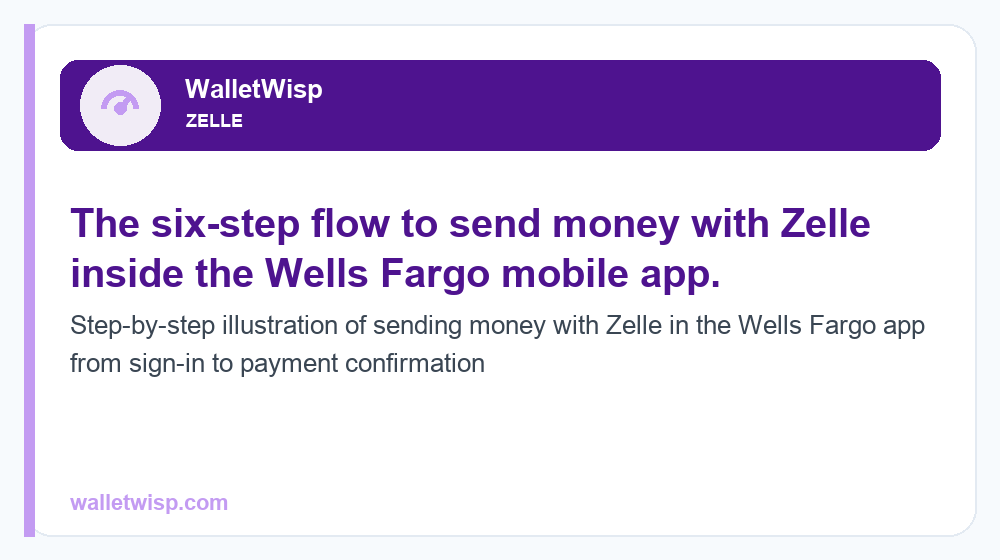
Step-by-Step: Sending Money With Zelle at Wells Fargo
| Step | What you do | Notes |
|---|---|---|
| 1 | Open the Wells Fargo mobile app and sign in | Use the same username and password as online banking |
| 2 | Tap “Pay & Transfer,” then select “Send & Request Money With Zelle” | On desktop, look under the Transfer & Pay menu in Wells Fargo Online |
| 3 | Enroll your U.S. mobile number or email (first time only) | You verify with a one-time code; see the enrollment section below |
| 4 | Add a recipient by their email or U.S. mobile number | Double-check the contact detail before saving |
| 5 | Enter the amount and choose the account to send from | Confirm the recipient name that appears |
| 6 | Review and confirm the payment | Money typically arrives in minutes if the recipient is enrolled |
To request money instead of sending it, choose “Request” and enter the person’s contact detail. To receive money, you simply need to be enrolled; funds sent to your enrolled email or mobile number will deposit automatically into your linked Wells Fargo account.
Enrolling in Zelle With an Email or U.S. Mobile Number
Enrollment is quick and only happens once per contact detail. When you open Zelle for the first time inside the Wells Fargo app, you choose whether to register a U.S. mobile phone number, an email address, or both. Wells Fargo sends a one-time verification code to that email or phone, you enter the code, and the contact detail is then tied to your Wells Fargo account.
- U.S. mobile number: Must be a mobile number that can receive text messages; landlines and most VoIP numbers will not work for verification.
- Email address: Any email you control and can check for the one-time code.
- One token, one bank: A given email or mobile number can be enrolled with Zelle at only one bank at a time. If you previously enrolled that number elsewhere, you may need to move it to Wells Fargo.
Once enrolled, anyone who sends money to that email or mobile number will have it routed to your Wells Fargo account. That is why it is important to enroll the specific contact detail you want people to use.
Is Zelle Free at Wells Fargo?
Yes. Wells Fargo does not charge a fee to send or receive money with Zelle. There is no per-transfer cost, no monthly Zelle fee, and no charge to enroll. Standard account terms still apply, so keep an eye on things like overdrafts if you send more than your available balance, but the Zelle service itself is free.
This is one of the biggest advantages of bank-integrated person-to-person payments compared with some card-based services that can charge for instant transfers. With Zelle at Wells Fargo, the fast delivery is the default and it does not cost extra.
Wells Fargo Zelle Limits in 2026 (Typical, Approximate)
Wells Fargo sets Zelle send limits, but the bank does not publish a single fixed number that applies to every customer. Your actual limits can depend on your account type, how long your account has been open, your history, and other risk factors. The figures below are typical and approximate ranges commonly reported by Wells Fargo customers; always confirm your own limits inside the app under the Zelle settings or Transfer Limits page.
| Account type | Typical daily send limit (approximate) | Typical 30-day send limit (approximate) |
|---|---|---|
| Personal / consumer | Around $3,500 per day | Often around $20,000 per rolling 30 days |
| Small business | Higher, commonly in the $5,000+ per day range | Higher monthly caps than consumer, varies by account |
| Receiving money | No set send limit on incoming funds | Deposits arrive automatically once enrolled |
A few important notes on limits:
- Limits apply to money you send, not money you receive.
- There is typically no fixed minimum, though very small amounts (like a few cents) may be restricted.
- Because exact limits are not publicly fixed and can change, treat the numbers above as a planning guide, not a guarantee.
- If you need to move a larger sum, consider an ACH transfer, wire, or splitting the payment across days.
For a broader comparison across institutions, see our guides on Zelle transfer limits and Zelle daily limits by bank in 2026.
How Fast Do Wells Fargo Zelle Transfers Arrive?
When both people are already enrolled in Zelle, money typically arrives within minutes. The recipient does not have to do anything special beyond being enrolled; the funds simply appear in their linked bank account. This near-instant speed is the main reason people use Zelle for everyday splits and quick reimbursements.
If the person you are paying is not yet enrolled, they will get a text or email inviting them to enroll. In that case, the money is not delivered until they complete enrollment, which can take longer, sometimes a day or more depending on how quickly they act. If they do not enroll within the allowed window (commonly about 14 days), the payment expires and the money is returned to your account.
Why a Transfer Might Be Delayed
- The recipient has not enrolled yet.
- It is your first time sending, so the bank may apply a brief review.
- The payment was flagged for security or fraud review.
- You entered an email or number that is not correctly enrolled.
Zelle for Wells Fargo Small Business
Wells Fargo offers Zelle to eligible small business customers as well, which lets business owners accept payments from customers and send money to vendors or contractors using an email or U.S. mobile number. Small business limits are generally higher than consumer limits, which makes Zelle practical for things like invoicing regular clients or paying part-time help.
Keep in mind that Zelle for business is still a payment tool, not a merchant-services platform. It does not offer chargeback protection or dispute resolution the way a card processor does, so it works best when you are dealing with customers and partners you already know and trust. For sales to new or unknown customers where you may need buyer or seller protection, a traditional card payment or invoicing platform is usually the safer choice.
Zelle Safety Tips: Treat It Like Cash
The single most important thing to understand about Zelle is that payments are fast and generally cannot be reversed. Once money is sent to an enrolled recipient, it moves almost immediately, and there is no built-in way to claw it back if you sent it to the wrong person or fell for a scam. Zelle explicitly warns that it should only be used to pay people you know and trust.
- Only send to people you trust. Friends, family, and known contacts, never strangers from online marketplaces or social media.
- Double-check the recipient. One wrong digit in a phone number or a typo in an email can send money to the wrong person, and it may not be recoverable.
- Confirm the name that appears. Before you hit send, make sure the displayed recipient name matches who you expect.
- Beware of scams. No legitimate bank or agency will ask you to “send yourself money” on Zelle to reverse fraud, verify your account, or claim a prize. That is a classic scam script.
- Do not use Zelle for purchases from strangers. There is no purchase protection; if the item never arrives, you likely cannot get your money back.
- Protect your login. Never share your Wells Fargo password, PIN, or one-time codes with anyone who contacts you.
If you ever send money to the wrong enrolled person by mistake, contact Wells Fargo right away, but understand that recovery depends entirely on the recipient agreeing to return it. That is why prevention, checking details before you send, matters so much more with Zelle than with a card.
Wells Fargo Zelle at a Glance
To recap the essentials: Wells Fargo fully supports Zelle in 2026, it is built into the app and online banking, it is free, transfers between enrolled users land in minutes, and typical personal send limits sit around $3,500 per day with higher monthly caps that vary by account. Small business accounts get higher limits, and the golden rule is to treat every Zelle payment like handing over cash. If you want to see how Wells Fargo stacks up against another major bank, our comparison on whether Chase has Zelle in 2026 covers the same details for Chase customers.
Frequently Asked Questions
Does Wells Fargo have Zelle in 2026?
Yes. Zelle is built directly into the Wells Fargo mobile app and Wells Fargo Online. Wells Fargo is a co-owner of the company that runs Zelle, so eligible personal and small business customers can send and receive money without any separate app.
Is Zelle free at Wells Fargo?
Yes. Wells Fargo does not charge a fee to enroll in Zelle or to send or receive money. Standard account terms still apply, such as potential overdraft fees if you send more than your available balance, but the Zelle service itself has no cost.
What is the Wells Fargo Zelle send limit?
Wells Fargo does not publish one fixed public limit, and your amount can vary by account type and history. Personal limits are commonly around $3,500 per day with a higher rolling 30-day cap, often near $20,000. Check your exact limits in the app’s Zelle settings, and treat any quoted figures as approximate.
How fast does Wells Fargo Zelle money arrive?
If both people are already enrolled in Zelle, money typically arrives within minutes. If the recipient is not enrolled yet, delivery waits until they finish enrollment, which can take a day or more, and unclaimed payments expire and are returned after about 14 days.
How do I set up Zelle in the Wells Fargo app?
Sign in to the Wells Fargo mobile app, tap “Pay & Transfer,” then “Send & Request Money With Zelle.” The first time, you enroll a U.S. mobile number or email, verify it with a one-time code, and then you can add recipients and send money.
Can I use Zelle for my Wells Fargo small business account?
Yes, eligible small business customers can use Zelle, often with higher limits than consumer accounts. It is useful for paying vendors or accepting payments from known customers, but it offers no chargeback or seller protection, so use it with people you already trust.
Can I reverse a Zelle payment at Wells Fargo?
Generally no. Zelle payments to enrolled recipients are fast and behave like cash, so they usually cannot be canceled or reversed. If you sent to the wrong person, contact Wells Fargo immediately, but getting the money back depends on the recipient agreeing to return it.
Do I need the Zelle app to use Zelle with Wells Fargo?
No. Because Zelle is integrated into the Wells Fargo app and online banking, you do not need the standalone Zelle app. You use Zelle right inside your normal Wells Fargo login under the Pay & Transfer menu.