
The 50/30/20 budget rule is a simple guideline that splits your after-tax (take-home) income into three buckets: 50% goes to needs, 30% goes to wants, and 20% goes to savings and debt payoff. It’s popular because it’s easy to remember and doesn’t require tracking every coffee.
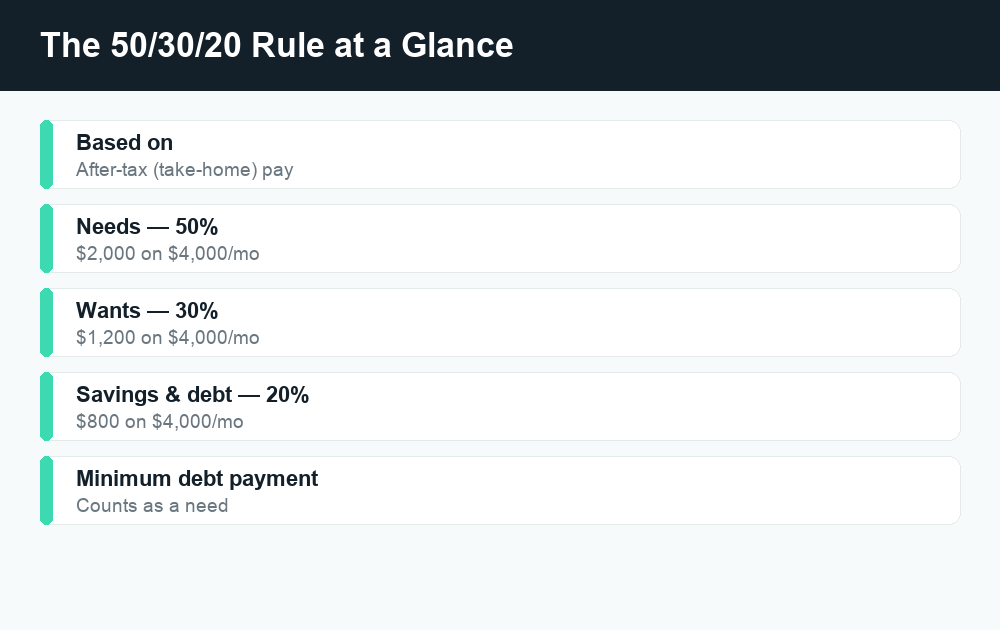
Quick answer: Take your monthly take-home pay (what actually lands in your bank account after taxes and deductions) and assign 50% to needs like rent, groceries, and minimum debt payments; 30% to wants like dining out and streaming; and 20% to savings, investing, and extra debt payoff. On $4,000 a month that’s $2,000 / $1,200 / $800. The ratios are a starting point, not a law, so adjust them to fit a high cost-of-living area or a tight budget.
What is the 50/30/20 rule?
The 50/30/20 rule is a budgeting framework that organizes your spending into three broad categories instead of dozens of tiny line items. The idea is to keep your essential living costs at or under half your income, cap your discretionary spending at roughly a third, and consistently route the remaining fifth toward building wealth and getting out of debt.
It became widely known through the personal-finance book All Your Worth, co-authored by Elizabeth Warren and Amelia Warren Tyagi, and it has stuck around because it’s beginner-friendly. You don’t need a complicated spreadsheet or an app that categorizes 40 different expense types. You need three numbers and a little discipline.
The most important detail people miss: the rule applies to your after-tax income, not your gross salary. If your paycheck already has taxes, health insurance, and retirement contributions withheld before it hits your account, you work from the net amount that actually arrives.
How to calculate your 50/30/20 buckets
Start with your monthly take-home pay. This is the figure deposited into your checking account, after federal and state taxes, Social Security and Medicare, and any pre-tax deductions like employer health insurance or a 401(k). If your income is irregular (freelance, tips, commissions), average your last three to six months and use a conservative number.
Once you have that figure, the math is just multiplication:
- Needs: take-home pay × 0.50
- Wants: take-home pay × 0.30
- Savings & debt: take-home pay × 0.20
Let’s use a clearly hypothetical $4,000 per month in take-home pay as a worked example. (Your real number will be different — this is just to show the math.)
| Bucket | Percentage | Monthly amount (on $4,000) | What goes here |
|---|---|---|---|
| Needs | 50% | $2,000 | Rent, utilities, groceries, insurance, minimum debt payments |
| Wants | 30% | $1,200 | Dining out, hobbies, travel, streaming, upgrades |
| Savings & debt payoff | 20% | $800 | Emergency fund, retirement, extra debt payments |
| Total | 100% | $4,000 | — |
That’s the whole framework. If your take-home is $3,200, your buckets are $1,600 / $960 / $640. If it’s $6,500, they’re $3,250 / $1,950 / $1,300. Run your own number before you do anything else.
What counts as a “need” vs. a “want”?
This is where most people get stuck, because the line isn’t always obvious. A useful test for a need: if you stopped paying it, would you face a serious consequence — losing your home, your job, your health, or your ability to get to work? If yes, it’s probably a need. Everything else is a want.
Typical needs (the 50%)
- Rent or mortgage payment
- Utilities (electric, water, gas, basic internet)
- Groceries (basic food, not restaurant meals)
- Transportation to work (car payment, gas, transit pass, basic maintenance)
- Health, auto, and renters/home insurance
- Minimum required payments on debts
- Essential childcare
Typical wants (the 30%)
- Dining out, takeout, and coffee runs
- Streaming services, subscriptions, and gaming
- Vacations and weekend trips
- Clothing beyond the basics, and gadget upgrades
- Gym memberships and hobbies
- The “nicer” version of a need — a premium phone plan or a luxury apartment when a cheaper one would do
One nuance worth remembering: only the minimum payment on a debt counts as a need. Any extra you pay above the minimum — to crush a credit card faster — belongs in the 20% savings-and-debt bucket, because you’re choosing to accelerate it.
Grocery vs. restaurant is the other common gray area. The food you cook at home is a need. The food someone else cooks and serves you is, in budgeting terms, a want.
Adjusting the ratios for real life
The 50/30/20 split is a guideline, not a rule handed down from on high. For a lot of Americans — especially in high cost-of-living cities or on a lower income — keeping needs at 50% simply isn’t realistic when rent alone can eat 40% or more of take-home pay. That doesn’t mean the framework is useless. It means you flex the numbers.
Here are sensible ways to adapt it:
- High cost-of-living area: If rent and essentials push your needs to 60% or 65%, try a 60/20/20 or 65/15/20 split. Protect the 20% savings line as long as you can, and trim wants first.
- Lower income / tight budget: When needs already exceed half your income, your first job is keeping the lights on. Even a smaller savings rate — 5% or 10% — still builds the habit. Aim to grow it back toward 20% as income rises.
- Aggressive debt payoff: If you’re attacking high-interest credit card debt, you might temporarily run something like 50/20/30, putting extra into the debt-and-savings bucket and squeezing wants.
- Higher income: If you comfortably cover needs and wants, push past 20% in savings. Many people who can save 30% or more do.
The point is consistency, not perfection. A “70/20/10” budget you actually follow beats a perfect 50/30/20 you abandon in month two.
How to automate the 50/30/20 rule
The framework works best when you remove yourself from the decision. Automation means the money moves before you’re tempted to spend it. Here’s a common setup using accounts you likely already have or can open for free:
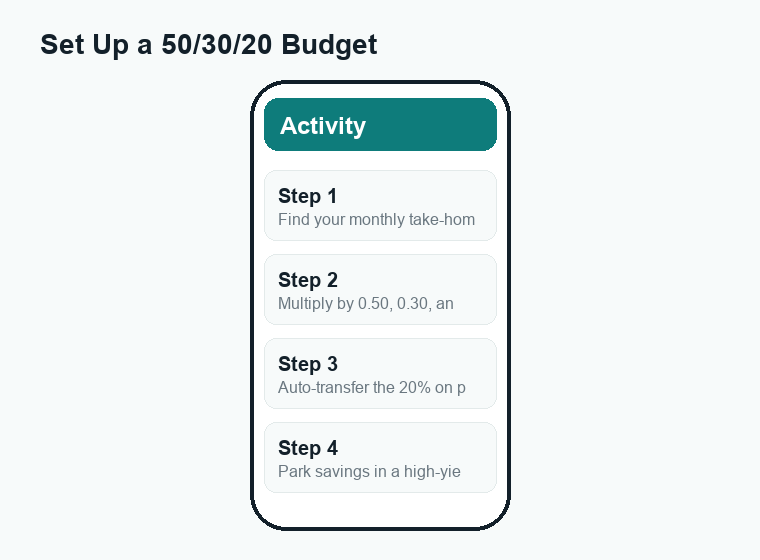
- Direct deposit into checking. Your paycheck lands in your main checking account, which you use for needs and wants.
- Auto-transfer the 20% on payday. Schedule an automatic transfer of your savings/debt amount to a separate account the same day you get paid — so you never see it as spendable.
- Use a high-yield savings account (HYSA) for the emergency fund. HYSAs (often from online banks) typically pay much higher interest than a standard checking account, and the money stays liquid. Rates change constantly, so check the current rate on the bank’s official site before opening one.
- Automate retirement separately. If your employer offers a 401(k) match, contributing enough to get the full match is one of the best uses of your savings bucket. Those contributions usually come out before your check even arrives.
- Set autopay for minimum debt payments. This keeps your “needs” payments on time and protects your credit, then you send any extra payoff from the 20% bucket.
A simple two- or three-account structure — one checking for spending, one HYSA for savings, and your retirement account — covers most people. You can split it further (a separate “wants” account, sinking funds for irregular bills), but start simple.
Pros and cons of the 50/30/20 rule
| Pros | Cons |
|---|---|
| Easy to remember and start today | 50% for needs is unrealistic in many expensive cities |
| No need to track dozens of categories | Lumps all “wants” together, which can hide overspending |
| Builds a savings habit automatically | 20% savings may be too low for early retirement goals |
| Flexible — you can adjust the ratios | Needs-vs-wants line is subjective and easy to fudge |
| Works alongside automation and HYSAs | Doesn’t tell you how to invest the savings portion |
For beginners, the pros usually win. The framework gets you saving and gives you a clear ceiling on discretionary spending. As your finances get more complex, you may graduate to a more detailed method like zero-based budgeting — but 50/30/20 is a great on-ramp.
Free tools and apps to run a 50/30/20 budget
You don’t need to pay for software. Plenty of free options work well:
- A simple spreadsheet. Google Sheets and Excel both have free budget templates. Create three rows — needs, wants, savings — and use formulas to multiply your take-home pay by 0.50, 0.30, and 0.20. This is the most transparent and customizable option.
- Pen and paper or a notes app. For a single-income, simple budget, writing down three numbers and checking in monthly is genuinely enough.
- Budgeting apps. Many free and low-cost budgeting apps can tag transactions and show category totals. Features and pricing change often, so confirm what’s free on the app’s official site before you sign up, and read the privacy policy if it connects to your bank.
- Your bank’s built-in tools. Many banks and credit unions now show spending breakdowns and let you create savings “buckets” or sub-accounts at no extra cost.
A quick scam-awareness note: be cautious with any app or “financial advisor” that asks for your online banking password directly (rather than a secure, read-only connection), promises guaranteed returns, or pressures you to pay a fee to “unlock” your own savings. Legitimate budgeting tools never need your money up front to give you access to your money, and the IRS, SSA, and your bank will not ask for passwords by text or email. When in doubt, go directly to the official website rather than clicking a link.
Frequently asked questions
Does the 50/30/20 rule use gross or net income?
It uses your net, after-tax income — your take-home pay. That’s the amount deposited into your account after taxes and payroll deductions. If your retirement and health insurance are already withheld from your paycheck, work from the net figure that actually arrives.
What if my needs are more than 50% of my income?
That’s common, especially in high-cost areas or on a lower income. Adjust the ratios — for example 60/20/20 or 70/20/10 — and protect your savings rate as much as you can. Even saving 5% to 10% builds the habit, and you can shift back toward 20% as your income grows or expenses fall.
Should extra debt payments go in the 20% or the 50% bucket?
Only the minimum required payment counts as a need (the 50% bucket). Any extra you pay to clear debt faster belongs in the 20% savings-and-debt-payoff bucket, since you’re choosing to accelerate it rather than being obligated to.
Is 50/30/20 better than zero-based budgeting?
Neither is universally “better.” 50/30/20 is simpler and great for beginners who want a low-maintenance system. Zero-based budgeting assigns every dollar a job and offers tighter control, which suits people who like detail or have variable income. Many people start with 50/30/20 and switch later.
Where should I keep my 20% savings?
A high-yield savings account is a popular home for an emergency fund because it earns more interest than standard checking while staying easily accessible. Longer-term money often goes into retirement accounts like a 401(k) or IRA. Rates and account terms change, so verify current details on the provider’s official site.
The bottom line
The 50/30/20 budget rule earns its popularity by being almost impossible to overthink: split your take-home pay into needs, wants, and savings, automate the savings transfer on payday, and adjust the ratios when real life doesn’t cooperate. It won’t optimize every dollar, but it gets you saving consistently and keeps discretionary spending in check — which is most of the battle. Pick your number, set up the transfer, and start this pay period.
Want to go deeper? Explore our related WalletWisp guides on building an emergency fund, choosing a high-yield savings account, and paying off credit card debt faster.


