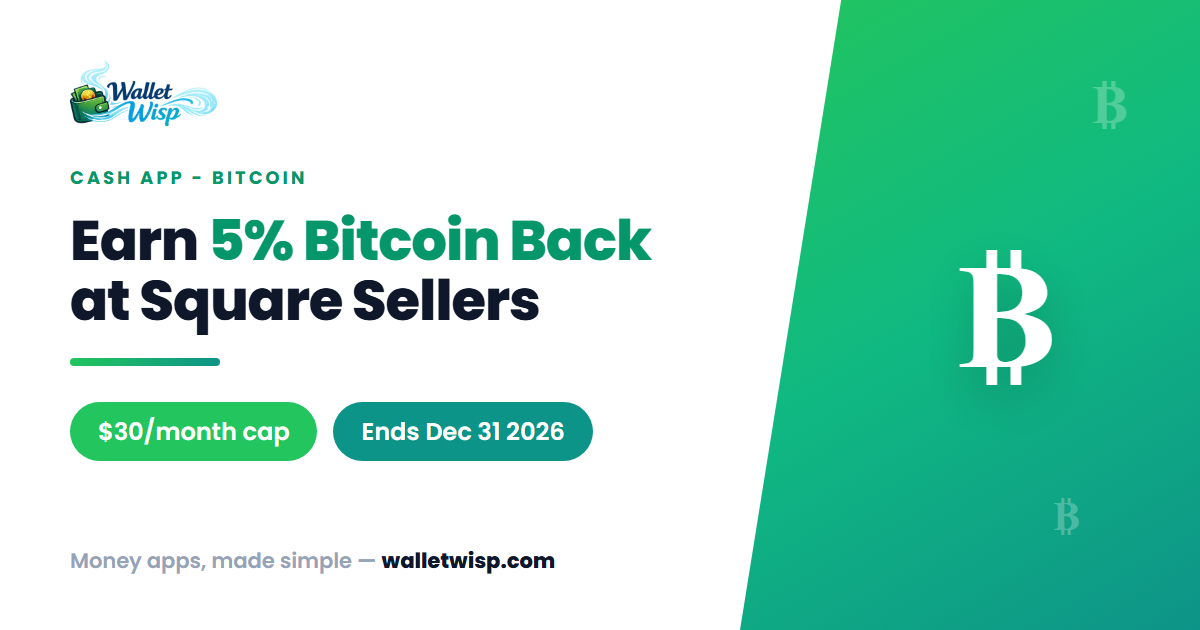
Cash App is quietly running one of the more generous bitcoin rewards offers around: pay a participating Square seller with bitcoin and you get 5% back in bitcoin, up to $30 per calendar month. There’s no points program to decode and no card to swipe — the reward lands straight in your bitcoin balance. The catch is timing. The promotion runs from April 22, 2026 through December 31, 2026, so the window to bank rewards closes at the end of this year.
This guide breaks down exactly how “Bitcoin Back” works, who qualifies, the fine print on the monthly cap, and the steps to start earning today.
What “Bitcoin Back” actually is
Bitcoin Back rewards you for spending bitcoin the way you’d spend cash. When you pay an eligible Square seller using bitcoin — either from your existing bitcoin balance or by converting your Cash balance on the fly over the Lightning Network — Cash App gives you 5% of that purchase back as bitcoin. The reward is deposited automatically to your bitcoin balance; there’s no coupon code, no “claim” button, and no waiting for a monthly statement credit.
Square is Block’s merchant arm (the same parent company as Cash App), and in 2025–2026 Square rolled out bitcoin acceptance to eligible sellers. That’s what makes this loop possible: you pay a coffee shop or boutique that runs on Square, the merchant can receive the payment in bitcoin or dollars, and you pocket 5% back in bitcoin.
The numbers at a glance
| Detail | What to know |
|---|---|
| Reward rate | 5% back in bitcoin on qualifying purchases |
| Monthly cap | $30 in bitcoin, per customer, per calendar month |
| Where it works | Eligible Square sellers (paid with bitcoin / Lightning) |
| Offer period | April 22, 2026 – December 31, 2026 |
| Who’s eligible | U.S. Cash App customers, 18+, excluding New York |
| Requirement | Completed Identity Verification (IDV) |
| Payment rail | Lightning Network (bitcoin or Cash balance) |
| Lightning send limit | Up to $999 every 7 days |
| How reward is paid | Auto-deposited to your bitcoin balance |
How the $30 monthly cap works
The cap is on the reward, not your spending. Because you earn 5%, hitting the full $30 reward means running about $600 in qualifying purchases through eligible Square sellers in a single calendar month (5% of $600 = $30). Any purchases after you’ve hit $30 in rewards that month simply stop earning — they aren’t blocked, they just don’t qualify for more bitcoin back.
The cap resets each calendar month, and it’s per customer. A few worked examples:
- Small spender: You spend $120 at Square coffee shops and lunch spots in a month. You earn 5% = $6 in bitcoin, well under the cap.
- Right at the line: You spend $600 across the month. You earn the full $30 cap.
- Over the cap: You spend $900. You still only earn $30 — the first ~$600 of qualifying spend maxes you out, and the remaining ~$300 earns nothing extra that month.
Because it resets monthly, the smart play if you’re a regular at Square merchants is to spread larger bitcoin-paid purchases across months rather than clustering them. Between now and December 31, 2026, there are several full calendar months left — each one is a fresh shot at up to $30.
Who is eligible
To qualify for Bitcoin Back you generally need to meet all of the following:
- Be a Cash App customer in the United States.
- Be at least 18 years old.
- Be located outside New York State — New York is excluded, largely because of its separate crypto licensing rules.
- Have completed Identity Verification (IDV) on your Cash App account. This is the same verification that unlocks bitcoin and higher limits, and typically asks for your full name, date of birth, and the last four digits of your SSN.
If you can already buy, hold, and send bitcoin in your Cash App, you’ve almost certainly cleared the verification bar. If bitcoin features are greyed out, complete verification first.
How to turn it on and start earning
There’s no separate sign-up screen for Bitcoin Back — for eligible, verified customers it applies automatically when you pay an eligible Square seller with bitcoin. The “turning it on” part is really about making sure you can pay over the Lightning Network. Here’s the flow:
- Update Cash App and confirm your Identity Verification is complete (Profile → check that bitcoin features are active).
- Make sure you have funds to pay with — either bitcoin in your balance, or a Cash balance you can convert to a Lightning payment.
- At an eligible Square seller, open Cash App, tap the Payments ($) tab, then tap the QR scanner in the top-left corner.
- Scan the merchant’s Lightning QR code. If you’d rather spend dollars than hold bitcoin, you can toggle the currency to your Cash (USD) balance — Cash App converts it and the merchant receives bitcoin, and you still earn the reward.
- Confirm the payment. Your 5% bitcoin reward is deposited automatically to your bitcoin balance.
Keep the $999-per-7-day Lightning limit in mind — it’s a rolling weekly ceiling on how much you can send over Lightning, separate from the $30 reward cap.
Frequently Asked Questions
Do I have to hold bitcoin to earn Bitcoin Back?
No. You can pay with your regular Cash balance. After scanning a Square seller’s Lightning QR code, select your U.S. dollar (Cash) balance as the payment currency — Cash App converts it and sends the payment over Lightning. You still receive the 5% reward in bitcoin.
When does the reward show up?
The reward is deposited automatically to your bitcoin balance rather than being paid as a statement credit. There’s nothing to claim. Because it arrives as bitcoin, the dollar value of what you earned can rise or fall with bitcoin’s price after it lands.
What counts toward the $30 cap?
The cap counts the bitcoin rewards you earn, not your total spending. At 5%, roughly $600 of qualifying purchases in a calendar month gets you to the $30 reward ceiling. The cap resets at the start of each new calendar month through December 31, 2026.
Why can’t I use it in New York?
New York is excluded from the offer. The state’s crypto regulations (the “BitLicense” framework) treat digital-asset activity differently, and Cash App’s bitcoin features and this promotion are unavailable to customers located there.
The bottom line
Bitcoin Back is a genuinely low-effort way to earn bitcoin on spending you may already be doing — 5% back, auto-deposited, no points to redeem. The two things to remember are the $30-per-month reward cap (about $600 of qualifying spend) and the December 31, 2026 end date. If you shop at Square-powered merchants, verify your account, get comfortable paying over Lightning, and treat each remaining calendar month as its own $30 opportunity before the offer expires.
WalletWisp is informational and is not financial advice. Offer terms, dates, and limits are set by Cash App and Square and can change — confirm current details in the app before relying on them.