

Does SoFi have Zelle? No. As of 2026, SoFi Checking and Savings does not support Zelle, and SoFi is not a member of the Zelle network. You cannot enroll your SoFi account inside the Zelle app or send Zelle payments directly from the SoFi app. To move money quickly with a SoFi account, you’ll instead use SoFi’s own person-to-person and instant transfer tools, a third-party app like Venmo, Cash App, PayPal, or Apple Cash, or an external ACH link — and this guide walks through each option, including which is fastest and which is cheapest.
Below we confirm why SoFi lacks native Zelle, break down every realistic workaround to send money to and from a SoFi account, and explain how SoFi’s built-in money-movement features (SoFi transfers, Vaults, and external linked accounts) actually work. We also compare alternatives head-to-head on speed and cost so you can pick the right tool for the job.
Does SoFi Have Zelle? The Direct Answer
SoFi does not offer Zelle. When you open the SoFi mobile app and look through the money-movement menu, you will find options to transfer between your own accounts, send money to other SoFi members, link external bank accounts, and set up ACH transfers — but there is no Zelle button, and searching for “SoFi” inside the standalone Zelle app will not return SoFi as an available institution. This has been consistently true through the account’s history and remains the case in 2026.
Zelle is a bank-to-bank payment network operated by Early Warning Services, a company owned by a group of large U.S. banks. Financial institutions have to formally join the Zelle network and integrate it into their apps. Hundreds of banks and credit unions participate, but SoFi is not one of them. That is the whole reason SoFi customers can’t use Zelle from within their SoFi account — it’s a network-membership issue, not a temporary outage or a setting you need to switch on.
Why SoFi Isn’t a Zelle Bank
SoFi runs its money-movement features on its own infrastructure and through the standard ACH and card-payment rails rather than plugging into Zelle. As a newer, tech-first financial company, SoFi has generally built or partnered for its own instant-transfer and P2P capabilities instead of adopting the bank-consortium Zelle product. The practical takeaway: don’t wait for a “SoFi Zelle” toggle to appear — plan around the workarounds instead. If Zelle is a hard requirement for you, you would need a Zelle-network bank account, and you can compare SoFi’s overall feature set in our SoFi Checking and Savings review for 2026.
SoFi is far from the only fintech in this position. Several popular app-based banks sit outside the Zelle network too — for example, see our breakdown of whether Varo has Zelle, which faces the same limitation and the same category of workarounds.
How to Send and Receive Money With a SoFi Account
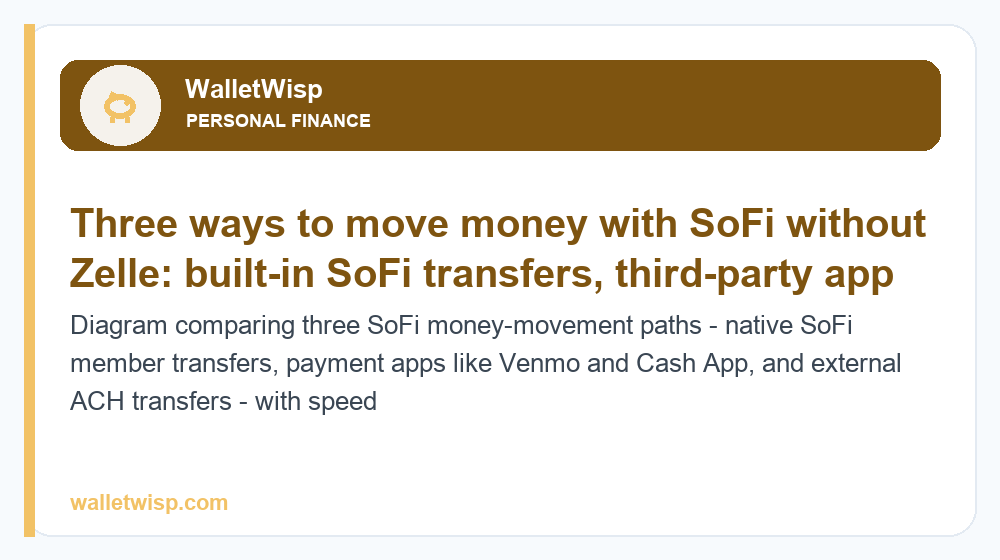
Even without Zelle, moving money in and out of SoFi is straightforward. You have three broad paths: SoFi’s own built-in tools, third-party payment apps, and external bank transfers. Here’s how each works in practice.
1. SoFi’s Built-In Money-Movement Features
SoFi transfers (member-to-member P2P). Inside the SoFi app you can send money to other SoFi members, typically instantly and for free, using their details within the SoFi ecosystem. This is the closest thing to a “Zelle” experience — but both people need SoFi accounts, so it only helps when the person you’re paying is also on SoFi.
External linked accounts and ACH transfers. You can link outside checking or savings accounts to SoFi and move money via ACH. Standard ACH transfers are free but usually take one to three business days to settle. This is how most people fund their SoFi account or pull money back out to another bank.
Vaults. SoFi Vaults let you carve your savings into separate labeled buckets (for example, “Emergency Fund” or “Vacation”) within a single SoFi Savings account. Vaults are for organizing your own money and setting savings goals — they don’t send money to other people, but they’re useful for budgeting alongside your transfers.
Debit card and bill pay. Your SoFi debit card works everywhere Mastercard is accepted, and SoFi’s bill pay can send payments to companies and individuals by check or electronic transfer, which covers many everyday “send money” needs even without Zelle.
2. Third-Party Payment Apps
The most common workaround is to route peer-to-peer payments through an app that both you and the other person already use. You link your SoFi debit card or account to the app, then send and receive as normal:
- Venmo — link your SoFi debit card or bank account; standard transfers to your bank are free (1–3 business days), instant cash-outs carry a fee.
- Cash App — add your SoFi card; standard deposits are free, instant deposits charge a percentage fee.
- PayPal — link SoFi as a funding source; friends-and-family transfers are typically free when funded by bank balance, and standard withdrawals to your bank are free.
- Apple Cash — if you’re in the Apple ecosystem, add your SoFi debit card to Wallet and send money via Messages; standard transfers to your bank are free, instant transfers carry a fee.
These apps effectively replace Zelle for you. The trade-off is that money often lands in the app’s balance first, and getting it into your actual SoFi account instantly usually costs a small percentage fee — whereas standard (free) transfers take one to three business days.
3. Sending Money From a Zelle Bank to Your SoFi Account
If the person paying you uses a Zelle-network bank, they can’t Zelle you at SoFi directly. But there’s a two-step route that often works: link your SoFi account as an external account inside their Zelle-supported bank’s app (where permitted), then have them do a standard external/ACH transfer to it. This isn’t Zelle — it’s a normal bank transfer — but it lets money flow from a Zelle bank into SoFi. Note that not every bank allows adding arbitrary external accounts, and these transfers move at ACH speed, not Zelle speed.
Ways to Send Money With SoFi: At-a-Glance Table
The table below summarizes each realistic method, typical speed, and typical cost. Fees and timing vary by app and can change, so treat these as approximate 2026 norms.
| Method | Best for | Typical speed | Typical cost |
|---|---|---|---|
| SoFi member-to-member transfer | Paying another SoFi user | Usually instant | Free |
| External ACH transfer (linked account) | Funding SoFi or moving to another bank | 1–3 business days | Free |
| SoFi bill pay | Paying companies or individuals by check/ACH | Same day to several days | Free |
| Venmo (via linked SoFi card/account) | Splitting bills with friends | Standard 1–3 days; instant available | Free standard; fee for instant |
| Cash App (via linked SoFi card) | Quick casual P2P payments | Standard 1–3 days; instant available | Free standard; fee for instant |
| PayPal (SoFi as funding source) | Online purchases and F&F transfers | Standard free; instant available | Often free (F&F/bank); fee for instant |
| Apple Cash (SoFi debit in Wallet) | iPhone users paying in Messages | Standard free; instant available | Free standard; fee for instant |
Which Alternative Is Best: Speed vs. Cost
The right Zelle alternative depends on whether you care most about speed, cost, or who the other person already banks with. Here’s the quick logic:
- If both people are on SoFi: use SoFi’s built-in member transfer — it’s instant and free, and there’s no better option.
- If you want free and don’t mind waiting: use a standard bank/ACH transfer or a standard (non-instant) cash-out from Venmo, Cash App, or PayPal. You’ll wait one to three business days but pay nothing.
- If you need the money in seconds: use the “instant” option inside Venmo, Cash App, PayPal, or Apple Cash and accept a small percentage fee. This is the practical stand-in for Zelle’s speed.
- If the sender uses a Zelle bank: have them add your SoFi account as an external account and send an ACH transfer — free, but at bank-transfer speed.
The honest summary: no SoFi workaround perfectly replicates Zelle, which is both instant and free within participating banks. With SoFi you generally pick two of the three — free and fast (only if both parties are on SoFi), free but slower (ACH/standard), or fast but with a small fee (instant cash-out).
Alternatives Comparison Table
| Service | Works with SoFi? | Instant option? | Free standard transfer? | Notes |
|---|---|---|---|---|
| Zelle | No (SoFi not in network) | Yes (within Zelle banks) | Yes | Not available to SoFi accounts |
| SoFi member transfer | Yes (native) | Yes | Yes | Both users must be on SoFi |
| Venmo | Yes (link card/account) | Yes (fee) | Yes | Popular for bill-splitting |
| Cash App | Yes (link card) | Yes (fee) | Yes | Simple casual payments |
| PayPal | Yes (funding source) | Yes (fee) | Often (F&F/bank) | Strong for online purchases |
| Apple Cash | Yes (Wallet) | Yes (fee) | Yes | iPhone/Apple ecosystem only |
If you’re weighing SoFi against another popular fintech in part because of features like this, our Chime vs. SoFi 2026 comparison covers how the two stack up on transfers, fees, and everyday banking.
Should You Switch Banks Just to Get Zelle?
Usually not. For most people, linking a payment app to their SoFi account covers everyday peer-to-peer needs perfectly well, and SoFi’s other strengths — competitive savings rates, no account fees on its checking and savings, and early direct deposit — often outweigh the absence of Zelle. Zelle only becomes a genuine dealbreaker if you frequently receive money specifically via Zelle from people who won’t use any other app, such as a landlord or a family member who only knows Zelle.
If that’s your situation, one common approach is to keep a small account at a Zelle-network bank purely as a Zelle “mailbox,” then sweep the money into SoFi by ACH. It’s an extra step, but it lets you keep SoFi as your primary bank while still receiving Zelle payments from people who insist on it.
Frequently Asked Questions
Does SoFi have Zelle in 2026?
No. As of 2026, SoFi Checking and Savings does not support Zelle and SoFi is not part of the Zelle network. You can’t send or receive Zelle payments directly from your SoFi account or add SoFi inside the Zelle app.
Why doesn’t SoFi offer Zelle?
Zelle is a network that banks and credit unions must formally join and integrate. SoFi has not joined the Zelle network and instead relies on its own transfer tools plus standard ACH and card rails. It’s a network-membership decision, not a bug or a hidden setting.
How can I send money from my SoFi account without Zelle?
Use SoFi’s built-in member-to-member transfer (if the recipient is also on SoFi), a linked payment app like Venmo, Cash App, PayPal, or Apple Cash, or a standard external ACH transfer to another bank. SoFi bill pay can also send payments to individuals and companies.
Can someone send me money to SoFi from their Zelle bank?
Not through Zelle directly. However, they may be able to add your SoFi account as an external linked account inside their bank’s app (where allowed) and send a standard external/ACH transfer. That’s a normal bank transfer, not Zelle, so it moves at ACH speed.
What is the fastest way to move money with SoFi?
If both people use SoFi, the member-to-member transfer is instant and free. Otherwise, the fastest option is the “instant transfer” feature inside Venmo, Cash App, PayPal, or Apple Cash, which typically deposits within minutes for a small percentage fee.
What is the cheapest way to send money from SoFi?
Free options include SoFi member transfers, standard external ACH transfers, and standard (non-instant) cash-outs from Venmo, Cash App, and PayPal. The trade-off is that free standard transfers usually take one to three business days.
Can I link my SoFi debit card to Venmo or Cash App?
Yes. You can add your SoFi debit card or account to Venmo, Cash App, PayPal, and Apple Cash as a funding and cash-out method, which effectively lets those apps stand in for Zelle. Availability can depend on the app’s verification steps.
Is it worth switching from SoFi just to get Zelle?
For most people, no. Payment apps cover everyday peer-to-peer needs, and SoFi’s fee structure and savings rates are often more valuable than Zelle access. If you truly rely on receiving Zelle payments, consider keeping a small secondary account at a Zelle-network bank and sweeping funds into SoFi by ACH.


