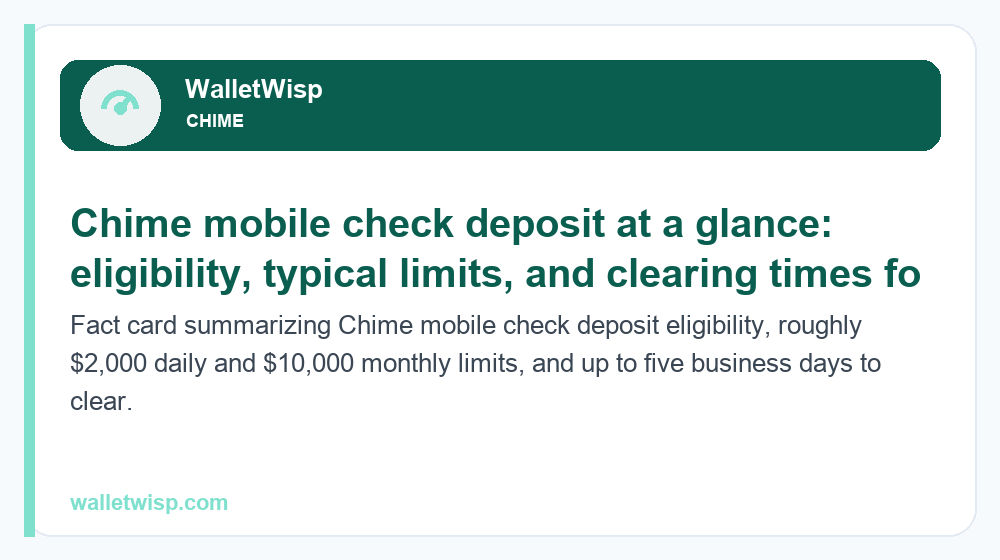
Chime mobile check deposit lets eligible members photograph a paper check inside the Chime app and deposit it without visiting a branch — but it is not available to every account. To use it, you generally need a qualifying direct deposit history: at least one payroll or government direct deposit (typically $200 or more) posted to your Chime Checking Account within roughly the last 34 days. Once eligible, most members can deposit around $2,000 per day and up to about $10,000 per month, and funds usually post within a few business days — often up to five business days for your very first mobile deposits, then faster as your history builds.
Below is a full 2026 walkthrough of who qualifies, the typical limits, how long a Chime mobile check deposit takes to clear, the exact steps in the app, why some people never see the feature, and what to do if you are not eligible yet.
Who is eligible for Chime mobile check deposit?
Mobile check deposit is a gated feature. Chime uses your account activity to decide whether it appears, and the main gate is a recent qualifying direct deposit. In practical terms, you usually qualify when both of these are true:
- You have an open Chime Checking Account in good standing (not restricted or under review).
- You have received a qualifying direct deposit — typically a payroll (ACH from an employer) or a government benefit such as Social Security, unemployment, or a tax refund — of about $200 or more, posted within roughly the last 34 days.
One-off transfers do not count the same way. Moving money in from PayPal, Cash App, Venmo, a bank transfer, or a mobile check deposit itself generally does not unlock the feature, because those are not employer or government ACH direct deposits. If your paycheck goes to another bank and you only push money into Chime manually, you will likely never see the mobile deposit option.
Eligibility is also dynamic. If you were qualified but then stopped receiving direct deposits, the feature can disappear again once you fall outside the recent-activity window. Amounts and windows are set by Chime and its partner banks and can change, so treat the ~$200 and ~34-day figures as typical guidance rather than a guarantee.
Why some users don’t see the feature at all
If you have hunted through the app and cannot find “Deposit checks,” the most common reasons are:
- No qualifying direct deposit on record — the number-one reason. Manual transfers won’t do it.
- Your last direct deposit is outside the recent window, so eligibility lapsed.
- Your app is out of date — update it from the App Store or Google Play so the feature can render.
- Your account is new, restricted, or under verification, which pauses check features.
- You have a Chime Credit Builder account only and not an active Checking Account.
If your direct deposit itself is running behind schedule and that’s what’s blocking eligibility, our guide on why a Chime direct deposit is late walks through timing and fixes.
Chime mobile check deposit limits in 2026
Chime sets both per-check and rolling limits. The figures below are the typical published ranges; your personal limits can be lower when you are newly eligible and may rise as you build a longer, healthy deposit history. Always check the exact numbers shown on your own deposit screen before you rely on them.
| Limit type | Typical amount (2026) | Notes |
|---|---|---|
| Per single check | Up to ~$2,000 | A single check above your limit must be deposited another way. |
| Per day | Around $2,000 | Combined across all mobile deposits in a calendar day. |
| Per month (rolling) | Up to ~$10,000 | Total accepted mobile deposits over a rolling 30-day period. |
| Number of checks | Multiple per day | Subject to the dollar caps above. |
These limits are separate from other Chime limits you may care about, such as ATM and cash-back caps. If you’re mapping out how much cash you can pull after a deposit clears, see our breakdown of the Chime ATM withdrawal limit for 2026.
What kinds of checks can you deposit?
Chime accepts most standard personal and payroll-style checks, but there are meaningful exclusions. Generally accepted: payroll checks, government/treasury checks, personal checks, and many cashier’s or business checks made payable to you. Commonly not accepted: checks made out to someone else, checks you’ve already deposited or cashed, third-party checks signed over to you, money orders, traveler’s checks, foreign checks, and altered, post-dated, or expired (stale-dated) checks. If a check is rejected, you’ll typically get an in-app message explaining why.
How to deposit a check in the Chime app: step by step
Once you’re eligible, the process takes a couple of minutes. Work in good lighting on a dark, flat surface so the camera can read the check clearly.
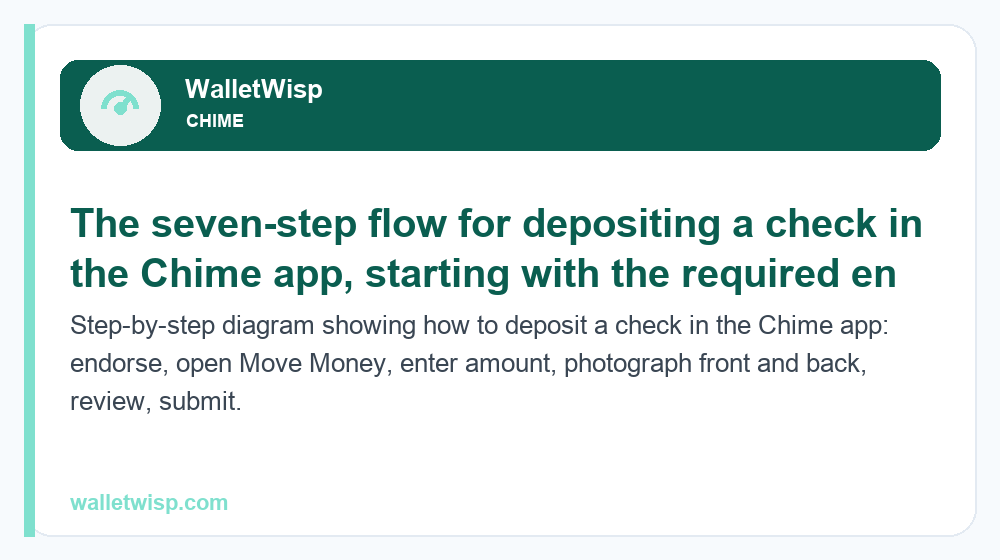
- Endorse the check first. Sign the back and — this part matters — write “For mobile deposit at Chime only” (or “For Chime mobile deposit only”) beneath your signature. Chime requires this restrictive endorsement; a missing or incomplete endorsement is a top reason deposits get rejected.
- Open the Chime app and tap Move Money (the transfers/menu area).
- Select “Deposit Checks.” If you don’t see it, you’re likely not eligible yet — see the sections above.
- Enter the check amount exactly as written on the check.
- Photograph the front, making sure all four corners, the amount, and the routing/account numbers are visible and in focus.
- Photograph the back showing your signature and the “For mobile deposit at Chime only” endorsement.
- Review and submit. Confirm the amount and images, then tap to deposit. You’ll get a confirmation and can track status in the app.
- Keep the paper check somewhere safe for at least a couple of weeks after the funds post, in case there’s an issue. Then void or destroy it so it can’t be redeposited.
The endorsement requirement, in plain terms
A “restrictive endorsement” simply means you’re telling the bank the check can only be deposited to Chime by mobile — not cashed or deposited elsewhere. It protects you if the physical check is lost or the images are intercepted. Skipping it, or just signing your name with nothing else, is one of the most frequent causes of a failed Chime mobile check deposit, so write the full phrase every time.
How long does a Chime mobile check deposit take to clear?
Clearing time depends on how established your account is and, sometimes, the type and size of the check. As a rule, your first few mobile deposits take the longest because Chime and its partner bank are managing risk on a new behavior. After you’ve built a track record of good deposits, funds tend to arrive faster.
| Situation | Typical clearing time | What’s happening |
|---|---|---|
| First mobile deposit(s) | Up to ~5 business days | New behavior; extra review while history is thin. |
| Established member, standard check | ~1–2 business days | Track record allows faster availability. |
| Government / payroll check, established member | Often ~1 business day | Lower-risk check types may post sooner. |
| Large or flagged check | Up to ~5 business days (sometimes longer) | Higher amounts can trigger additional holds. |
“Business days” exclude weekends and federal holidays, so a Friday-night deposit effectively starts counting the following Monday. Chime displays an expected availability date in the app after you submit — trust that date over any general estimate, since it reflects your specific account and check. If a deposit is still pending well past the shown date, contact Chime support rather than re-submitting the same check.
Can you speed up availability?
There’s no paid “instant” option for mobile check deposits, but a few habits help: keep receiving direct deposits so your account stays in good standing, deposit earlier in the day and earlier in the week, photograph checks cleanly so they aren’t kicked back for re-review, and avoid depositing unusually large checks right after becoming eligible. Over time, your availability windows generally shorten on their own.
What to do if you’re not eligible for Chime mobile check deposit
If the feature isn’t available — usually because you don’t have a qualifying direct deposit — you still have solid ways to turn a paper check into spendable money on Chime.
- Use Ingo Money. Chime partners with the Ingo Money app, which lets you photograph a check and load the funds to your Chime account. You choose between a free option that takes up to about 10 business days, or an instant option for a fee (typically a percentage of the check, with a minimum charge). Ingo can approve or decline any check, and declined checks aren’t loaded.
- Deposit to a linked external account, then transfer. If you have another bank that offers mobile deposit, deposit the check there, let it clear, then transfer the money to Chime via ACH or by linking the accounts. It’s slower but free and reliable.
- Cash the check elsewhere and load cash to Chime. You can cash a check at the issuing bank or a check-cashing service, then add cash to your Chime account at a supported retailer (fees may apply at the retailer). Cash loads are available to more members than mobile deposit.
- Ask the payer for a direct deposit or digital payment instead. If it’s a recurring payer like an employer, switching to ACH direct deposit both solves this check and can unlock mobile deposit going forward.
Set up a genuine payroll or benefits direct deposit and two useful things happen: you generally become eligible for mobile check deposit within the recent-activity window, and you unlock other perks. For example, qualifying direct deposits are also what turn on fee-free overdraft — see how that works in our guide to Chime SpotMe explained.
Frequently Asked Questions
Why can’t I find mobile check deposit in my Chime app?
Almost always because you don’t have a qualifying direct deposit on record within the recent window (roughly the last 34 days). Manual transfers from PayPal, Cash App, or another bank don’t count. Also check that your app is updated and your account isn’t new, restricted, or Credit Builder–only.
How much can I deposit with Chime mobile check deposit?
Typically around $2,000 per check and per day, and up to about $10,000 over a rolling 30-day period. Newly eligible members may see lower limits that increase with a positive deposit history. Check the exact figures on your own deposit screen, since Chime can adjust them.
How long until the money is available?
Your first mobile deposits can take up to about five business days while your history is thin. Established members often see funds in roughly one to two business days, and lower-risk payroll or government checks may post sooner. The app shows a specific availability date after you submit.
Do I really need to write “For mobile deposit at Chime only”?
Yes. Chime requires this restrictive endorsement under your signature on the back of the check. Leaving it off — or signing your name alone — is one of the most common reasons a deposit gets rejected, so write the full phrase every time.
What direct deposits count toward eligibility?
Employer payroll (ACH) and government payments such as Social Security, unemployment, or a tax refund typically count, usually at about $200 or more. Peer-to-peer app transfers, ATM cash loads, and manual bank transfers generally do not qualify you for mobile check deposit.
What checks won’t Chime accept by mobile deposit?
Chime generally rejects checks payable to someone else, third-party checks signed over to you, money orders, traveler’s checks, foreign checks, and any post-dated, stale-dated, altered, or already-deposited check. Payroll, government, and standard personal checks made out to you are usually fine.
What are my options if I’m not eligible?
Use the Ingo Money app to load a check to Chime (free but slow, or instant for a fee), deposit the check at a linked external bank and transfer the money over, or cash the check and add cash to Chime at a supported retailer. Setting up a real direct deposit is the long-term fix.
Can a Chime mobile check deposit be reversed or held longer?
Yes. If a check bounces, appears fraudulent, or is unusually large, Chime can extend the hold or reverse the deposit. Keep the paper check for at least a couple of weeks after funds post, don’t spend against an uncleared deposit, and contact support if a deposit stays pending past its shown date instead of re-submitting it.