In June 2026, Cash App turned a viral TikTok moment into actual hardware: a pearlescent little “magic wand” you tap on a checkout terminal to pay. It’s cute, it’s shiny, and it sold out fast — but underneath the whimsy is a genuinely useful piece of payment tech. Here’s exactly what the Cash App Wand is, how it connects to your Cash Card, and what it costs before you buy one.
What Is the Cash App Wand?
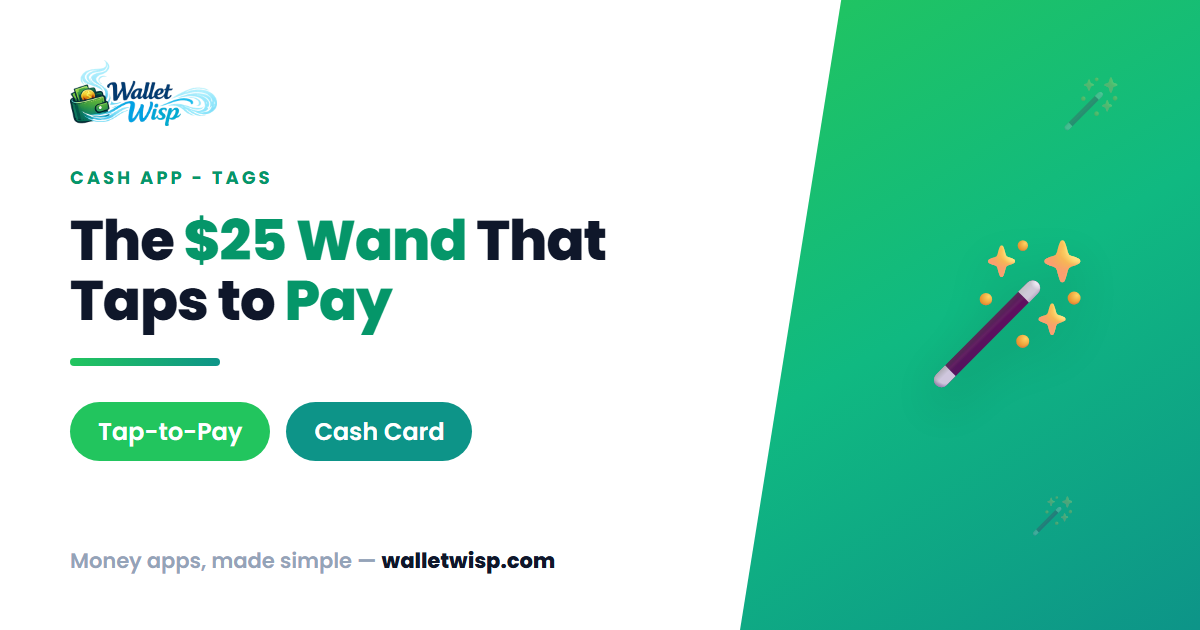
The Wand is the first product in a new line Cash App calls Cash App Tags — NFC-enabled physical accessories that let you pay without reaching for your phone or pulling out a card. The launch model is a small, pearlescent wand with a star-shaped tip and a light-green faux gemstone in the center, sized to clip onto a keychain.
Functionally, a Tag behaves like a tap-to-pay debit card in a fun shape. It contains an NFC chip — the same contactless technology built into your physical Cash App Card — so you hold it up to a payment terminal and the transaction goes through in under a second. There’s no battery to charge, no Bluetooth to pair, and no Wi-Fi required. The chip is passive; the terminal powers it during the tap.
One important framing from Cash App itself: Tags are “financial instruments linked to your Cash App Card, and NOT toys.” Despite looking like a party favor, the Wand moves real money.
How It Connects to Your Cash Card
A Tag doesn’t have its own balance or account. It links directly to your existing Cash App Card and draws from the same Cash App balance, under the same account. In practice that means:
- Every Wand purchase pulls from your Cash App balance, exactly like a Cash Card swipe or tap.
- It works anywhere Visa tap-to-pay is accepted (Cash App Cards run on the Visa network).
- There are no minimum balance or activity requirements to keep a Tag active.
- You get the same protections and spending limits your Cash Card already has, including real-time transaction alerts and 24/7 fraud monitoring.
Because you must have an active Cash App Card to use a Tag, the Wand is an add-on accessory, not a replacement or a standalone product. No Cash Card, no Wand.
What It Actually Costs
The headline price for the launch Wand is $25 plus applicable sales tax, charged once through the Cash App. That’s the entire cost of the device — there is no monthly fee, no subscription, and no separate activation charge. You already know Cash App doesn’t charge for the Cash App Card itself, and the Tag doesn’t change that.
| Cost item | Amount |
|---|---|
| Cash App Wand (launch price) | $25 + sales tax, one time |
| Monthly or subscription fee | $0 |
| Activation fee | $0 |
| Cash App Card (required) | Free |
| Per-tap transaction fee | $0 (same as Cash Card) |
A note on pricing: $25 is the introductory price of the pearlescent Wand. Cash App has said more Tag designs will follow in different form factors, and its own activation help page has referenced tags priced at $30 plus tax. So while the original Wand launched at $25, later or limited-edition designs may carry a different sticker price. Always confirm the price shown in-app before you check out.
Worked Example
Say you buy the Wand at $25 in a state with 8% sales tax. Your one-time charge is about $27.00 ($25 + $2.00 tax), billed to your Cash App account. After that, if you tap the Wand for a $6.50 coffee, exactly $6.50 comes out of your Cash App balance — no surcharge for using the Wand instead of the card. Over a year of daily coffees, the Wand costs you nothing beyond that first ~$27.
How to Set Up and Activate Your Wand
Activation takes about a minute and happens entirely in the app by physically tapping the Wand to your phone. Here’s the flow:
- Confirm your Cash App Card is active. If you don’t have one yet, order and activate the Cash Card first.
- Open Cash App and go to the Money tab. Swipe down on your balance to reveal your card and your tag, then tap Activate.
- Review and accept the terms that govern how the Tag operates with your card.
- Remove your phone case — especially thick or metal ones — so the NFC signal isn’t blocked.
- Position the Wand against your phone (see the table below), tap Start activation, and hold both still.
- Wait for confirmation. When you see “Your tag is linked,” you’re done and ready to tap-to-pay.
| Phone | Where to hold the Wand |
|---|---|
| iPhone | Lay the phone flat, screen up. Place the Wand on the screen, gem facing up, centered over the front camera. Hold still up to 1 minute. |
| Android | Hold the Wand flat against the back of the phone, centered behind the pulsing star graphic. Feel for a vibration, then hold until the progress bar hits 100%. |
Security: Locking, Losing, and Fraud
Because the Wand lives on a keychain, it’s easy to imagine losing it — Cash App built controls for exactly that:
- Instant lock/unlock: Open the Tag in the app and tap Lock to freeze it immediately. Locking the Wand does not affect your Cash App Card, so your card keeps working.
- If it’s lost: Lock the Tag first, then contact Cash App support to report it. You can also deactivate a Tag entirely from the app.
- Fraud coverage: The Wand carries the same protections as your card, including real-time alerts and zero liability for unauthorized charges — report them within 60 days.
Frequently Asked Questions
Do I need a Cash App Card to use the Wand?
Yes. A Tag is not a standalone payment product — it links to and operates through your Cash App Card, drawing from the same balance. You must have an active Cash Card before you can activate a Wand.
Does the Wand cost anything beyond the purchase price?
No. The launch Wand is a one-time $25 (plus sales tax) purchase. There’s no monthly fee, no activation fee, and no per-tap charge. It spends exactly like your Cash Card.
Where can I actually use the Wand?
Anywhere Visa contactless tap-to-pay is accepted, since Cash App Cards run on Visa. Just hold the Wand to the terminal like you would a contactless card or phone. It won’t work at terminals that only accept chip insert or swipe.
Can I still buy one?
The original $25 Wand sold out quickly after its June 4, 2026 launch. Cash App has said additional limited-run Tag designs would drop to cardholders in the following weeks, with broader availability opening later in the summer. Check the Cash App itself for current stock and pricing.
The Bottom Line
The Cash App Wand is a low-risk, low-cost novelty that happens to be practical: for a one-time ~$25, you get a keychain-friendly tap-to-pay device tied to your existing Cash Card, with the same fraud protections and instant lock controls. There’s no recurring cost, and if you lose it you can freeze it in seconds. If you already use the Cash Card and like the idea of tapping a wand instead of digging out your phone, it’s an inexpensive bit of fun with real utility.
WalletWisp is informational only and not financial advice. Confirm current prices, fees, and availability in the Cash App before purchasing.