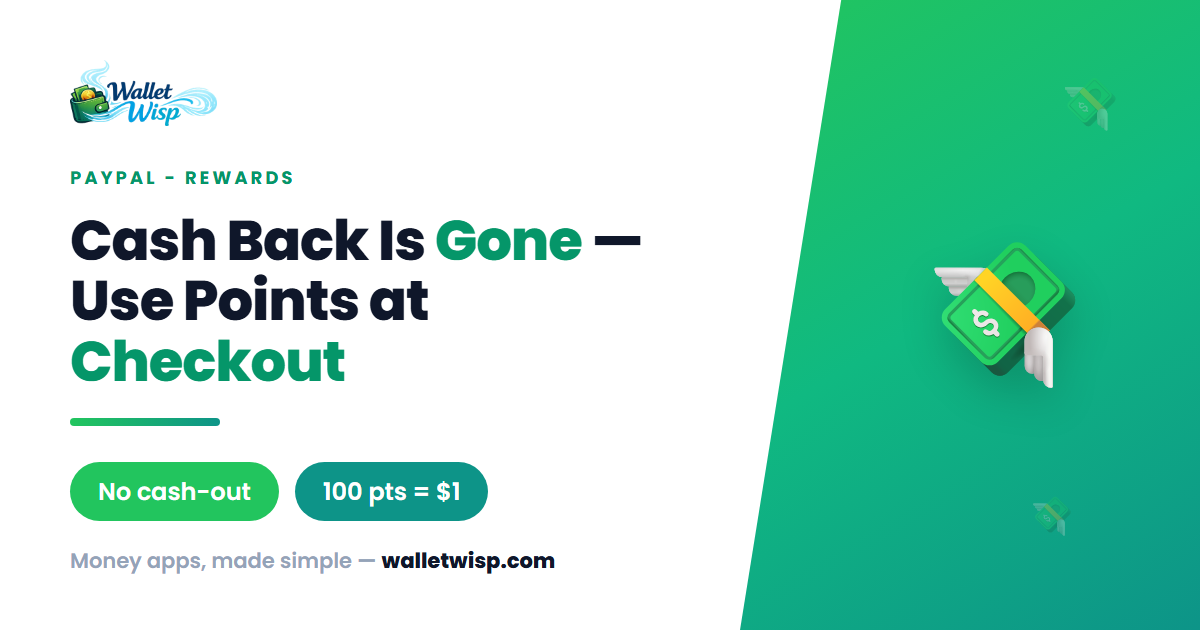
If you logged into PayPal recently to move your Rewards points into your balance — or into your bank account, debit card, or PayPal Savings — and the button was gone, you weren’t imagining it. As of 11:59 PM Pacific on August 1, 2026, PayPal permanently retired the “redeem for cash back” option for Rewards points. That deadline has now passed, so the cash-out door is closed for good.
The points themselves didn’t disappear. What changed is how you’re allowed to spend them. Below is a plain-English breakdown of what PayPal removed, what still works, and how to squeeze real value out of the points sitting in your account today.
What Exactly Did PayPal Remove?
PayPal announced the change in early 2026 and gave users several months of warning. The retired options were every method that turned points into withdrawable money:
- Redeeming points as cash back into your PayPal balance
- Cash back sent to a linked bank account
- Cash back sent to a linked debit card
- Cash back deposited into a PayPal Savings account
In short, points are no longer a stand-in for cash you can move out of PayPal. They now behave much more like store credit that lives inside PayPal’s ecosystem.
How You Can Redeem Points Now
Three redemption paths survived the cut. Here’s how each one works and what your points are worth.
| Redemption method | How it works | Typical value |
|---|---|---|
| Apply at checkout | When paying with PayPal at a participating merchant, choose to apply points as a discount on that purchase. | 100 points = $1 |
| Gift cards (via PayPal/Honey) | Exchange points for gift cards in the rewards or Honey section of the app. | Varies by card; can change anytime |
| Charitable donation | Donate points to a 501(c)(3) charity through PayPal Giving Fund. | Face value of points donated |
The checkout discount is now the flagship option, and it’s the one most people will use. The standard exchange rate is 100 points to $1 — the same rate cash back used before — so a 500-point balance knocks $5 off a qualifying order.
Worked example: applying points at checkout
Say you’re buying $42 of household goods from an online store that accepts PayPal, and you have 2,300 points.
- At checkout, select PayPal as your payment method.
- On the PayPal review screen, look for a “Use points” or Rewards toggle.
- Apply your 2,300 points. At 100 points = $1, that’s a $23 discount.
- Your remaining $19 is charged to your normal funding source.
One catch: the discount only appears when PayPal surfaces the option for that specific merchant and transaction. Not every store or purchase type qualifies, and you’ll generally still need a backup funding source on file in case of a dispute, refund, or order change.
Worked example: gift cards vs. checkout
Suppose you’re deciding between a $10 gift card (1,000 points) and simply saving those 1,000 points for a checkout discount. If you already shop where the gift card is redeemable, the value is a wash at roughly $10 either way. But checkout points are more flexible — you’re not locked into a single retailer — so unless a gift card is running a bonus, holding points for checkout usually wins.
The Enrollment Change You Might Have Missed
Alongside the cash-back removal, PayPal added an opt-in requirement. Starting on or after June 29, 2026, continuing to earn and receive Rewards benefits may require you to actively enroll through the PayPal app, website, or at checkout. Earning is no longer guaranteed to be automatic.
If you haven’t opened the app in a while, do this now: go to the Rewards section and confirm you’re enrolled. Skipping this step can quietly stop you from racking up new points.
How Points Work (Quick Refresher)
Understanding the mechanics helps you avoid losing value:
- Earning: Points accrue on eligible purchases through the PayPal app, PayPal.com, and the Honey browser extension. They’re calculated on the item subtotal — taxes and shipping don’t count.
- Availability: New points show as pending within 1–14 days and can stay pending up to 90 days (longer for some travel purchases) before they’re usable.
- Value: Points have no cash value until redeemed and can’t be purchased.
- Expiration: Points can expire depending on your account terms, so don’t let a large balance sit indefinitely.
What To Do With Your Points Right Now
- Check your balance. Open the PayPal app → Rewards to see your current point total and any pending points.
- Confirm you’re enrolled so you keep earning going forward.
- Spend them at checkout on your next qualifying PayPal purchase — this is the simplest 1:1 value.
- Consider a gift card only if it matches a retailer you already use or comes with a bonus.
- Don’t hoard. Since cash-out is gone and points can expire, aim to redeem regularly rather than saving for a payout that no longer exists.
Frequently Asked Questions
Can I still get my PayPal Rewards points as cash?
No. The option to redeem points as cash back — into your PayPal balance, a linked bank account, a linked debit card, or PayPal Savings — was permanently removed at 11:59 PM Pacific on August 1, 2026. There is currently no way to convert points into withdrawable cash.
What are my PayPal points worth now?
At checkout, the standard rate is 100 points to $1, so 1,000 points equals about $10 off a qualifying purchase. Gift card and donation values can vary, and PayPal can adjust redemption options at any time.
Did I lose the points I already had?
No — existing points remain in your account. Only the cash-back redemption method was removed. You can still use those points at checkout, for gift cards, or to donate to charity, subject to the program’s expiration rules.
Why do I suddenly have to opt in to PayPal Rewards?
As of on or after June 29, 2026, PayPal requires enrollment or opt-in through the app, website, or at checkout to keep earning and receiving program benefits. If you haven’t enrolled, you may stop accumulating new points until you do.
The Bottom Line
PayPal Rewards has shifted from a quasi-cash program to spend-it-inside-PayPal store credit. The points you have are still valuable — a clean 100 points to $1 at checkout — but they’re no longer a way to pull money out. Open the app, make sure you’re enrolled, and burn down your balance on purchases you were going to make anyway rather than waiting for a cash-out that isn’t coming back.
WalletWisp is an independent, informational resource and does not provide financial advice. Program terms, rates, and redemption options can change — always confirm the latest details in your PayPal account.